EasyManua.ls Logo

Justop Smart TV Player - User Manual

Justop Smart TV Player
20 pages
Print Icon
To Next Page IconTo Next Page
Loading...
JUSTOP Smart TV Player
With Android 4.0
User Manual

Questions and Answers

Summary

Users Notice

Getting Start

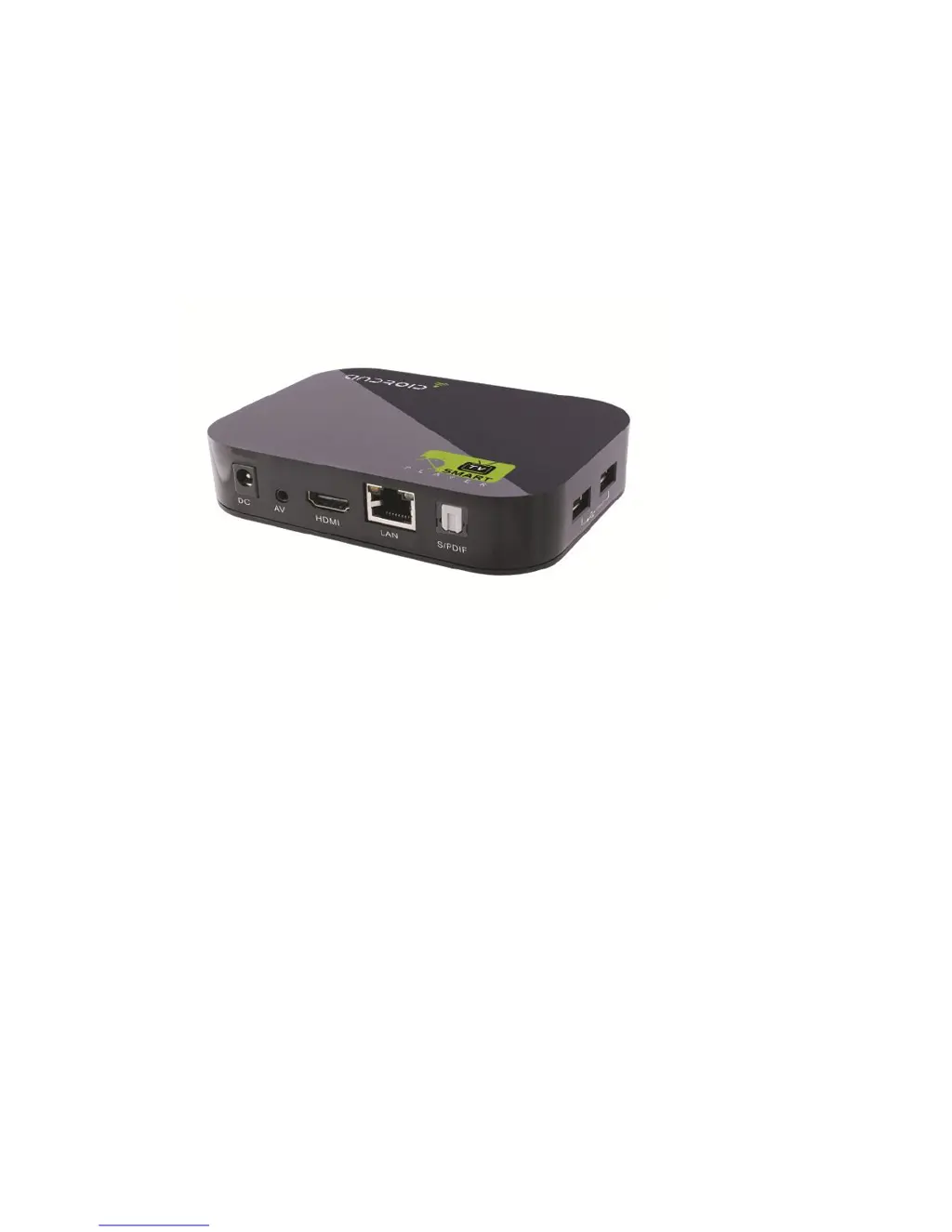
Back Panel Connections

Details the various ports and connections available on the back panel of the device.

Back Panel Ports

Illustrates and describes the ports located on the back view of the device.

Remote Control Overview

Explains the functions of each button on the remote control for operating the device.

Mouse Operation Guide

Describes how to use a mouse with the device, including left and right click functions.

Package Contents

Quick Start Guide

Home Screen and Launcher Options

Explains navigation between Android Launcher and TVdLauncher home screens.

Device Settings and Network Configuration

Covers system settings, wireless, network configuration, and data usage monitoring.

File Browser and Web Browser Usage

Guides on using the file browser for file management and web browser for internet access.

Device Configuration

Sound Settings

Allows adjustment of system volume, ringtones, notification sounds, and audio output modes.

Display Settings

Enables adjustment of screen brightness, contrast, saturation, wallpaper, and display output.

Storage Information

Provides information regarding the internal storage and media database capacity.

Application Management

Personal Settings

Accounts and Synchronization

Covers managing user accounts and synchronizing data across services.

Location Services Configuration

Explains settings related to device location services and Google search integration.

Security Settings

Covers device encryption, password visibility, device administrators, and trusted credentials.

Language and Input Settings

Allows selection of multiple languages and configuration of input methods for the device.

Backup and Reset Options

Details options for backing up and restoring firmware, and performing factory data resets.

System Settings

Date and Time Configuration

Allows setting the device's date, time, and time zone, including automatic network updates.

Accessibility Features

Covers accessibility options such as large text, password speech, and click/hold delay.

Developer Options

Provides advanced settings for developers, including USB debugging and mock locations.

About Device Information

Displays detailed information about the device, including model, Android version, and build details.

Application Installation and Removal

Removing Applications

Step-by-step guide on how to uninstall installed programs from the device's app list.

Product Specifications

Firmware Update Procedure

Using PhoenixCard Tool

Guide on opening and using the PhoenixCard upgrading tool for firmware preparation.

Preparing the SD Card

Instructions for connecting and preparing an empty SD card for the firmware update process.

Selecting Firmware File

Steps to select the correct firmware file and initiate the upgrade process.

Applying Firmware Update

Process of inserting the prepared SD card into the TV box and completing the firmware installation.

Troubleshooting Common Issues

No Power Issues

Solutions for power-related problems, checking adapter connections and integrity.

No Picture Display

Steps to resolve issues where no picture is displayed, checking cables and input modes.

Audio Issues

Troubleshooting steps for no sound or distorted audio, checking volume, cables, and speakers.

Remote Control Malfunction

Guidance on resolving problems with the remote control not working, checking batteries and distance.

Unresponsive Operations

Solutions for when the player does not respond to commands, suggesting reboots or battery checks.

USB;SD Card Read Errors

Addresses issues where USB flash drives or SD/MMC cards cannot be read, checking format compatibility.

HDMI Audio Connection Issues

Checks for correct input/output modes and TV system setup for HDMI audio.

Blank Screen and Blinking LED

Steps to resolve a blank screen with a blinking player LED, including rebooting and firmware updates.

Frequently Asked Questions

System Crashes or Unresponsive Buttons

Guidance on handling system crashes or unresponsive buttons, including power cycling.

Abnormal Start-up or No Image Output

Troubleshooting steps for abnormal start-ups or lack of image output, checking connections and software.

Video Playback Issues

Advice on resolving video playback problems, including file format support and rebooting.

Network Access Problems

Steps to diagnose and fix network connectivity issues, checking cables, routers, and DHCP settings.

DNS Error Resolution

Guidance on resolving DNS errors by checking IP settings and router configuration.

Justop Smart TV Player Specifications

General IconGeneral
BrandJustop
ModelSmart TV Player
CategoryTV Accessories
LanguageEnglish