EasyManua.ls Logo

JVC 0910DTSMDTJEIN - User Manual

JVC 0910DTSMDTJEIN
55 pages
Print Icon
To Next Page IconTo Next Page
Loading...
ENGLISH
ESPAÑOL
FRANÇAIS
GET0701-001A
[J]
EN, SP, FR
0910DTSMDTJEIN© 2010 Victor Company of Japan, Limited
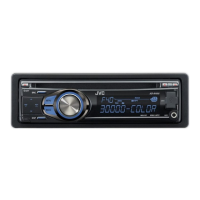
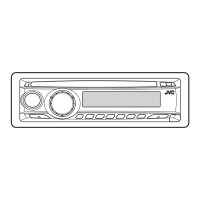
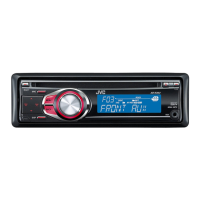
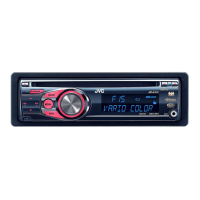
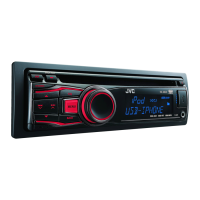
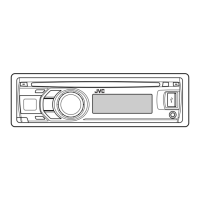
KD-R528/KD-A525/
KD-R520/KD-R428/KD-R420
CD RECEIVER / RECEPTOR CON CD /
RÉCEPTEUR CD
For canceling the display demonstration, see page 4. / Para cancelar la demostración en pantalla,
consulte la página 4. / Pour annuler la démonstration des affichages, référez-vous à la page 4.
For customer Use:
Enter below the Model
No. and Serial No. which
are located on the top or
bottom of the cabinet.
Retain this information
for future reference.
Model No.
Serial No.
INSTRUCTIONS
MANUAL DE INSTRUCCIONES
MANUEL D’INSTRUCTIONS
For installation and connections, refer to the separate manual.
Para la instalación y las conexiones, refiérase al manual separado.
Pour l’installation et les raccordements, se référer au manuel séparé.
Having TROUBLE with operation?
Please reset your unit
Refer to page of How to reset your unit
Still having trouble??
USA ONLY
Call 1-800-252-5722
http://www.jvc.com
We can help you!
KD-R528/KD-A525/KD-R520:
“Made for iPod,” and “Made for iPhone” mean that an electronic accessory has been designed to
connect specifically to iPod, or iPhone, respectively, and has been certified by the developer to
meet Apple performance standards. Apple is not responsible for the operation of this device or
its compliance with safety and regulatory standards. Please note that the use of this accessory
with iPod, or iPhone may affect wireless performance.
iPhone, iPod, iPod classic, iPod nano, and iPod touch are trademarks of Apple Inc., registered in
the U.S. and other countries.
CoverRear_KD-R528[J]f.indd 1-2CoverRear_KD-R528[J]f.indd 1-2 10/4/10 10:02:50 AM10/4/10 10:02:50 AM

Questions and Answers

  • C
    Chad FernandezSep 4, 2025
    Why does “READING” keep flashing on my JVC 0910DTSMDTJEIN display?
    • C
      christine02Sep 4, 2025
      If “READING” keeps flashing on the display of your JVC Car Receiver, it may require a longer readout time. Avoid using too many hierarchical levels and folders. You can also try turning the power off and on again or reattaching the USB device.
  • J
    Jay PrattSep 18, 2025
    Why can't my JVC 0910DTSMDTJEIN Car Receiver play MP3/WMA discs?
    • D
      Dawn CastilloSep 18, 2025
      If your JVC Car Receiver cannot play back a disc, use a disc with MP3/WMA tracks recorded in a format compliant with ISO 9660 Level 1, Level 2, Romeo, or Joliet. Also, ensure that you add the extension code or to the file names.
  • L
    Lisa ChenSep 16, 2025
    What does “IN DISC” mean on my JVC 0910DTSMDTJEIN Car Receiver display?
    • C
      Christopher GonzalezSep 16, 2025
      If “IN DISC” appears on the display of your JVC Car Receiver, the disc cannot be ejected properly. Make sure nothing is blocking the loading slot.
  • M
    Mark EwingSep 14, 2025
    What to do if “PLEASE” and “EJECT“ appear on JVC 0910DTSMDTJEIN display?
    • M
      Melissa LunaSep 14, 2025
      If “PLEASE” and “EJECT“ appear alternately on the display of your JVC Car Receiver, press 0, then insert a disc correctly.
  • B
    Brent NavarroSep 12, 2025
    What does “RESTRICTED” mean on my JVC 0910DTSMDTJEIN Car Receiver display?
    • T
      Timothy MedinaSep 12, 2025
      If “RESTRICTED” appears on the display of your JVC Car Receiver, check whether the connected iPod/iPhone is compatible with this unit.
  • V
    vazquezharoldSep 12, 2025
    Why aren't tracks playing in the correct order on my JVC Car Receiver?
    • J
      Jason CookSep 12, 2025
      If tracks or folders are not playing back in the order you intended on your JVC Car Receiver, note that the playback order is determined by the file name. Folders with numbers at the beginning of their names are sorted numerically.
  • M
    Michael MeyerSep 9, 2025
    Why does my JVC Car Receiver say “NOT SUPPORT” and skip tracks?
    • P
      popekatieSep 9, 2025
      If your JVC Car Receiver displays “NOT SUPPORT” and skips tracks, check whether the track is a playable file format.
  • C
    Christopher EvansSep 7, 2025
    What does “NO FILE” mean on my JVC Car Receiver?
    • D
      David FuentesSep 7, 2025
      If “NO FILE” appears on the display of your JVC Car Receiver, check whether the device contains playable files.
  • M
    millermarySep 5, 2025
    Why is sound interrupted when using auxiliary input on my JVC 0910DTSMDTJEIN?
    • M
      Marie HarveySep 5, 2025
      If the sound is sometimes interrupted while listening to an external component connected to the auxiliary input jack on your JVC Car Receiver, check to be sure the recommended stereo mini plug is used for connection.
  • J
    Jennifer JonesAug 20, 2025
    How to fix JVC 0910DTSMDTJEIN Car Receiver when no sound is coming from the speakers?
    • J
      Joseph StewartAug 21, 2025
      If you can't hear any sound from the speakers of your JVC Car Receiver, first, adjust the volume to the appropriate level. Then, verify that the unit is not muted or paused. Finally, check the cords and connections to ensure they are properly connected.

Summary

Safety and Regulatory Information

Laser Product Safety Warnings

Precautions for Class 1 and Class II laser products.

Driving and Volume Safety

Cautions regarding volume adjustment and operating while driving.

Unit Operation and Maintenance

Fundamental Unit Operations

Main Unit Controls Overview

Explanation of main unit buttons and their functions.

Radio Tuning and Presets

CD and Media Playback

Disc Playback Control and Navigation

How to stop, eject, select tracks/folders, and manage playback modes.

Connecting External Audio Sources

USB Device Playback and Cautions

Connecting and Playing USB Devices

How to connect and play MP3/WMA files from USB devices.

iPod;iPhone Integration

Connecting and Controlling Your iPod;iPhone

Steps to connect, select control terminal, and navigate tracks.

Comprehensive Troubleshooting

Resolving Unit and Radio Issues

Solutions for sound issues, wiring errors, unit malfunction, and radio reception.

Diagnosing Playback Problems

Resolving issues with disc, MP3/WMA, and USB playback problems.

Playback Issues and File Support

USB and iPod;iPhone Playback Errors

Specific troubleshooting steps for USB and iPod/iPhone connectivity and playback.

Bluetooth Device Operations

Using Bluetooth for Calls and Audio

How to use Bluetooth for calls, voice dialing, and audio playback.

JVC 0910DTSMDTJEIN Specifications

General IconGeneral
BrandJVC
CategoryCar Receiver
Model0910DTSMDTJEIN
USB PortYes
BluetoothYes
AM/FM TunerYes
Power Output50W x 4
Display TypeLCD
Supported MediaUSB

Related product manuals