EasyManua.ls Logo

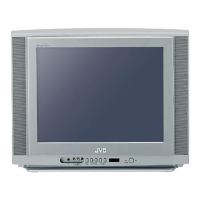
JVC AV 14F704 - User Manual

JVC AV 14F704
24 pages
Print Icon
To Next Page IconTo Next Page
Loading...
Serial Number
IMPORTANT NOTE TO THE CUSTOMER:
In the space below, enter the serial number for your
television (located on the rear of the television cabinet).
Staple your sales receipt or invoice to the inside cover of this guide.
Keep this user's guide in a convenient place for future reference.
Keep the carton and original packaging for future use.
For models:
AV-24F704
AV-20F704
AV-14F704
COLOR TELEVISION
USER'S GUIDE
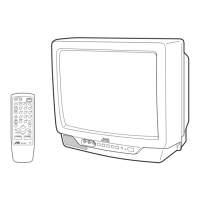
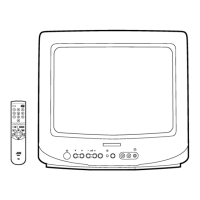
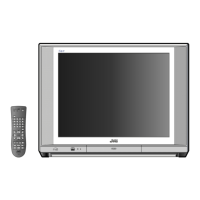
Illustration of AV-24F704 and RM-C1256G
POWER
TV
VCR DVD
POWER
CATV
INPUT
DISPLAY
SLEEP TIMER
AUDIO SELECT
MUTING
STANDARD
2
1
3
7
8
0
9
4
5
6
C.C.
RETURN
LIGHT
ENTER
CH
CH
VOL
VOL
TV/VCR
VCR CHANNEL
PREV NEXT
VCR /DVD
POWER
MENU
EXIT
REC
STOP
PAUSE
PLAY
FF
REW
STILL/PAUSE
OPEN/CLOSE
RM-C1256G
TV
TV
VCR DVD
POWER
CATV
INPUT
DISPLAY
SLEEP TIMER
AUDIO SELECT
MUTING
STANDARD
2
1
3
7
8
0
9
4
5
6
C.C.
RETURN
LIGHT
ENTER
CH
CH
VOL
VOL
TV/VCR
VCR CHANNEL
PREV NEXT
VCR /DVD
POWER
MENU
EXIT
REC
STOP
PAUSE
PLAY
FF
REW
STILL/PAUSE
OPEN/CLOSE
RM-C1256G
TV
PUSH

Questions and Answers

Summary

Important Safeguards

Read and Retain Instructions

Emphasizes reading and keeping all operating and safety instructions for future reference.

Heed Warnings and Follow Instructions

Highlights the importance of adhering to all warnings and following operating instructions precisely.

Cleaning and Attachments

Provides guidelines for safe cleaning and cautions against unauthorized attachments to the unit.

Water, Moisture, and Ventilation

Advises against using the unit near water and ensures proper ventilation to prevent overheating.

Power Source and Polarization

Details requirements for the power source and safety features of polarized plugs.

Power-Cord Protection

Instructs on routing power cords to prevent damage or tripping hazards.

Lightning and Power Lines

Advises on protecting the unit from lightning and avoiding overhead power lines during installation.

Overloading and Object Entry

Warns against overloading outlets and inserting objects into the unit to prevent hazards.

Outdoor Antenna Grounding

Explains the necessity and methods for grounding outdoor antenna systems for protection.

Servicing and Damage Requiring Service

States that servicing should only be done by qualified personnel and lists conditions requiring service.

Replacement Parts and Safety Check

Specifies using manufacturer-approved parts and performing safety checks after repairs.

Heat and CATV System Installation Note

Advises on unit placement away from heat sources and notes for CATV installers regarding grounding.

Important Recycling Information

Features

Location of Controls

Front Panel Controls

Identifies and explains the function of controls located on the front of the television.

Rear Panel Connections

Details the various input and output jacks found on the back of the television for connectivity.

How to Open the Front Door

Provides instructions on accessing the front panel controls by opening the protective door.

Remote Control

Battery Installation

Step-by-step guide for inserting batteries into the remote control for proper operation.

Remote Control Basics

Explains fundamental operations and usage of the remote control for TV functions.

Battery Precautions

Lists important safety precautions and guidelines for using batteries in the remote control.

Effective Distance of Remote Control Transmitter

Details the optimal operating range and potential interference factors for the remote.

Remote Programming

Guides users on programming the remote to control other devices like cable boxes and satellite receivers.

Cable Box or Satellite Setup

Provides specific steps and codes for setting up the remote to operate cable boxes or satellite receivers.

Cable;Satellite Search Codes Function

Explains how to use the search function if the initial codes for cable/satellite devices do not work.

VCR Setup

Details the process and codes for programming the remote to control VCRs.

VCR Search Codes Function

Describes the procedure for finding VCR codes if the listed codes are unsuccessful.

DVD Setup

Outlines the steps and codes for programming the remote to operate DVD players.

DVD Player Search Codes Function

Explains how to use the search function to find codes for DVD players if direct entry fails.

Antenna;CATV Connections

Combination VHF;UHF Antenna Connection

Illustrates how to connect a combined VHF/UHF antenna using different cable types.

Separate VHF;UHF Antenna Connection

Guides on connecting separate VHF and UHF antennas, including necessary adapters.

Cable TV Service Connections

Provides instructions for connecting to basic, scrambled, and mixed cable TV services.

Connection to Other Equipment

TV;AV Selection

Explains how to select different input sources (TV, VCR, DVD, etc.) using the INPUT button.

Setting Language

Setting Clock

To Memorize Channels

TV;CATV Selection

Explains how to set the TV/CATV mode for proper channel scanning and memory.

Automatic Channel Memory

Describes the process for automatically scanning and storing all available channels.

To Add;Delete Channels

Provides instructions for manually adding or removing specific channels from memory.

CH Label

Setting V-Chip

US V-Chip Ratings (TV & Movie)

Guides on setting parental controls for US TV and movie content based on rating systems.

Canadian V-Chip Ratings (English & French)

Explains how to configure parental controls for Canadian content using English and French rating systems.

TV Basic Operation

TV Mode Direct Channel Selection

Explains how to directly select channels when the TV/CATV switch is set to TV.

CATV Mode Direct Channel Selection

Details methods for selecting channels when using a cable system via the TV/CATV switch.

INPUT Button

Stereo and Separate Audio Program (SAP)

Listening to Stereo Sound

Explains how to enable and enjoy stereo sound broadcasts.

Listening to SAP

Guides on receiving and listening to Separate Audio Program (SAP) broadcasts, often in another language.

To Select Desired Sound

Details how to use the AUDIO SELECT button to choose between mono, stereo, or SAP sound.

DISPLAY Button

Picture Adjustments

Sound Adjustments

Closed Caption

What is Closed Captioning?

Defines Closed Captioning and its purpose for hearing-impaired viewers or language translation.

To View Closed Captions

Explains how to activate and switch between different Closed Caption viewing modes using the remote.

On;Off Timer

ON Timer Setting

Details how to program the TV to turn on automatically at a specific time and channel.

OFF Timer Setting

Guides on programming the TV to turn off automatically at a predetermined time.

Sleep Timer Button

VCR Buttons

DVD Buttons

TV;CATV Switch

VCR;DVD Switch

Troubleshooting Guide

Specifications

Accessories

Lists the included accessories, such as the remote control and batteries, provided with the TV.

Summary

Important Safeguards

Read and Retain Instructions

Emphasizes reading and keeping all operating and safety instructions for future reference.

Heed Warnings and Follow Instructions

Highlights the importance of adhering to all warnings and following operating instructions precisely.

Cleaning and Attachments

Provides guidelines for safe cleaning and cautions against unauthorized attachments to the unit.

Water, Moisture, and Ventilation

Advises against using the unit near water and ensures proper ventilation to prevent overheating.

Power Source and Polarization

Details requirements for the power source and safety features of polarized plugs.

Power-Cord Protection

Instructs on routing power cords to prevent damage or tripping hazards.

Lightning and Power Lines

Advises on protecting the unit from lightning and avoiding overhead power lines during installation.

Overloading and Object Entry

Warns against overloading outlets and inserting objects into the unit to prevent hazards.

Outdoor Antenna Grounding

Explains the necessity and methods for grounding outdoor antenna systems for protection.

Servicing and Damage Requiring Service

States that servicing should only be done by qualified personnel and lists conditions requiring service.

Replacement Parts and Safety Check

Specifies using manufacturer-approved parts and performing safety checks after repairs.

Heat and CATV System Installation Note

Advises on unit placement away from heat sources and notes for CATV installers regarding grounding.

Important Recycling Information

Features

Location of Controls

Front Panel Controls

Identifies and explains the function of controls located on the front of the television.

Rear Panel Connections

Details the various input and output jacks found on the back of the television for connectivity.

How to Open the Front Door

Provides instructions on accessing the front panel controls by opening the protective door.

Remote Control

Battery Installation

Step-by-step guide for inserting batteries into the remote control for proper operation.

Remote Control Basics

Explains fundamental operations and usage of the remote control for TV functions.

Battery Precautions

Lists important safety precautions and guidelines for using batteries in the remote control.

Effective Distance of Remote Control Transmitter

Details the optimal operating range and potential interference factors for the remote.

Remote Programming

Guides users on programming the remote to control other devices like cable boxes and satellite receivers.

Cable Box or Satellite Setup

Provides specific steps and codes for setting up the remote to operate cable boxes or satellite receivers.

Cable;Satellite Search Codes Function

Explains how to use the search function if the initial codes for cable/satellite devices do not work.

VCR Setup

Details the process and codes for programming the remote to control VCRs.

VCR Search Codes Function

Describes the procedure for finding VCR codes if the listed codes are unsuccessful.

DVD Setup

Outlines the steps and codes for programming the remote to operate DVD players.

DVD Player Search Codes Function

Explains how to use the search function to find codes for DVD players if direct entry fails.

Antenna;CATV Connections

Combination VHF;UHF Antenna Connection

Illustrates how to connect a combined VHF/UHF antenna using different cable types.

Separate VHF;UHF Antenna Connection

Guides on connecting separate VHF and UHF antennas, including necessary adapters.

Cable TV Service Connections

Provides instructions for connecting to basic, scrambled, and mixed cable TV services.

Connection to Other Equipment

TV;AV Selection

Explains how to select different input sources (TV, VCR, DVD, etc.) using the INPUT button.

Setting Language

Setting Clock

To Memorize Channels

TV;CATV Selection

Explains how to set the TV/CATV mode for proper channel scanning and memory.

Automatic Channel Memory

Describes the process for automatically scanning and storing all available channels.

To Add;Delete Channels

Provides instructions for manually adding or removing specific channels from memory.

CH Label

Setting V-Chip

US V-Chip Ratings (TV & Movie)

Guides on setting parental controls for US TV and movie content based on rating systems.

Canadian V-Chip Ratings (English & French)

Explains how to configure parental controls for Canadian content using English and French rating systems.

TV Basic Operation

TV Mode Direct Channel Selection

Explains how to directly select channels when the TV/CATV switch is set to TV.

CATV Mode Direct Channel Selection

Details methods for selecting channels when using a cable system via the TV/CATV switch.

INPUT Button

Stereo and Separate Audio Program (SAP)

Listening to Stereo Sound

Explains how to enable and enjoy stereo sound broadcasts.

Listening to SAP

Guides on receiving and listening to Separate Audio Program (SAP) broadcasts, often in another language.

To Select Desired Sound

Details how to use the AUDIO SELECT button to choose between mono, stereo, or SAP sound.

DISPLAY Button

Picture Adjustments

Sound Adjustments

Closed Caption

What is Closed Captioning?

Defines Closed Captioning and its purpose for hearing-impaired viewers or language translation.

To View Closed Captions

Explains how to activate and switch between different Closed Caption viewing modes using the remote.

On;Off Timer

ON Timer Setting

Details how to program the TV to turn on automatically at a specific time and channel.

OFF Timer Setting

Guides on programming the TV to turn off automatically at a predetermined time.

Sleep Timer Button

VCR Buttons

DVD Buttons

TV;CATV Switch

VCR;DVD Switch

Troubleshooting Guide

Specifications

Accessories

Lists the included accessories, such as the remote control and batteries, provided with the TV.

JVC AV 14F704 Specifications

General IconGeneral
BrandJVC
ModelAV 14F704
CategoryTV
LanguageEnglish

Related product manuals