55
English
6
When selecting “TUNER FM” or “TUNER AM”:
Turn ¢ / 4 to select a preset station number, then press
SET/DISPLAY.
“SET” appears for about 1 second each time you select the
number, then the unit enters volume setting mode.
When selecting “DISC”:
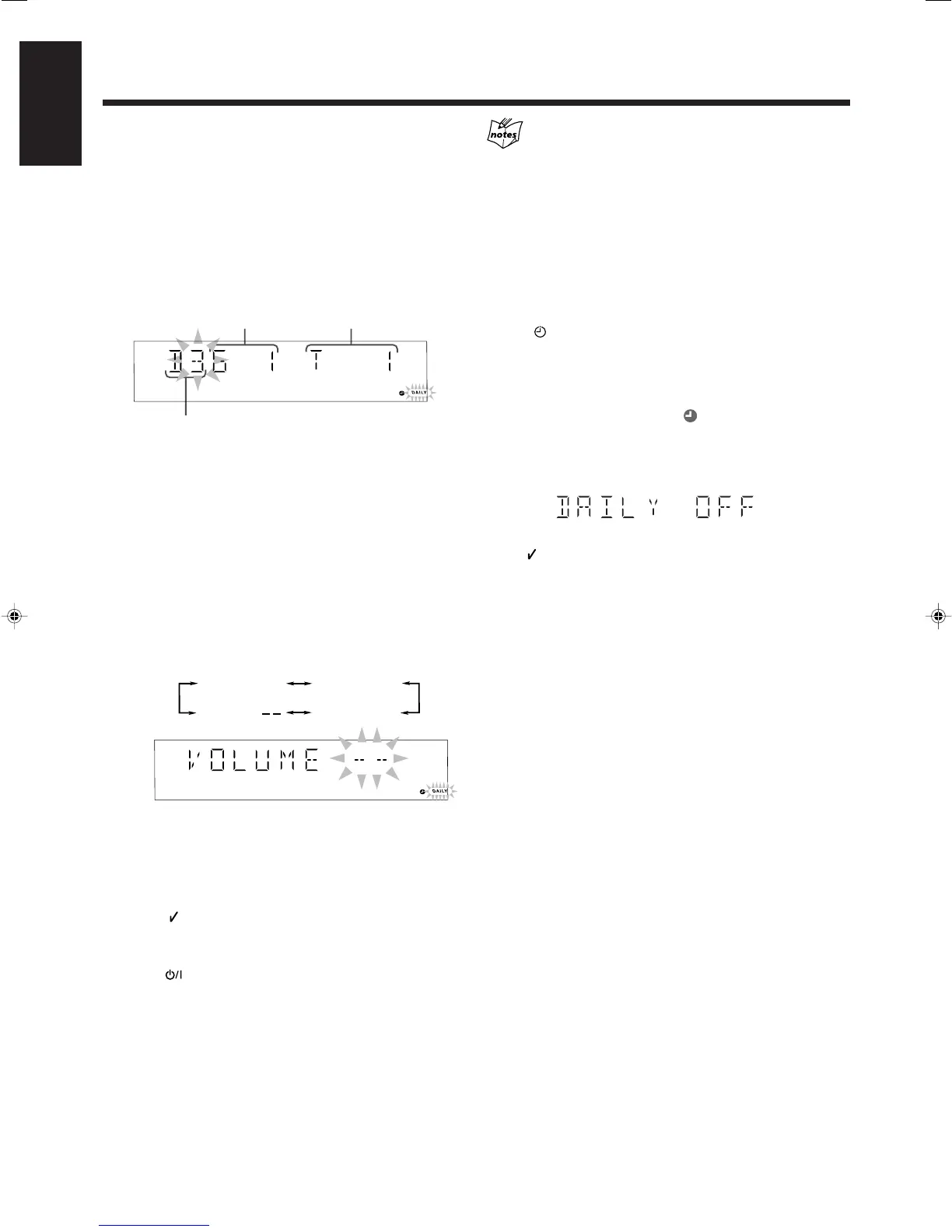
(1) Turn ¢ / 4 to select the disc number, then press
SET/DISPLAY.
“SET” appears for about 1 second.
Ex.: Disc number 3 is selected.
(2) Repeat step (1) to select the group/title number, then select
track/chapter number.
“SET” appears for about 1 second each time you select the
number, then the unit enters volume setting mode.
• If you select a SVCD, VCD or CD, first press SET/
DISPLAY to skip the group/title number entry, then enter
the track number.
• If you select a DVD, you can select the title number and
the chapter number. (However, for some DVDs, this does
not work properly.)
7
Turn ¢ / 4 to set the volume level.
• The volume level changes as follows:
• If you select “VOLUME – –,” the volume is set to the level
when the unit has been turned off.
8
Press SET/DISPLAY to complete the Daily Timer
setting.
The DAILY (Daily Timer) indicator stops flashing and remains
lit. “OK ” appears on the display for about 2 seconds.
Then the settings you have done are shown in sequence for your
confirmation.
9
Press to turn off the unit (standby) if you have
set the Daily Timer with the unit turned on.
• The unit will turn on about one minute before the on-time
comes.
• When you select a DVD as the source to play
Playback may start a little earlier before the on-time comes.
• If the unit is turned on before the on-time comes
Daily Timer does not work.
• If you unplug the AC power cord or if a power failure occurs
Once you set the timer, the timer setting may remain stored in
memory in a few days. Check whether the timer setting still
remains.
To turn on or off Daily Timer
1 Press CLOCK/TIMER repeatedly until “DAILY” appears
on the display.
The DAILY (Daily Timer) indicator starts flashing.
2 To turn off the Daily Timer, press CANCEL/DEMO.
The DAILY (Daily Timer) and the
(Timer) indicators go off
from the display (“DAILY OFF” appears for a while).
The Daily Timer is canceled, but the settings for the Daily Timer
remain in memory.
To turn on the Daily Timer, press SET/DISPLAY.
“OK ” appears on the display for about 2 seconds.
Then the settings you have done are shown in sequence for your
confirmation.
VOLUME 10
VOLUME 15
VOLUME
VOLUME 5
Using the Timers (continued)
Disc number
Group/title number
Track/chapter number
53-57HX-Z77&55[U]6.p65 03.8.18, 10:43 AM55


 To Next Page
 Loading...