5
Troubleshooting
50
Replacing the Lamp (Continued)
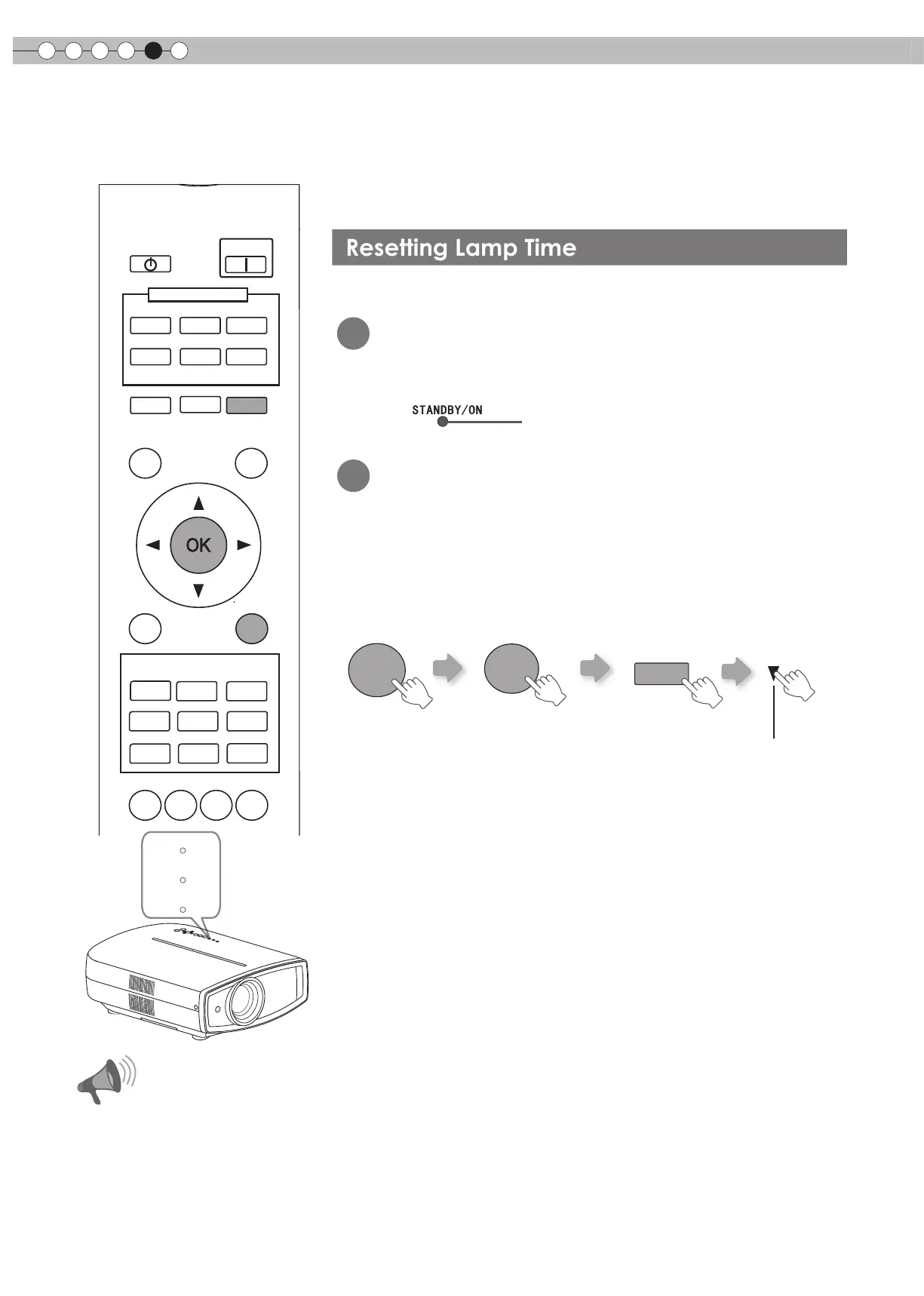
After replacing the lamp, reset the lamp time.
1
Insert the power plug to the power
outlet
2
Must operate with the remote control
in the standby mode (the projector is
powered, but is not turned on).
●
Press in the order as shown.
●
Press each button within 2-second intervals and press the last
button for 2 seconds or more.
●
[STANDBY/ON] indicator and [LAMP] indicator blink alternately for
3 seconds. After that, the unit switches to standby mode.
BACK
TEST
LIGHT
ASPECT
HIDE
PC
HDMI 1
VIDEO
HDMI 2
S-VIDEO
COMP.
LENS
STAND BY
MENU
CINEMA
3
GAMMA
C.TEMP
USER2
THX
LENS.
AP.
PIC.
ADJ.
PICTURE MODE
INPUT
CINEMA
1
CINEMA
2
NATURAL
STAGE
DYNAMIC
USER1
ON
W ARNING
LAMP
ST ANDBY/ON
●
Reset the lamp time only when you
have replaced the lamp.
●
Never reset the service time when
the lamp is still in use. Otherwise,
the approximate standard for gauging
replacement time may be inaccurate
and lamp blowout may occur.
Press for 2 seconds or more
Light on (Red)
HIDE
BACK
OK
CAUTION


 To Next Page