68
Operation
3
Vercital
Pixel Adjust
Whole Adjust (Pixel)
Red
H 1
V 1
Color A.
GAMMA
PIC.
COLOR.
COLOR.
Select
Operate
BACK
BACK
TEMP
P.FILE.
ADJ.
A. Area
Color P.
ADJUST.
Pixel Adjust
Whole Adjust (Pixel)
Red
H 1
V 1
Color A.
GAMMA
PIC.
COLOR.
COLOR.
Select
Operate
BACK
BACK
TEMP
P.FILE.
ADJ.
A. Area
Color P.
ADJUST.
H (Horizontal)
Adjustments and settings in the menu (continued)
See Pixel Adjust Flow and Operation: Adjust(Pixel)
Use this function to make general adjustments in the slight color errors in the horizontal/vertical directions of
the video images.
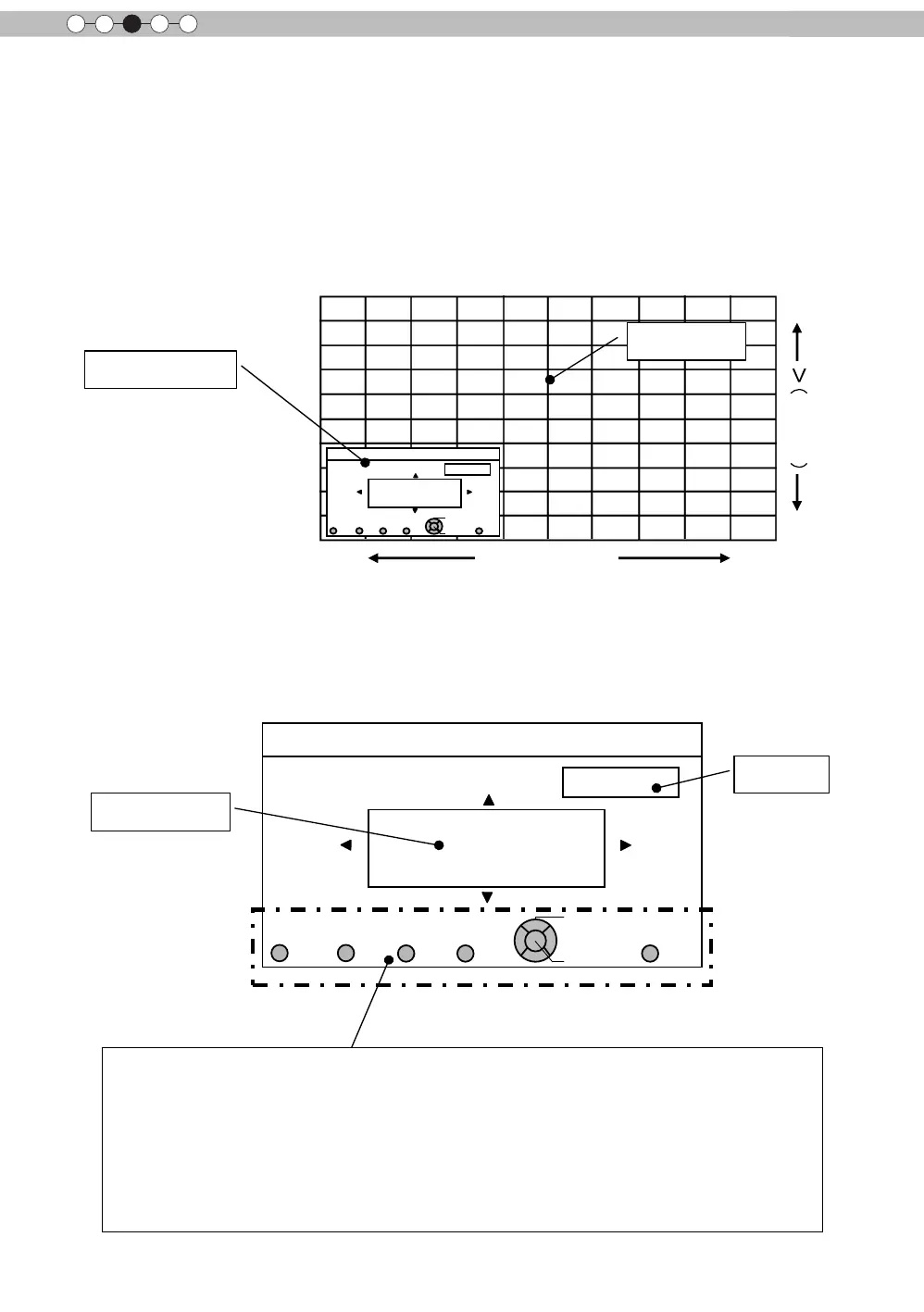
Select [Adjust Area] to [Whole] and select [Adjust Color] and [Adjust Pattern]. Move the cursor to
[Adjust(Pixel)], then press the [OK] Button on the remote control to display the adjust pattern and adjust
(pixel) window on the screen.
Adjust(pixel) window
Adjust Pattern
Pixel adjust setting
Adjust Color
Press the [OK] button on the remote control to enter the adjust operation mode. Use the [UP], [DOWN],
[LEFT], and [RIGHT] buttons to move and adjust pixels in the vertical and horizontal directions across the
entire screen. The adjustment settings appear in the center of the Adjust (pixel) window. Use the [BACK] but-
ton to exit the adjust operation mode.
Adjust(pixel) window
Remote Control Operation Guide
Use the [GAMMA] button on the remote control to change [Adjust color].
Use the [PIC ADJ] button on the remote control to change [Adjust Area] and switch to the Zone adjust
screen. At the same time, the zone cursor will appear on the adjust pattern.
Use the [COLOR P.FILE] button on the remote control to change [Adjust pattern]. Use the [COLOR TEMP]
button on the remote control to change [Adjust (Pixel)] and [Fine Tune] and switch to the ne tune window.
(*) This becomes [Adjust (Pixel)] when the Adjust Area is set at "Zone".
You can use the [BACK] button on the remote control to stop pixel adjust. When in Adjust Operation Mode,
the [BACK] button will exit the mode.
You can use the [UP], [DOWN],
[LEFT], and [RIGHT] buttons to
change position.


 To Next Page
 Loading...







