EasyManua.ls Logo

JVC EM43RF5 - User Manual

JVC EM43RF5
46 pages
Print Icon
To Next Page IconTo Next Page
Loading...
1
USER MANUAL
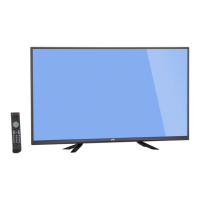
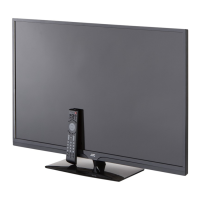
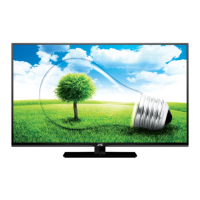
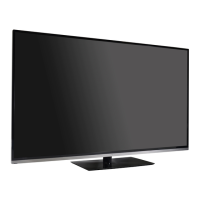
Emerald Series LED HDTV
EM40NF5 40” Class
EM43NF5 43” Class
EM50NF5 50” Class
EM55NF5 55” Class
Before operating your LED TV, please read this manual thoroughly.
(*Images shown in this user manual are for illustration purpose only.)
Rev. 1/15
EM40RF5 40” Class
EM43RF5 43” Class
EM50RF5 50” Class
EM55RF5 55” Class

Questions and Answers

  • M
    Michael AndersonSep 9, 2025
    What to do if my JVC LED TV has poor or no sound?
    • T
      tonealSep 9, 2025
      If you are experiencing poor or no sound on your JVC LED TV, first, adjust the volume using the VOL button on the remote or the Power/Multi Function button on the TV. Make sure that the mute function is not enabled by pressing the MUTE button on the remote. Try tuning to another channel to rule out channel-specific issues. Also, check the TV audio settings and ensure there are no external sources of interference.
  • A
    Andrew WagnerSep 12, 2025
    Why is my JVC LED TV remote control not working?
    • L
      langjohnnySep 12, 2025
      If the remote control for your JVC LED TV isn't working, ensure you're pointing it directly at the remote sensor on the TV within a 35° angle. Weak, dead, or incorrectly inserted batteries can be the cause. Remove any obstacles between the remote and the TV. If you're too far away, move closer to the TV. Check that the LED indicator lights up when you press a button.
  • K
    Kevin LopezSep 14, 2025
    Why does my JVC LED TV have poor reception on some channels?
    • J
      Joseph CruzSep 14, 2025
      If you're experiencing poor reception on some channels with your JVC LED TV, try tuning to another channel to rule out channel-specific issues. Ensure that channels are set into memory. If the network signal is weak, adjust the antenna for better reception. Also, check for possible sources of interference.
  • B
    Billy NixonSep 16, 2025
    What to do if my JVC LED TV has no CATV reception?
    • D
      donnaleeSep 16, 2025
      If your JVC LED TV isn't receiving CATV, check all cable TV connections. Also, set the TV Mode in the Channel menu.

Summary

Safety Warnings

Electric Shock Hazard

Warning against opening the unit and risk of electric shock.

Fire, Moisture, and Plug Safety

Warnings about rain, moisture, and polarized plug usage.

Important Safety Instructions

Child Safety Guidelines

LED Panel Handling and Effects

Handling the LED Panel

Instructions for handling the LED panel to avoid damage or injury.

Adverse Effects on LED Panel

Explains potential permanent image issues and ghosting.

Electrical Safety and Protection

Antenna Grounding

Guidance on grounding external antenna/cable systems for surge protection.

Lightning and Power Line Protection

Recommendations for lightning protection and power line proximity.

TV Stand Installation and Unpacking

Unpacking the TV

Steps for safely removing the TV from its packaging.

Parts and Functions - EM40 NF5;EM40 RF5

Front View

Identifies components on the front of the EM40NF5/EM40RF5 TV.

Rear View

Identifies ports and buttons on the rear of the EM40NF5/EM40RF5 TV.

Remote Control Operations (EMxxNF5)

Playback and Navigation Controls

Details playback, back, input, mute, volume, and number pad.

Special Function Buttons

Describes power, media, info, menu, audio, and channel buttons.

Making Connections

Connecting Antenna; Cable

Instructions for connecting a 75 ohm coaxial cable to the TV.

Connecting HD Devices

Guidance on connecting devices via HDMI, Composite, or Component.

Basic TV Setup Wizard

Setup Wizard Steps

Guides through language, TV mode, time zone, and daylight saving setup.

Basic TV Operation

Channel Scanning Process

Steps for starting and completing the auto channel scan.

Basic Operations - Channel and Volume

Changing TV Channels

Methods for selecting channels using number buttons or channel list.

Sleep Timer Setup

Setting the TV to automatically turn off after a specified time.

Wall Mount Installation

VESA Mount Patterns

Table showing VESA hole patterns and screw sizes for different models.

Menu Operation and Navigation

Adjusting Menu Settings

Steps for selecting and adjusting settings within the menu.

Input and Picture Menu Settings

Input Source Selection

How to select different input sources like TV, Video, HDMI.

Picture Mode Presets

Overview of available picture modes (Custom, Standard, Movie, etc.).

Audio Menu Settings

XinemaSound and Bass;Treble

Adjusts surround sound effects, bass, and treble levels.

Parental Control Features

Accessing Parental Control Menu

Steps to access parental controls via password entry.

Channel Menu and Scanning

Auto Scan Channels

Scans for all available channels when antenna/cable is connected.

Troubleshooting Common Issues

Specifications - EM40 NF5 & EM40 RF5

Limited Warranty Information

Parts and Labor Coverage

Details warranty coverage for parts and labor.

Warranty Limitations and Exclusions

Lists what is not covered by the limited warranty.

Customer Support Contact

JVC EM43RF5 Specifications

General IconGeneral
Screen Size43 inches
Resolution1920 x 1080
Display TypeLED
HDMI Ports3
USB Ports1
Wi-FiYes
Smart TVYes
Display TechnologyLED
Refresh Rate60 Hz

Related product manuals