16
ENGLISH
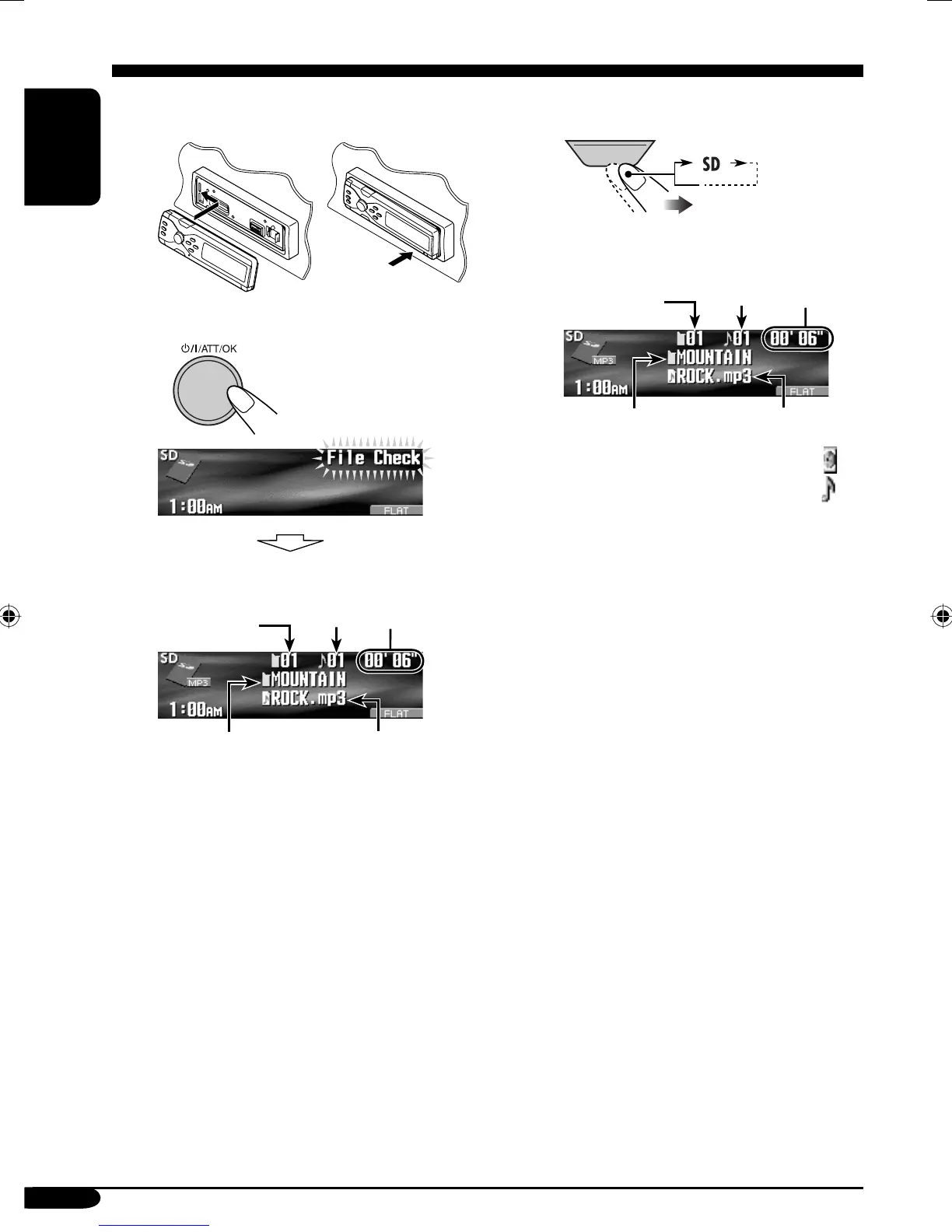
! Attach the control panel.
⁄ • The control panel goes
back to the previous
position (see page 42).
Playback starts automatically if tracks
are recorded.
If an SD card has been loaded....
1
2
* The album name/performer with
indicator and the track title with
indicator will appear if “Tag” is set
to “On” (see page 38).
Track name*
Current
track
number
Current
folder
number
Elapsed
playing
time
Folder name
*
Track name*
Current
track
number
Folder name
*
Current
folder
number
Elapsed
playing
time
SOURCE
EN13-20_KD-SHX855[U]f.indd 16EN13-20_KD-SHX855[U]f.indd 16 05.4.8 8:57:21 PM05.4.8 8:57:21 PM


 To Next Page
 Loading...