ENGLISH
10
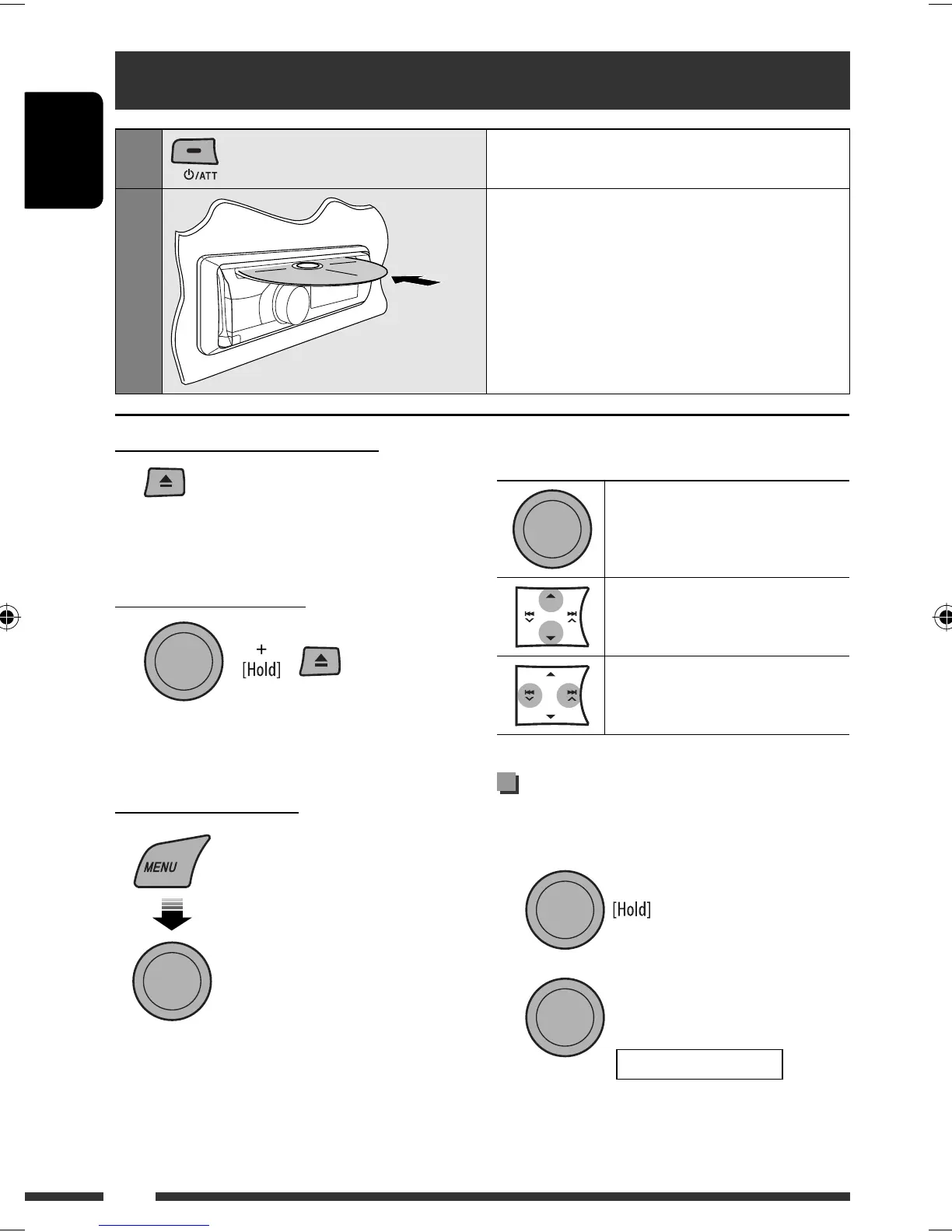
Pressing (or holding) the following buttons allows you
to...
[Press] Pause/resume playback
MP3/WMA: Select folder
[Press] Select track
[Hold] Reverse/fast-forward track
Selecting the playback modes
You can use only one of the following playback modes
at a time.
1
2
Disc operations
1
Turn on the power.
2
Insert a disc.
All tracks will be played repeatedly until you change
the source or eject the disc.
Stop playing and ejecting the disc
• “NO DISC” appears. Press SRC to listen to another
playback source.
Prohibiting disc ejection
To cancel the prohibition, repeat the same
procedure.
Selecting a track/folder
• For MP3/WMA discs, select the desired folder,
then the desired track by repeating the control dial
procedures.
• To return to the previous menu, press BACK.
[Turn] = [Press]
[Turn] = [Press]
REPEAT Ô RANDOM
EN10-15_KD-R407[EE]f.indd 10EN10-15_KD-R407[EE]f.indd 10 10/8/08 5:56:23 PM10/8/08 5:56:23 PM


 To Next Page