EN]5
RecordingModeSettin9
Set the tape recording mode accr)rding to your preterence.
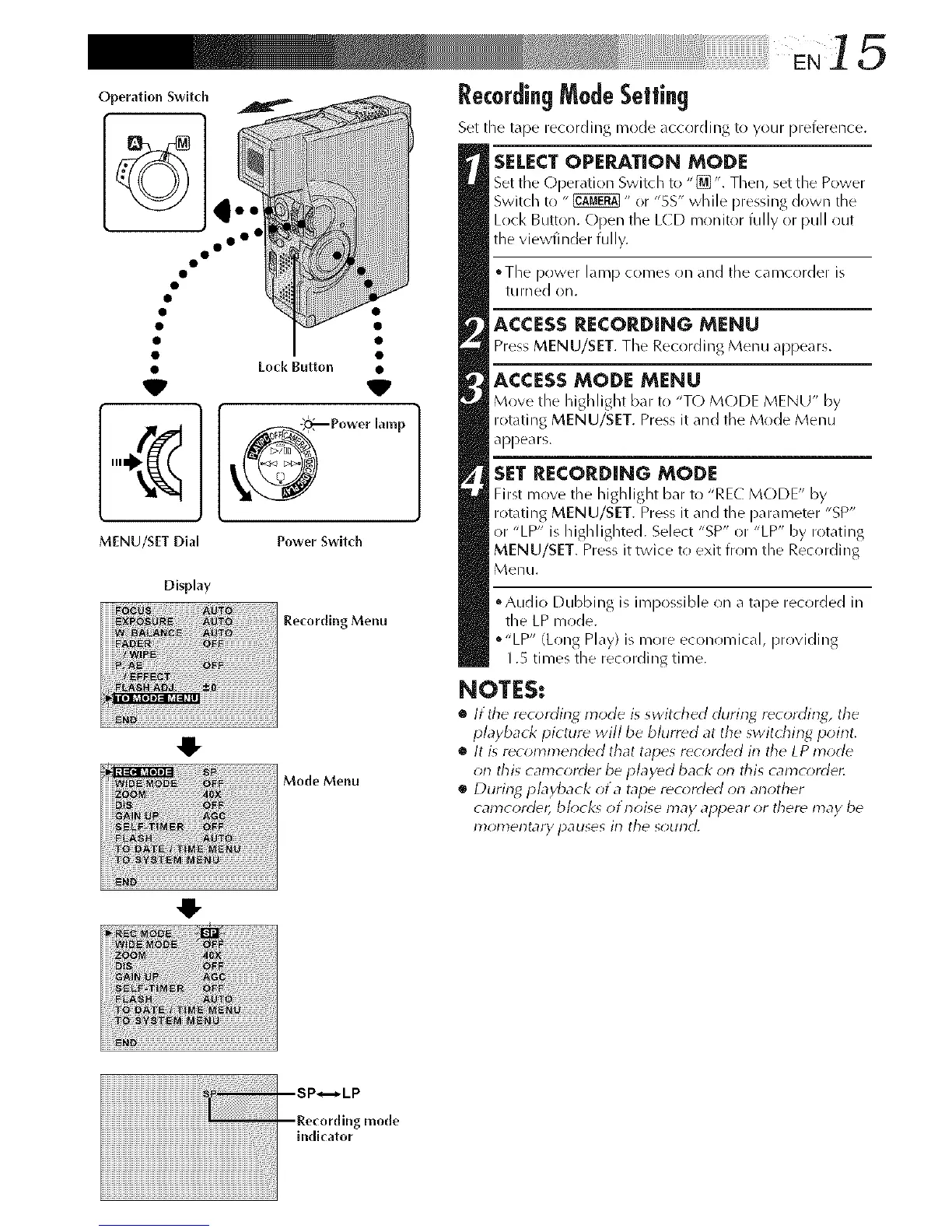
Operation Switch
• Lock Button •
V _
_Power lamp
MENU/SIT Dial Power Swltch
Recording Menu
Mode Menu
Display
4!-
4!-
SELECTOPERATION MODE
Set the Operation Switch to "[]". Then, set the Power
Switch to "_" or "5S" while pressing down the
Lock Button. Open the L(D monitor fully or pull out
the viewfinder fully.
°The power lamp comes on and the camcr)rder is
tLirned on.
ACCESS RECORDING MENU
Press MENU/SET. The Recording Menu appears.
ACCESSMODE MENU
Move the highlight bar to "T() MODE MENU" by
rotating MENU/SET. Press it and the Mode Menu
appears.
SETRECORDING MODE
First move the highlight bar tl) "REL MODE" by
rotating MENU/SET. Press it and the parameter "SP"
or "LP" is highlighted. Select "SP" or "LP" by rotating
MENU/SET. Press it twice to exit from the Recording
Menu.
• Audio Dubbing is impossible on a tape recorded in
the LP mode.
o"LP" (Long Play) is more economical, providing
1.S times the recording time.
NOTES:
• It the recording mode is switched clurin_ r_cording, the
playback picture will be blurred at the switching poirlt,
• It is recommer_d_d that tapes r_corded in the LP mode
on this camcord_r be played back on this camcorder.
• During pbyback of a tape recorded on another
camcord_, bk)ck_ otnoise may appear or ther_ may be
17}olT_eF}tarypauses in the sound,



 To Next Page