oo ol
V
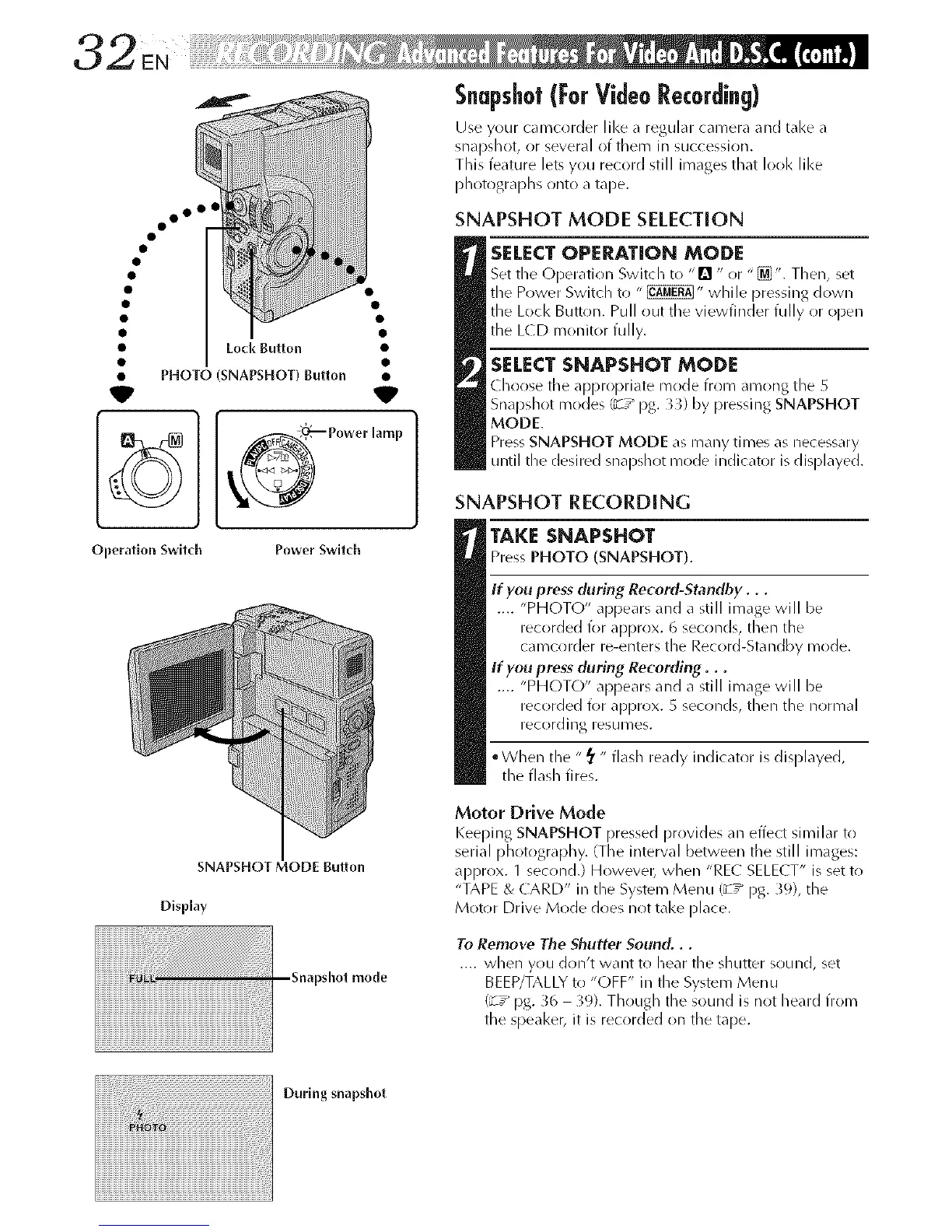
Lod_ Button
PHOTO (SNAPSHOT) Button
Operation Switch Power Switch
SNAPSHOT MODE Button
Display
_shot mode
Snapshot(For VideoRecording)
Use your camcorder like a regular camera and take a
snapslnot, or several of them in succession.
Tlnis feature lets you record still images tlnat I(>(/1<like
plnotograplns onto a tape.
SNAPSHOT MODE SELECTION
SELECT OPERATION MODE
Set fine (-)peratioin Switcln to "[] " or "_". Tlnen, set
the Power Switcln to " _" wlnile pressing down
fine Loci< Button. Pull out the viewfinder fully or open
fine L(D monitor fully.
SELECT SNAPSHOT MODE
clnoose the appropriate mode from among fine
Snapslnot modes (_7 _ pg. 3_) by pressing SNAPSHOT
MODE.
Press SNAPSHOT MODE as many times as necessary
until tlne desired snapshot mode indicator is displayed.
SNAPSHOT RECORDING
TAKE SNAPSHOT
Press PHOTO (SNAPSHOT).
If you press (luring Record-Standby...
.... "PHOTO" appears and a still image will be
recorded for approx. 6 seconds, tlnen fine
ca recorder re-enters fine Rec(/rd-Sta ndby mr/de.
If you press (luring Recording...
.... "PHOTO" appears and a still image will be
recorded for approx. 5 seconds, tlnen fine normal
rec()rding resumes.
• Wlnen fine "_' " flash ready indicator is displayed,
fine flasln fires.
Motor Drive Mode
Keeping SNAPSHOT pressed provides an effect similar to
serial plnotograplny. (The interval between the still images:
approx. 1 second.) Howevet_ wlnen "REC SELE( T" is set to
"TAPE & CARD" in fine System Menu (_7" pg. _9), fine
Motor Drive Mode does not take [)lace.
To Remove The Shutter Sound...
.... wlnen you don't want to Inear fine slnutter sound, set
BEEP/TALLY to "OFF" in fine System Menu
(_7" pg. _6 39). Tlnougln fine sound is not heard frol_l
fine speaker, it is recorded ()n the tape.
During snapshot



 To Next Page