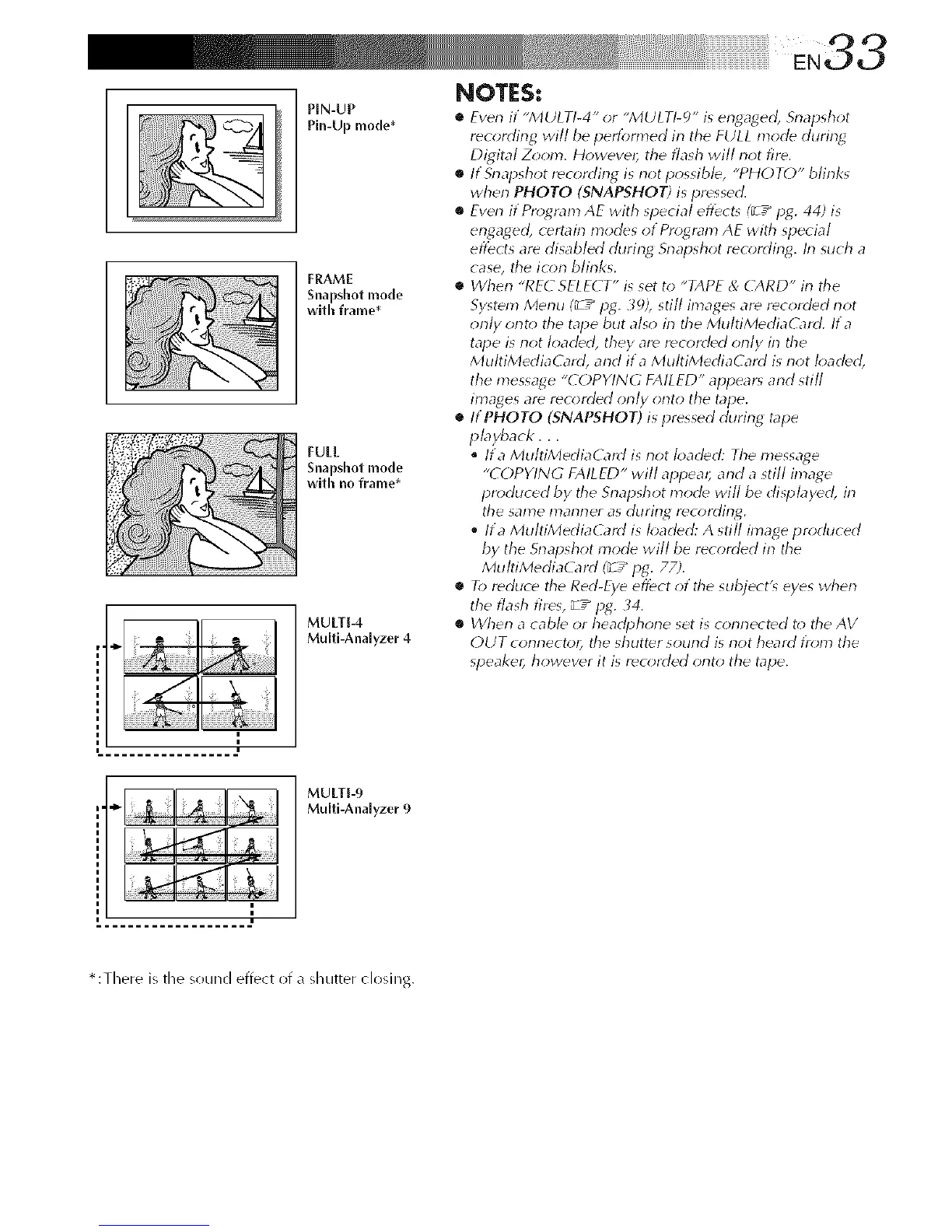
PIN-UP
Pin-Upmode*
FRAME
Snapshot mode
with frame*
FULL
Snapshot mode
with no frame*
MULTI-4
Multi-Analyzer 4
NOTES:
• Even it "MULTI-4" or "MULT!-_)" is engaged, Snapsh_;t
recording will be pedbrmed irl the FULL mode during
Digital Z_*om. Howeve# the flash will not fire.
• If Srlapshot recording is not possible, "PHOTO" blinks
when PHOTO (SNAPSHOT) is pressed.
• Even if Pro;gram AE with special eflZct_ I_ / log. 44) is
engaged, certain modes of Pro;gram AE with special
effects are disabled during Snapshot reo;rding. In such a
case, the icon blinks.
• When "REC SELECT" is set to "TAPE & CARD" in the
System Menu (_ Z" log. _;), still images are recorded not
orlly onto the tape but also irl the MultiMediaG_rd. Ira
tape is not loaded, they are recorded only in the
MultiMediaCard, and ira MultiMediaCard is not loaded,
the message "COPYING FAILED" appear_ and still
images are recorded orlly onto the tape.
• ItPHOTO (SNAPSHOT) is pressed during tape
playback, , ,
Ira Mu/tiMediaCard is not loaded: The message
"COPYING FAILED" will appear, and a still image
produced by the Snapshot mode will be dispbyed, in
the same marlrler as during recording.
Ira MultiMediaG_rd is h;aded: A still image produced
by the Snapshot mode will be recorded in the
MultiMediaCard (_ / log. 77;.
• R) reduce the Red-Eve eflbct of the subject's eyes wherl
the flash fires, _ z" log. _4.
• When a cable or headphone set is connected t_; the AV
OUT connector, the shutter sound is riot heard I)'_;m the
speaker, however it is rec_;rded onto the tape.
MULTI-9
Multi-Ana[yzer 9
* :There is the sound effect of a shutter closing.



 To Next Page