Operation Swltch
oo o°
V
Lock Button
V
MENU/SN Dial Power Swltch
Display
Menu
O
i:[ashBrightnessAdjustment
When a snapshr_t _ / pg. 24, _2) is taken in the d_lrl< the
c_mcorder (ires :he flash (_T_ pg. _4) _nd _=djusts the
brightness autom_ltic_dly. You c_m also _djust the fl_lsh
brightness manually. When yrlu find that the snapshots
you tool< look too bright or too dark, adjust it manually.
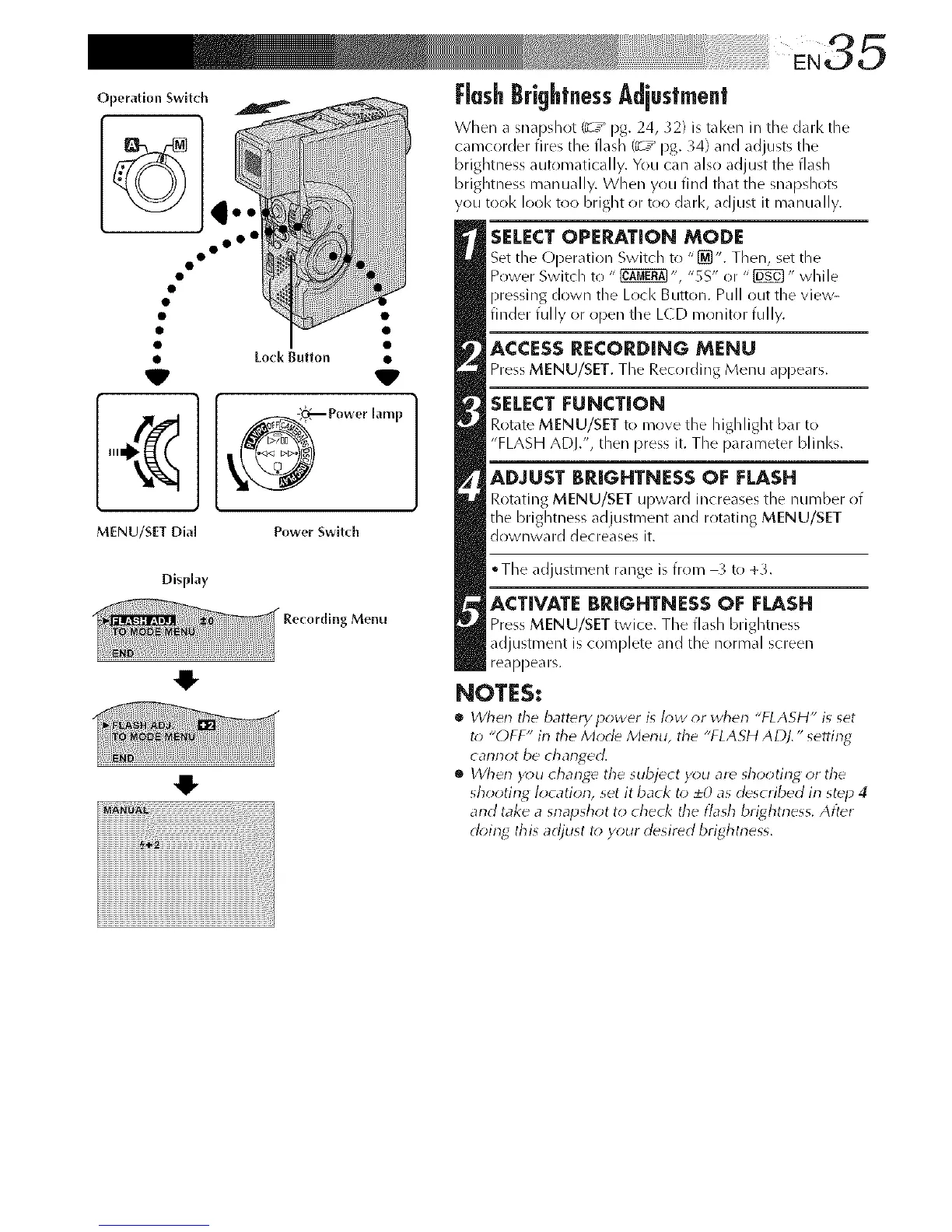
SELECTOPERATION MODE
Set the Operation Switch to "[_]". Then, set the
Power Switch to " _ ", "SS" or "_" while
pressing down the Lock Button. Pull out the view-
finder fully or open the L(D monitor fully.
ACCESSRECORDING MENU
Press MENU/SET. The Recording Menu appears.
SELECT FUNCTION
Rotate MENU/SET to move the highlight bar to
"FLASH ADJ.", dlen press it. The parameter blinks.
ADJUST BRIGHTNESS OF FLASH
Rotating MENU/SET upward increases the number of
tile brightness adjustment and rotating MENU/SET
downward decreases it.
• The adjustment range is from _ to+_.
ACTIVATE BRIGHTNESS OF FLASH
Press MENU/SET twice. The flash brightness
adjustment is complete and tile normal screen
reappears.
NOTES:
• When the battery power is I_w _r when "FLASH" is set
t_ "OFF" in the Mode Menu, the "FLASH ADJ." setting
cannot be changed.
• Wherl y_;u change the subject you ar_ shooting or the
shooting location, set it back to 20 as described in step 4
and take a snapshot to check the flash brightness, Alter
d_)in_ this adjust t_*y_)ur desired brightness,



 To Next Page