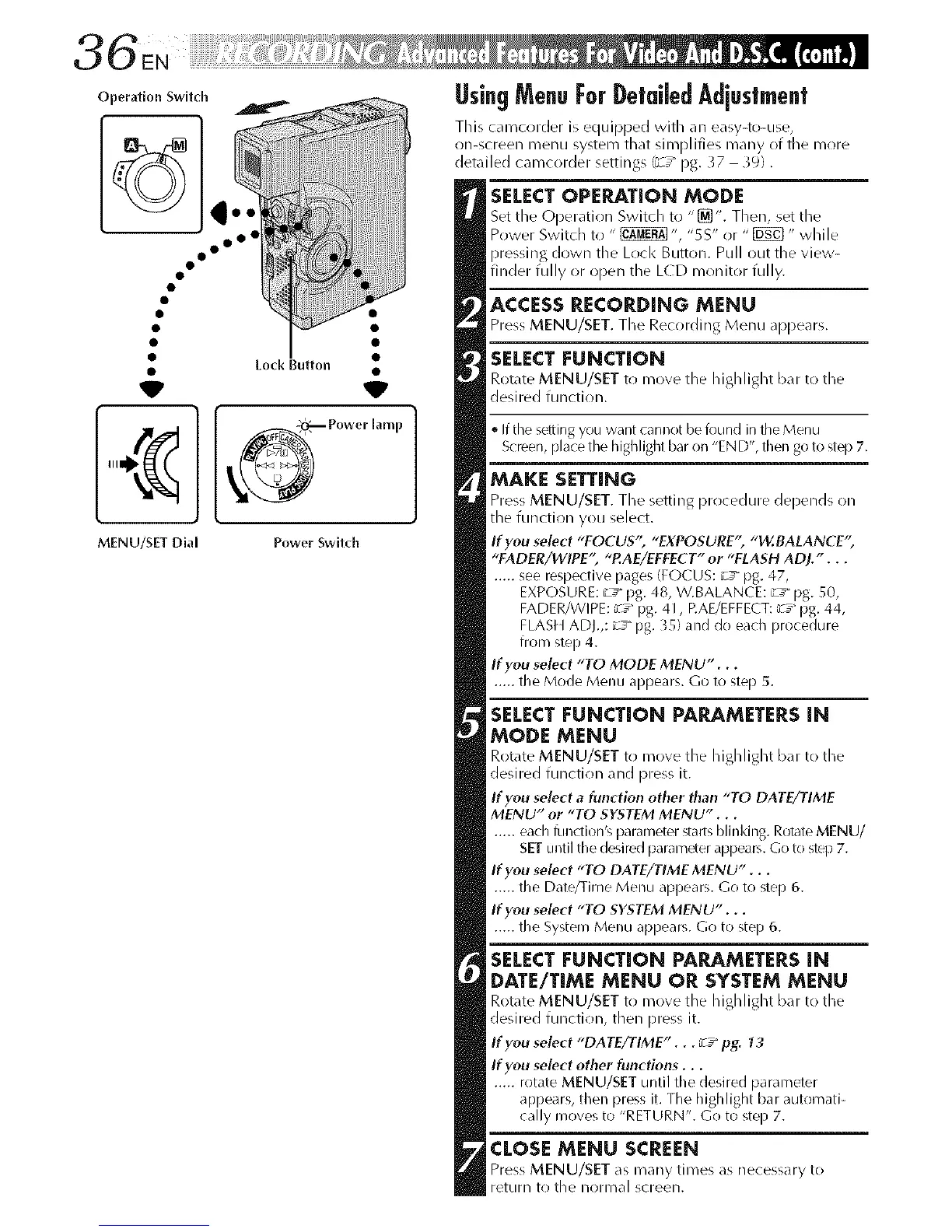
Operation Switch
iiiiiiiiiiiiiiiiirli ii!i!!%!!!_i!iii_!!i_iii[iiii_iwiiiiii!!!!!iiii_i)iii_ '
3 6 EN
UsingMenuForDetatedAdjustment
This camcorder is equipped with an easy-to-use,
on-screen R/ellU system that siFnplifies many of the R/ore
detailed camcorder settings (_-/pg. }7 39).
• Lock Button
V
MENU/SET Dial
SELECTOPERATION MODE
Set the (JDeratJon Switch to "_'. Then, set the
Power Switch to " _ ", "5S" or " _" while
pressing down tile Loci< Button. Pull out the view-
finder fully or open the LCD monitor fully.
ACCESSRECORDING MENU
Press MENU/SET. The Recording Menu appears.
SELECTFUNCTION
Rot_rte MENU/SET to move the highlight b_u_to the
desired flulction.
'_ff the s_i_ing you want cannot be found in the Menu
Screen, place the highlight bar on "END', then go to step 7.
MAKE SETTING
Press MENU/SET. The setting procedure depends on
the function you select.
If you select "FOCUS'; "EXPOSURE" "W.fiALANCE"
"FADER/WIPE" "P.AE/EFEECT" or "FLASH ADJ.'...
..... see respective pages (FOCUS: _J_pg. 47,
EXPOSURE: _Y pg. 48, W.BALANCE: _J_ pg. 50,
FADER/WIPE: _7_pg. 41, EAE/EFFECT: [c7_pg. 44,
FLASH ADJ.,: _s_ pg. 35) and do each procedure
from step 4.
If you select "TO MODE MENU"...
..... the Mode Menu appears. Go to step 5.
SELECT FUNCTION PARAMETERS iN
MODE MENU
Rot_rte MENU/SET to move the highlight b_u to the
desired function and press it.
If you select a function other than "TO DATE/TIME
MENU" or "TO SYSTEM MENU"...
..... each l:qlldion's parameter starts blinking. Rotate MENU/
SET until the desired parameter appears. Go to step 7.
If you select "TO DATE/TIME MENU" . . .
..... the Date/Time Menu appears. Go to step 6.
If you select "TO SYSTEM MENU"...
..... the System Menu appears. Go to step 6.
SELECTFUNCTION PARAMETERSiN
DATE/TIME MENU OR SYSTEM MENU
Rot_rte MENU/SET to move the highlight b_u to the
desired function, then press it.
If you select "DATE/TIME"... __ pg. ?3
If you select other functions...
..... rotate MENU/SET until the desired parameter
appears, then press it. The highlight bar automati-
cally moves to "RETURN". Go to step 7.
CLOSEMENU SCREEN
Press MENU/SET as many times as necessary to
return to the normal screen.



 To Next Page