o o°
• Lock Button
V
START/STOP Button
Operation Switch
Button
•o
V
Power lamp
Power Switch
PHOTO (SNAPSHOT) Button
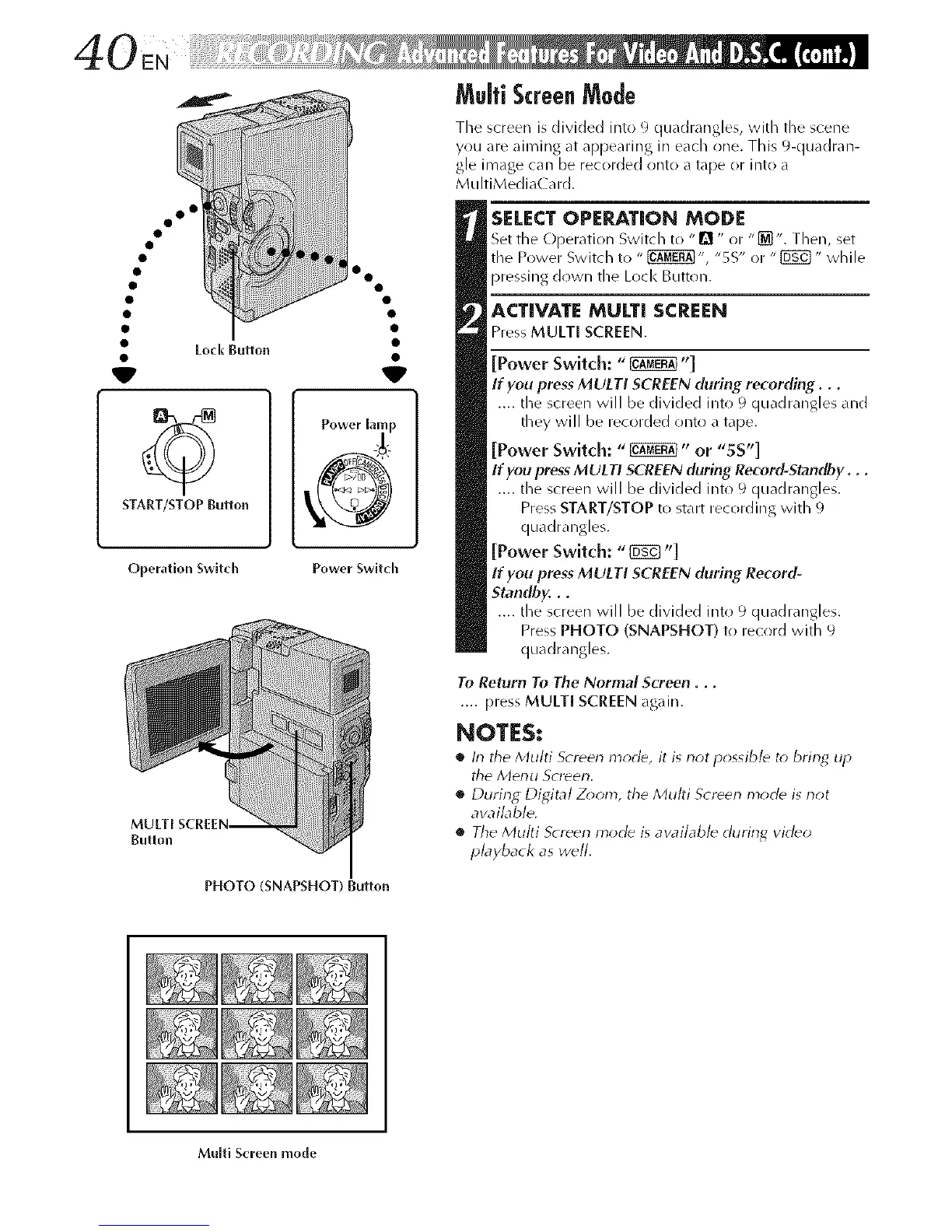
Multi ScreenMode
Tile screen is divided into 9 quadrangles, with tile scene
you are aiming at appearing in each one. This 9-quadran-
gle image can be recorded onto a tape or into a
MultiMediaCard.
SELECTOPEP_TION MODE
Set the Operation Switch to "D " or "{_". Then, set
tile Power Switch to " _", "SS" or "{_" while
pressing down the Lock Button.
ACTIVATE MULTI SCREEN
Press MULTI SCREEN.
[Power Switch: "_"]
If you press MULTI SCREEN (luring recording...
.... the screen will be divided into 9 quadrangles and
they will be recorded onto a tape.
[Power Switch: "_" or "SS"]
If you press MULTI SCREEN during Record-Standby...
.... the screen will be divided into 9 quadrangles.
Press START/STOP to start recording with 9
quadrangles.
[Power Switch: "{_ "]
If you press MULTI SCREEN during Record-
Standby...
.... the screen will be divided into 9 quadrangles.
Press PHOTO (SNAPSHOT) to record with 9
quadrangles.
To Return To The Normal Screen...
.... press MULTI SCREEN again.
NOTES:
• In tile Multi S_reen m_rle, it is not possibl_ to brin_ up
tile Menu Screen.
• During Digital Zoom, tile Multi Screen mode is riot
avaibble.
• Tile Multi Screen mode is available during video
playback as w_ll.
Multi Screen mode



 To Next Page