PICTURE WIPE OR DISSOLVE SELECTION
(i-_--lp,K-IF,, Qp, F-IP, I_lp, i'='lpand
r:-_p)
Comhine the Picture Wipe _md DJssl!lve tunctJons for a
proiessJonal transition effect. There are 6 Picture Wipe
efiects and I Dissolve ef(ect. The Picture Wipe or Dissolve
works when recording is started.
Before the following steps, perform steps 1 through 4 on
pg. 41.
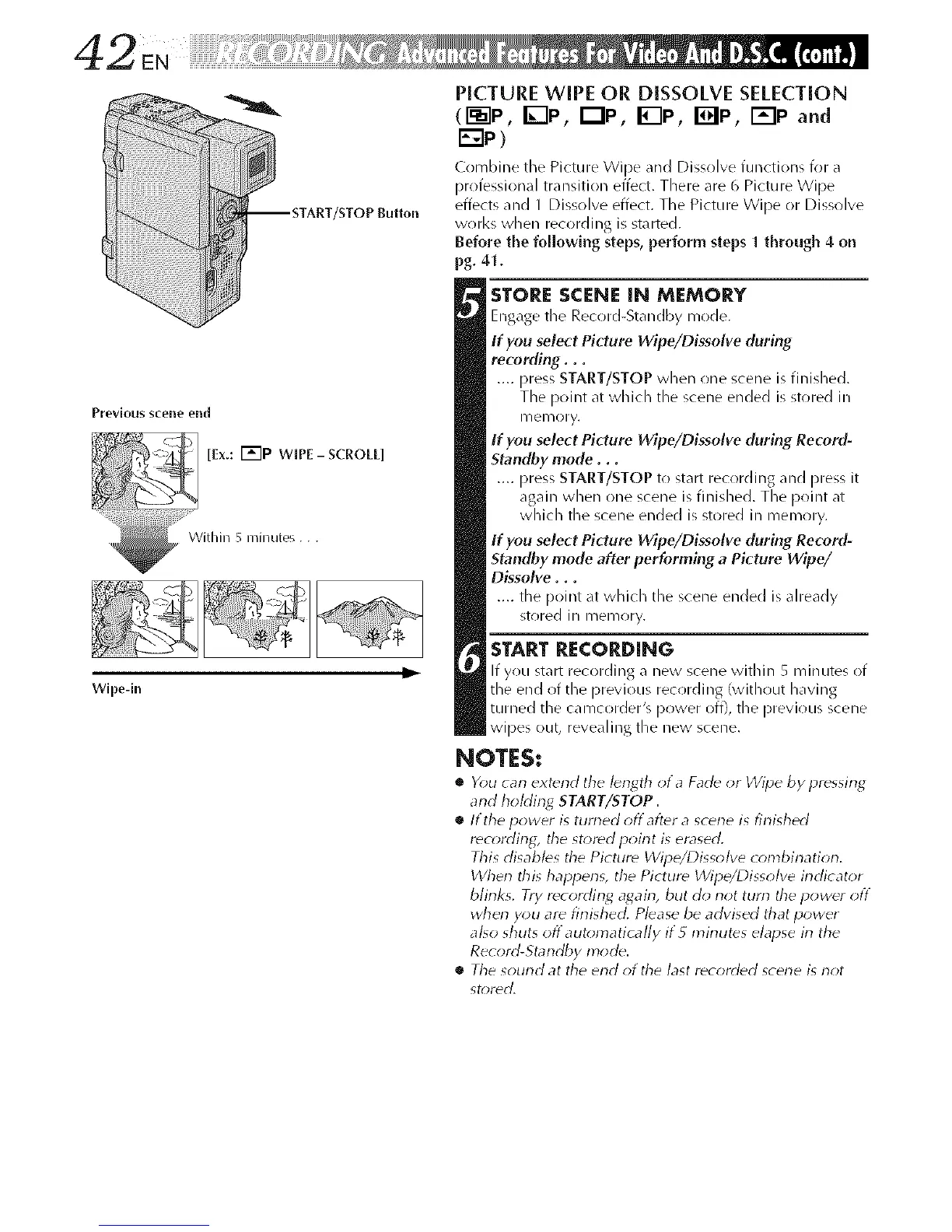
Prevlous scene end
_ [Ex.: I'_"lP wIPE-sCROLL]
....._ With i,I 5 nil ,I utes...
Wlpe-in
STORE SCENE IN MEMORY
Engage tile Record-Standby mode.
If you select Picture Wipe/Dissolve during
recording...
.... press START/STOP when one scene is finished.
The point at which the scene ended is stored ill
II/elllO ry.
If you select Picture Wipe/Dissolve during Re_rd-
Stamlby mode...
.... press START/STOP to start recording and press it
again when one scene is finished. The point at
which tile scene ended is stored in memory.
If you select Picture Wipe/Dissolve during Record-
Standby mode after performing a Picture Wipe/
Dissolve...
.... tile point at which tile scene ended is already
stored ill memory.
START RECORDING
If you start recording a new scene within 5 minutes of
the end of the previous rec(irding (with(lut having
turned the camcorder's power off), the previous scene
wipes out, revealing the new scene.
NOTES:
• Y_)u carl extend the I_ngth _t a Fad_ _r Wipe by pressing
and hoMing START/STOP.
• If the power is turned offafter a scene is finished
r_cording, the stored poirlt is erased.
This disables the Picture Wipe/Dissolve combination.
When this happens, the Picture Wipe/Dissolve irldicator
blinks. Try recording agairl, but do not tutti tile power off
wherl you are finished. Please be advised that power
also shuts off automatically if5 minutes elapse in the
Record-Standby mode.
• Tile sound at the erld of tile last recorded scerle is not
st_)rdd.



 To Next Page