EN51
Wh.o,apor ManualWhiteBalanceOperation
If the camera is operating in Manual mode'[]', perform
Manual White Balance when shooting under various types
of lighting.
Eock Bu_on
o o
V
lamp
SELECT OPERATION MODE
Follow steps 1 through 5 of the white balance
adjustment (_-T_ pg. 5(I), and select "_x_ MAN.".
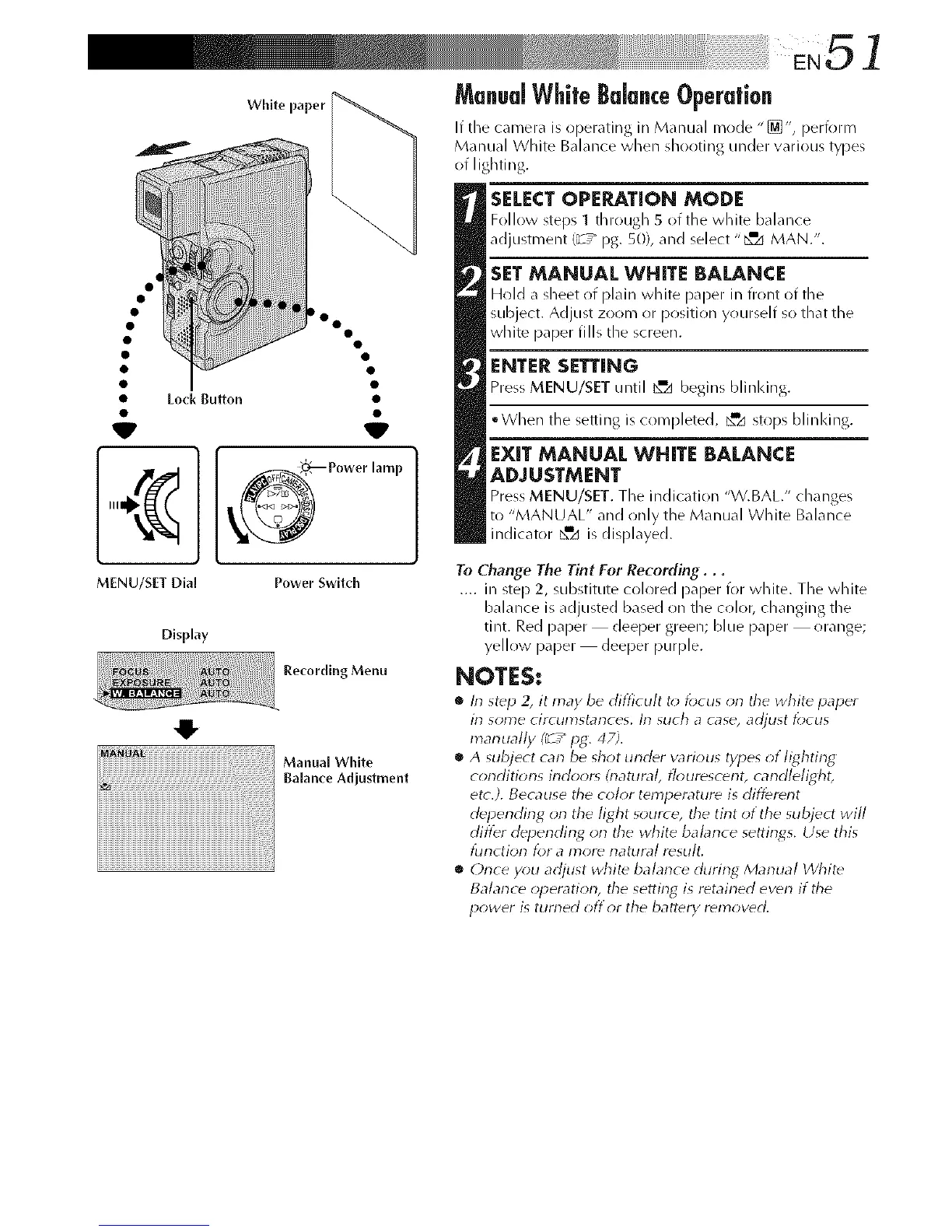
SETMANUAL WHITE BALANCE
Hold _ sheet o( plain white paper in front of the
subject. Adjust zoom or position yourself so that the
white paper fills the screen.
ENTER SETTING
Press MENU/SET until _d begins blinking.
°When the setiing is completed, _zi stops blilq<ing.
EXIT MANUAL WHITE BALANCE
ADJUSTMENT
Press MENU/SET. The indication "V.BAL/' ch_mges
to "MANUAL" _nd only the Manual White B_dance
indicator _=z_is displayed.
MENU/SET Dial
Display
Power Switch
Recording Menu
Manual White
Balance Adjustment
To Change The Tint For Recording...
.... in step 2, substitute colored paper for white. The white
balance is adjusted based on the color, changing the
tint. Red paper deeper green; blue paper orange;
yellow paper deeper purple.
NOTES:
• In st_p 2, it may be difficult to lbcus on the white paper
irl some circumstances, lrl such a case, adjust focus
marlually (_ / pg. 47).
• A subject can be shot under various types of lighting
conditions irldoor_ &latural, flourescerlt, carldlelight,
etc.). Because the color temperature is different
depending on the light source, the tirlt of the subject will
differ depending orl the white balarlce settings. Use this
tur_ctior_ tot a I)3Or_ I-_attlr,_/ r_stllt_
• Orlce you adjust white balarlce during Marlual White
Balan_ e opera tiorl, the setting is retained even if the
power is turned off or the battery removed.



 To Next Page