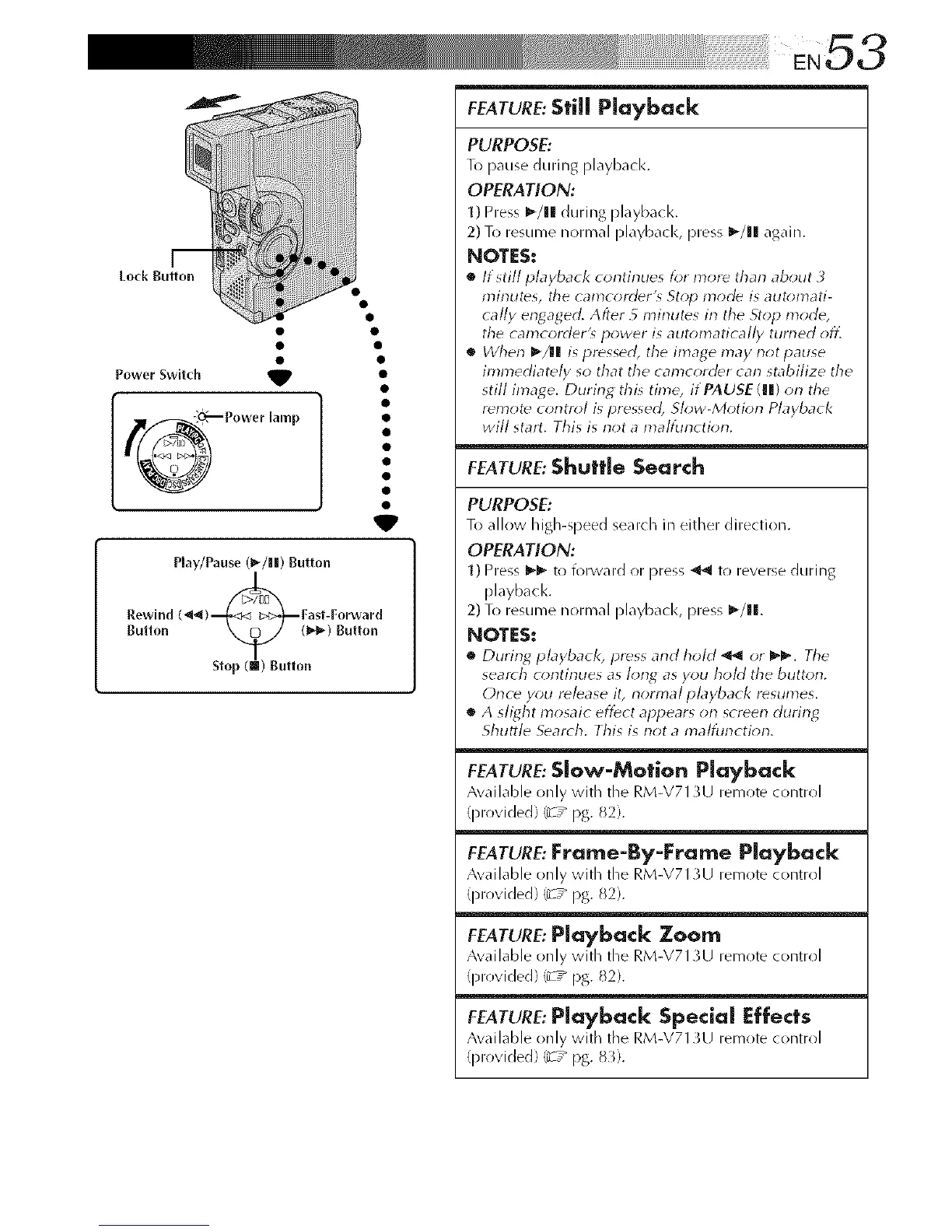
Power Switch _
Play/Pause (l_/lll) Button
Rewlnd (_) _Fast-Forward
Button Slo_uH::. )Butt,),,
FEATURE:Still Playback
PURPOSE:
To pause during playbacl<.
OPERATION:
1) Press I_/lll during playback.
2) To resume normal playbacl<, press I_/11 again.
NOTES:
• If still playback continues for more tharl about
minutes, tile can?corder'_ St_;p mode is auton?ati-
tally engaged. After 5 n?irlutes irl the Stop mode,
the can?corder'_ power is auton?atica//y tun?ed off.
• When _/l| is pressed, the linage may not pause
immediately so that the camcorder can stabilize the
still image. During this time, if PAUSE (Ill) on the
remote control is pressed, Slow-Motion Playback
will start. This is not a n?alfin?ction.
FEATURE:Shuttle Search
PURPOSE:
To allow high-speed search in either direction.
OPERATION:
1) Press l_l_ to forward or press _11 to reverse during
playback.
2) To resume normal playback, press I_/ll.
NOTES:
• During playback, press and hoM _ or _'_'. Tile
search c<)ntinues as long as you hold the button.
Once y_u release it, normal playback resumes.
• A slight mosaic effect appears on screen during
Shuttle Search. This is not a n_alfunction.
FEATURE: Slow-Motion Playback
Awfilable only with the RM-V713U remote control
(provided) _T _ pg. 82).
FEATURE: Frame-By-Frame Playback
Available only with the RM-V713U remote control
(provided) _z _ pg. 82).
FEATURE:Playback Zoom
Available only with the RM-V713U remote control
(provided) (_-:_ pg. 82).
FEATURE:Playback Special Effects
Awfilable only with the RM-V713U remote control
(provided) (_-:_ pg. 8_).



 To Next Page