PlaybackSound
During playbacl<, the camcorder detect the sound mode in which tile recording was made, and plays tile
sound back. Select the type of sound to accompany your playbacl< picture. (_2 kHz is preset to "SOUND 1"
and 48 kHz is [)reset to "FULL SOUND".)
Re_-ordlng sound Disphy
32 kHz FULL SOUND
SOUND 1
SOL)ND 2
48 kHz FULL SOUND
SOUND 1
SOL)ND 2
Output sound
Stereo sound
Stereo sound
"L" sound is output Oll both chanllels
"R" sound is output on both channels
When watching a tape recorded at 32 kHz, if you want to change the output sound, access the Playback Menu
and, in step 3 on [)age 54, select "32 kHz MODE" and set it for "FULL SOUND", "SOUND I" or "SOUND 2".
When playing back a tape recorded at 48 kHz, set in the same manner.
NOTES:
• You carl also use the provided R/vi-V713U remote c_ntrol's AUDIO MONITOR tauttor_ to change the output s(_unrt
(without having to across the Playback Merlu). Make sure you point the remote corltrol at the camcorder's remote
ser]so!;
• Durir N playback, the camcorder detects No sound mode irl which No recording was made. This detection canrlot
be made during bst-forward or rewind. During playbad( the sound mode is displayed in the upper left cornel;
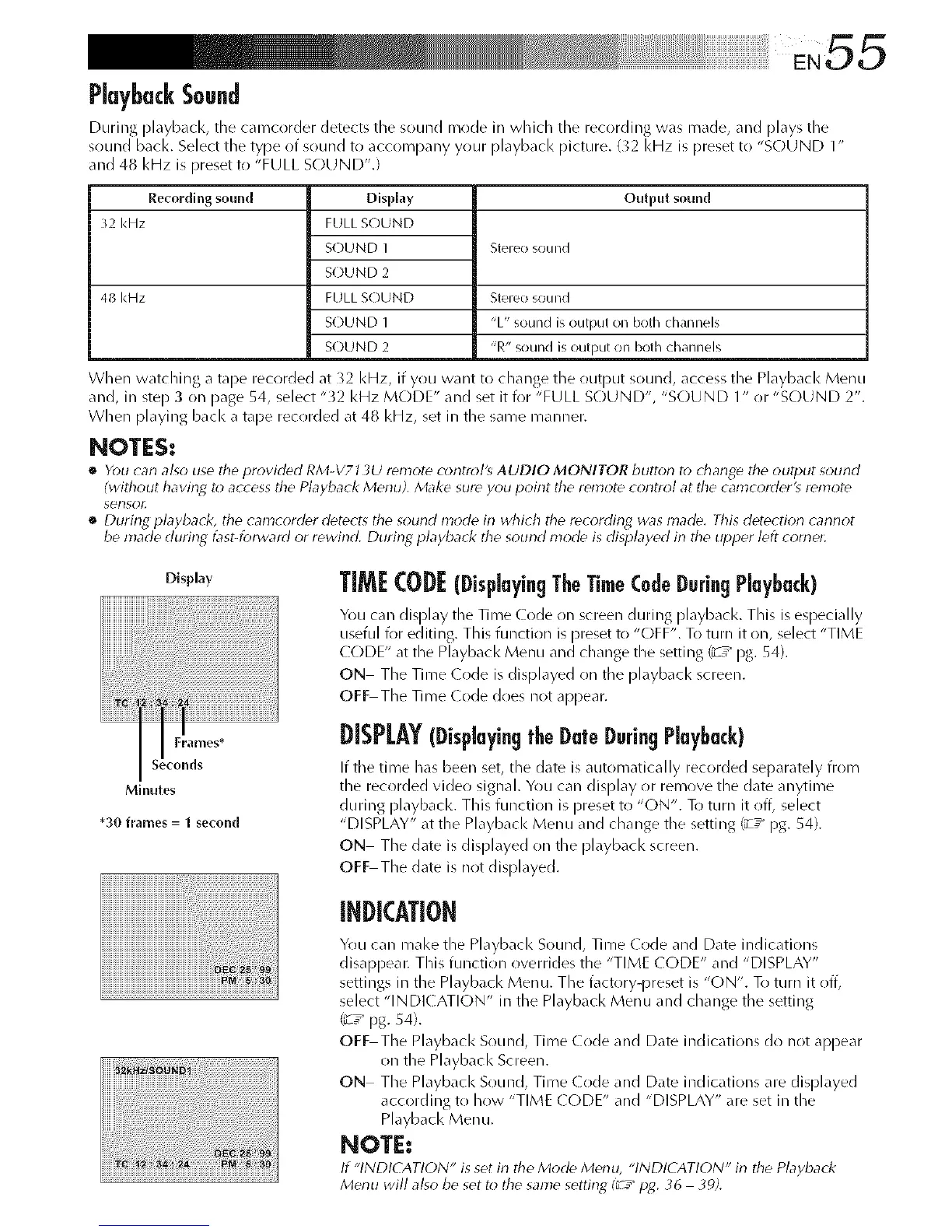
Display
iiiiiiii+_i_iiiiiii_+_i!iii_i_¸_iliii!Ii_+i[i[i[i[i[i[i[i[i[i[i[i[i[i[i[i[i[i[i[i[iiliili!i
Minutes
*30 frames = 1 second
TIMI: CODE(DisplayingTheTimeCodeDuringPlayback)
You can display the Time (ode on screen during playbacl<. This is especially
useful for editing. This function is preset to "OFF". To turn it on, select "TIME
(](-)DE" at the Playback Menu and change the setting _ / pg. 54).
ON The Time (ode is displayed on the playbacl< screen.
OFF The Time (ode does not appear.
DISPLAY(Displaying|'beDateDaringPlayback)
If tile time has been set, the date is automatically recorded separately from
tlne recorded video signal. You car/display or remove the date anytime
during playbacl<. Tlnis function is [)reset to "ON". To turn it off, select
"DISPLAY" at the Playback Menu and change the setting _ / pg. 54).
ON The date is displayed on the playbacl< screen.
OFF The date is not displayed.
INDICATION
You can mal<e the Playbacl< Sound, Time Code and Date indications
disappear. This function overrides the "TIME (ODE" and "DISPLAY"
settings in the Playback Menu. The factory-preset is "C)N". To turn it off,
select "INDI( ATION" in the Playback Menu and change the setting
_ / pg. 54).
OFF The Playback Sound, Time Code and Date indications do not appear
on the Playback Screen.
ON The Playback Sound, Time (ode and Date indications are displayed
according to how "TIME (ODE" and "DISPLAY" are set in the
Playback Menu.
NOTE:
If "INDICATION" is set irl the Mode M_nu, "INDICATION" in the Playback
Menu will also be set to the same setting I_[.--"pg. 36 39).


 To Next Page
 Loading...









