PCwithDVconnedor-
equippedcapture board PC
To DV To
connector RS-232C
PC
DV cable connectiol
(optional) cable
(provided)
Core filter--
To DV To PC
IN/OUT (DIGITAL
STILL)
Open the
connector
ConnectionToA Personal (0mpu|er
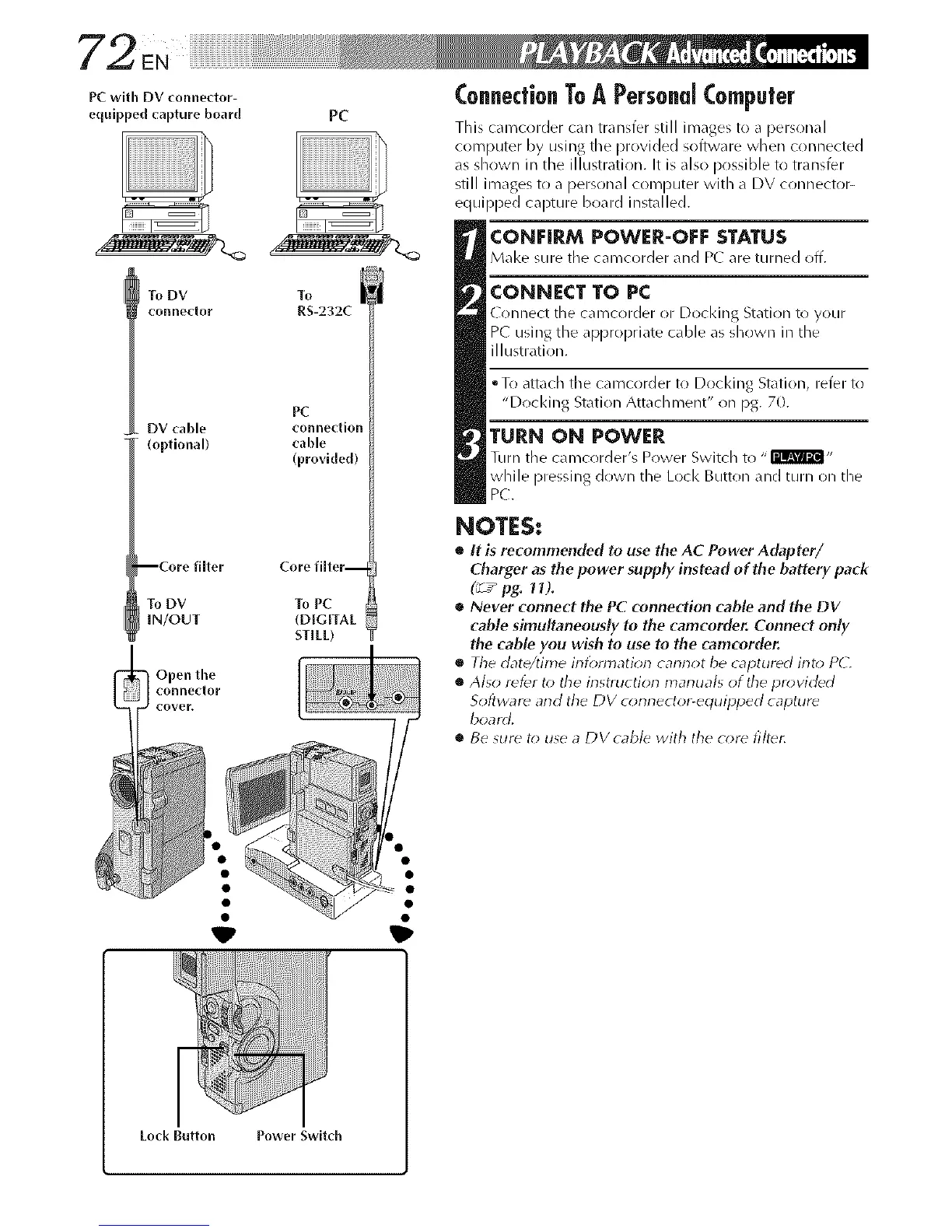
This camcorder can transfer still images to a personal
computer by using the provided software when connected
as shown in die illustration. It is also possible to transfer
still images to a personal computer with a DV connector-
equipped capture board installed.
CONEIRM POWER-OFF STATUS
M_l<e sure the camcorder _md P( are turned off.
CONNECT TO PC
( onnect :he camcorder or Docking Station to your
PC" using the appropriate cable as shown in the
illustration.
oTo attach the camcorder to Docking Station, refer to
"Docking Station Attachment" on pg. 70.
TURN ON POWER
Turn tile camcorder's Power Switch to "I'llml'_l,,
while pressing down the Loci< Button and turn on the
PC.
NOTES:
• It is recommended to use the AC Power Adapter/
Charger as the power supply instead of the battery pack
(_ / pg. 11).
• Never connect the PC connection cable and the DV
c_ble simultaneously to the camcorder. Connect only
the cable you wish to use to the camcorder.
o The date/time irllbnnatiorl carlrlot be captured into PC.
• Also refer to the instruction manuals of tile provided
Sofb,vard and the DV connector-equipped capture
board.
• Be sur_ t_) use a DVcable with the core filter.



 To Next Page