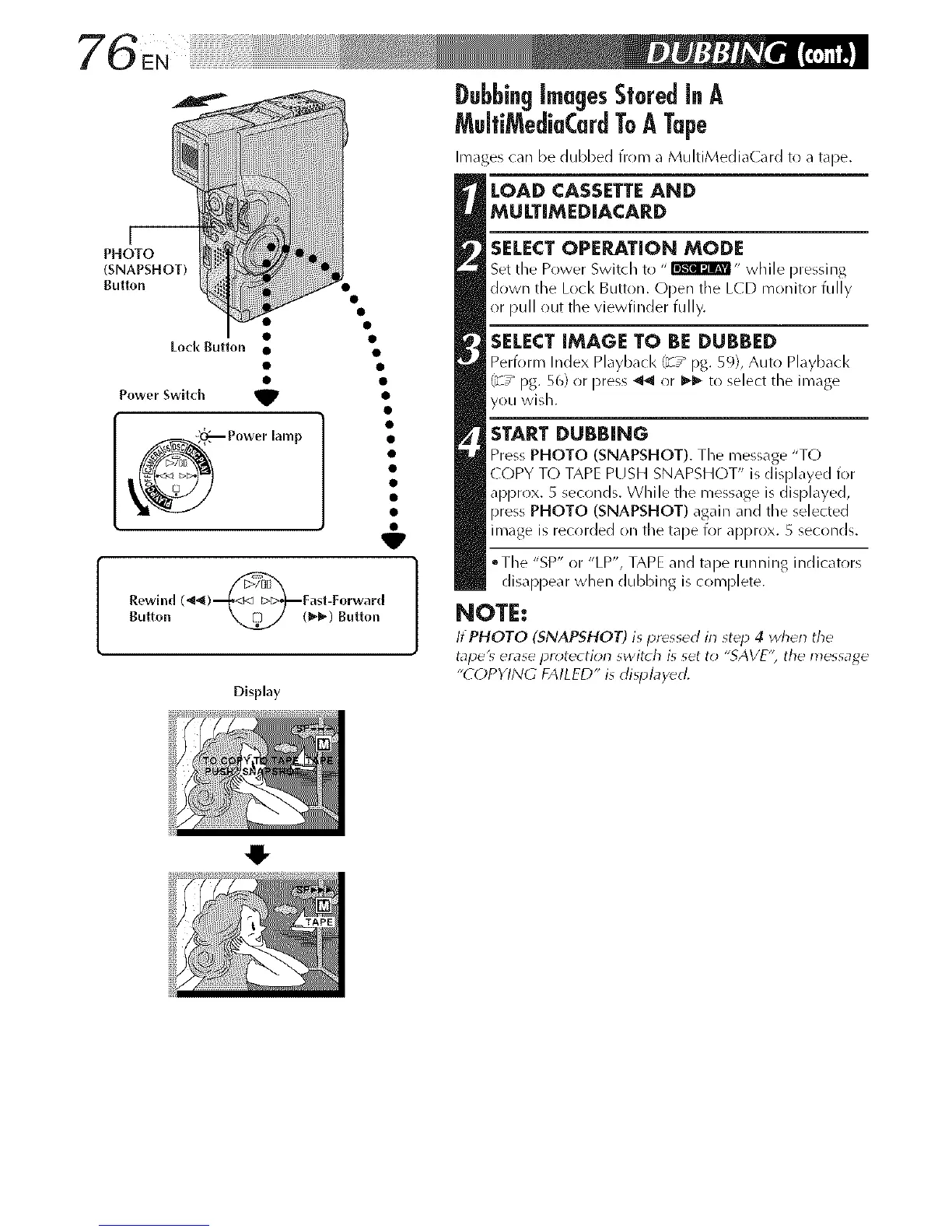
_ Power lamp
Rewind (_)_Fast-Forward
Bulton _(1_) Button
Display
O
SELECTOPERATION MODE
Set tile Prlwer Switch to " _" while pressing
down the Lock Button. Open the L(D monitor fully
or pull out the viewfinder fully.
SELECT IMAGE TO BE DUBBED
Perfi_rm Index Playback t_ / pg. 59), Auto Pl_lybacl<
_'_ / pg. 56) or press _ or I_1_ to select the image
you wish.
START DUBBING
Press PHOTO (SNAPSHOT). The message "TO
COPY T() TAPE PUSH SNAPSHOT" is displayed for
apprrlx. 5 seconds. While the message is displayed,
pres_ PHOTO (SNAPSHOT) again and the selected
image is recorded on the tape for approx. 5 seconds.
oTl/e "SP" or "LP', TAPE and tape runnlinlg indicators
disappear when dubbing is complete.
NOTE:
ItPHOTO (SNAPSHOT) is pressed in st_p 4 when tile
tape'_ erase pr_4ection switch is set to "SAVE'; the message
"COPYING FAILED" is displayed.



 To Next Page