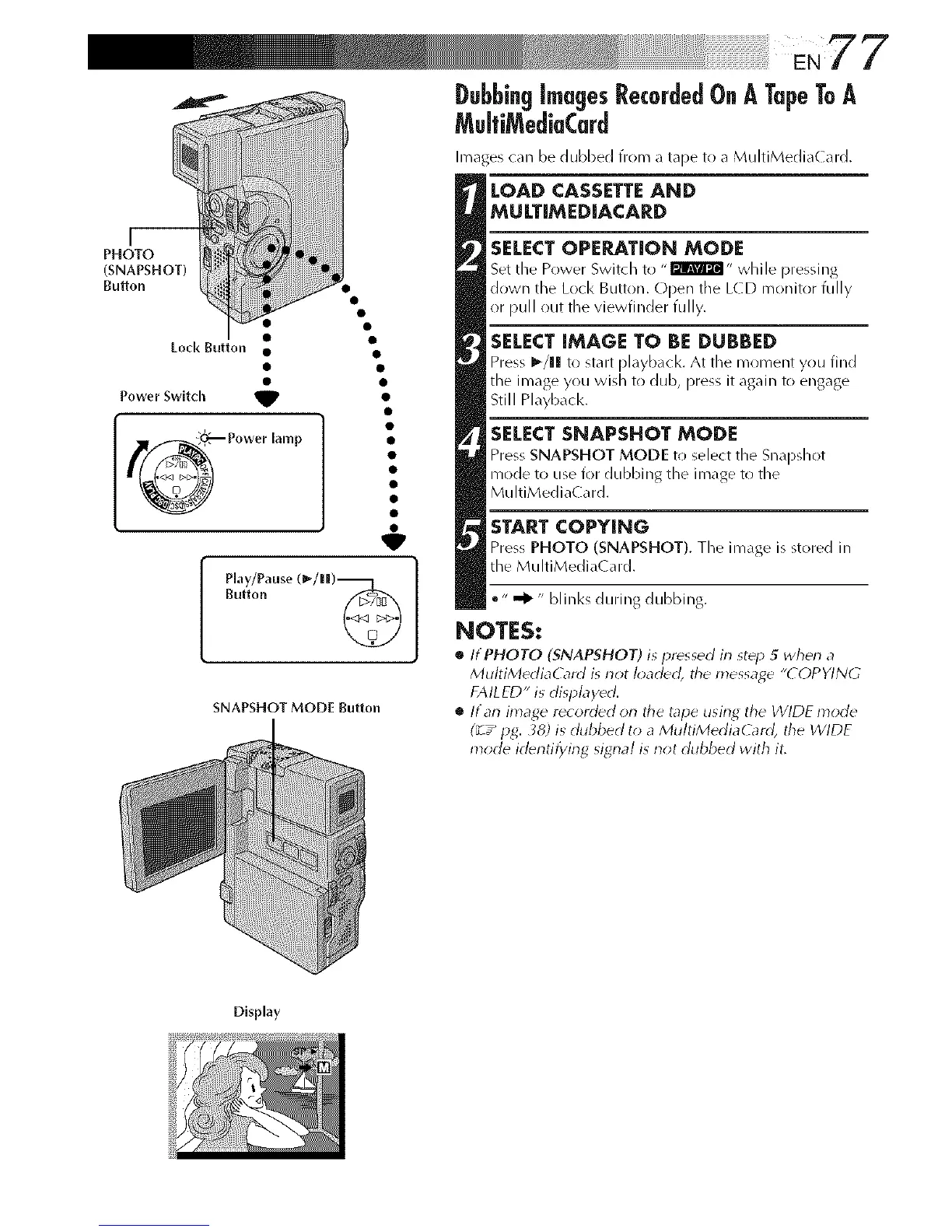
Lock Button
j__
PHOTO
(SNAPSHOT)
Bu_on
V
Power Switch _t
_ Power lamp
Play/Pause (_-/ll|)-_ 1
Button
SNAPSHOT MODE Button
Images can be dubbed from a tape to a MultiMedia( ard.
LOAD CASSETTE AND
MULTiMED[ACARD
SELECTOPERATION MODE
Set tile Power Switch to ,,F2_Wa_I" while pressing
down the Lock Button. Open the LCD monitr)r fully
or pull out the viewfinder fully.
SELECT iMAGE TO BE DUBBED
Press I_/1! to start pl_yb_cl<. At the moment you find
the image you wish t() dub, press it again to engage
Still Playback.
SELECT SNAPSHOT MODE
Press SNAPSHOT MODE to select the Sn_lpdlot
mode to use for dubbing the image to the
MultiMediaCard.
START COPYING
Press PHOTO (SNAPSHOT). The im_ge is stored in
the MultiMedia( ard.
•" _" bli nks during dubbing.
NOTES:
• ItPHOTO (SNAPSHOT) is pressed in st_p 5 wherl a
MultiMediaCard is riot I_;aded, the message "COPYING
FAILED" is dispbydd.
• ltan image r_corded on the tape using the WIDE mode
(_ z_ pg. _8) is dubbed to a MultiMediaG_rd, the WIDE
mode irl_ntifying signal is riot dubbed with it.
Display



 To Next Page