f
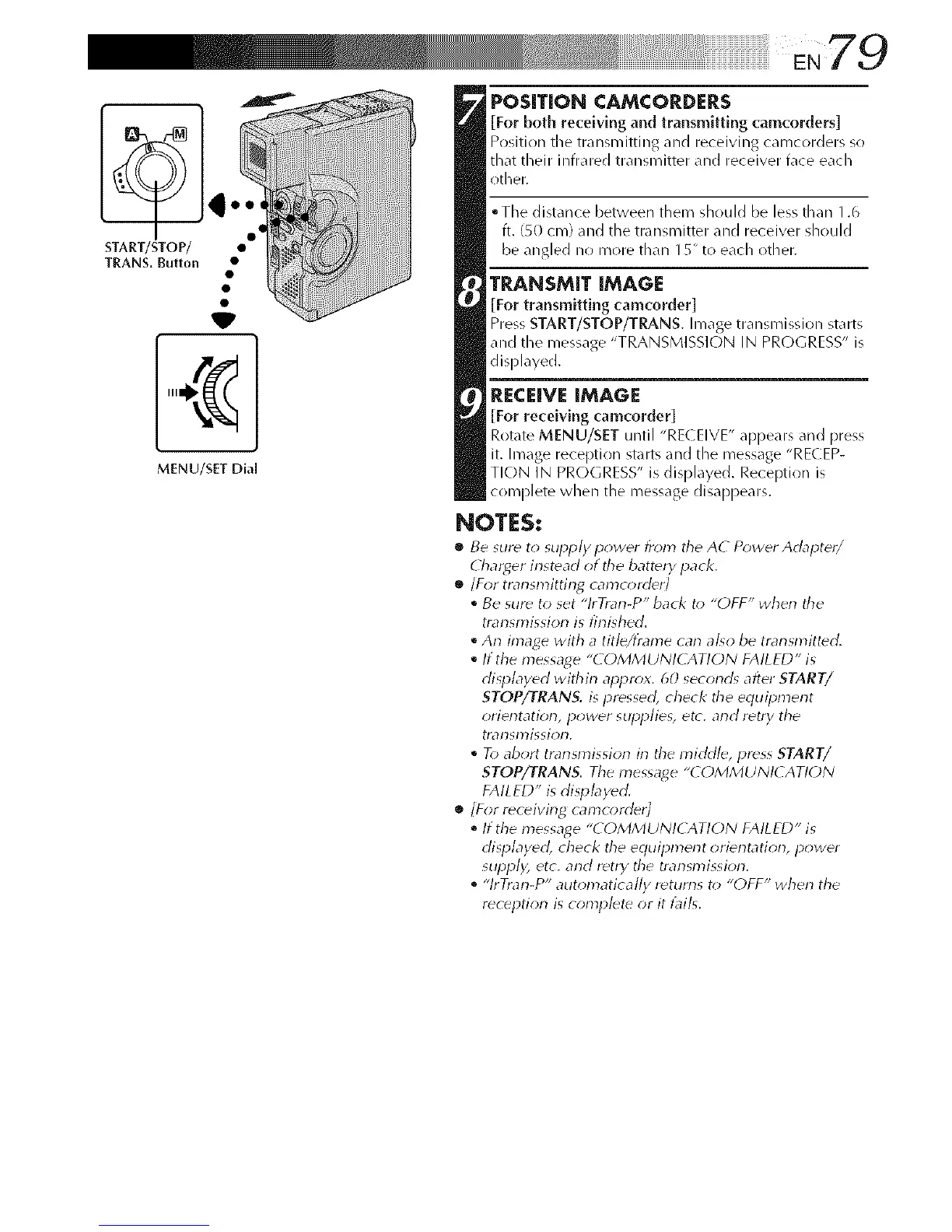
TRANS, Button •
MENU/SET DiM
POSITION CAMCORDERS
[For both receiving and transmitting camcorders]
Position tile transnlitting and receiving callicorders so
that their infrared transmitter and receiver face each
other.
• Tile distance between them should be less than 1.6
ft. (SO cn/) and the transmitter and receiver should
be a/g ed lo more than I 5" to each other.
TRANSMIT IMAGE
[For transmitting camcorder]
Press START/STOP/TRANS. Image transmission starts
and the nlessage "TRANSMISSION IN PROGRESS" is
displayed.
RECEIVE IMAGE
[For receiving camcorder]
Rotate MENU/SET until "RE( EIVE" appears and press
it. Image reception starts and the nlessage "RECEP-
TION IN PROGRESS" is displayed. Reception is
complete when the message disappears.
NOTES:
• Be sure to supply power from tile A( P_wer Adapter/
Char_er instead ot tile batter), pack.
•_ /For trar_sn_itting camcorder/
• Be sure to set "lrTrar_-P" back to "OFF" when the
transmission is finished.
• An image with a title/frame carl also be transmitted.
• If the message "COMMUNICATION FAILED" is
displayed within appr_*x. 60 second_ after START/
STOP/TRANS. is pressed, check the equil_ment
orientatiorb power slqJplies, etc. and retry the
trarlsl)3issiorL
• To abort transmission in the mirkl/e, press START/
STOP/TRANS. Tile message "COMMUNI( ATION
FAILED" is displayed.
• /For receiving camcorder/
• If the message "COMMUNICATION FAILED" is
disl_layecl , check the equipment orierltatiorl, power
supply etc. arid retry the transmissiorr
• "lrTrarl-P" automatically returns to "OFF" when the
reception is complete or it t]lil<



 To Next Page