(@icm[izingA Mu[fiMediaCard
If the MultiMedi_Card's memory is corrupt, "PLEASE
INITIALIZE" will appear. In this ca_e, you will have to
initialize the MultiMedi_( _rd.
oo °
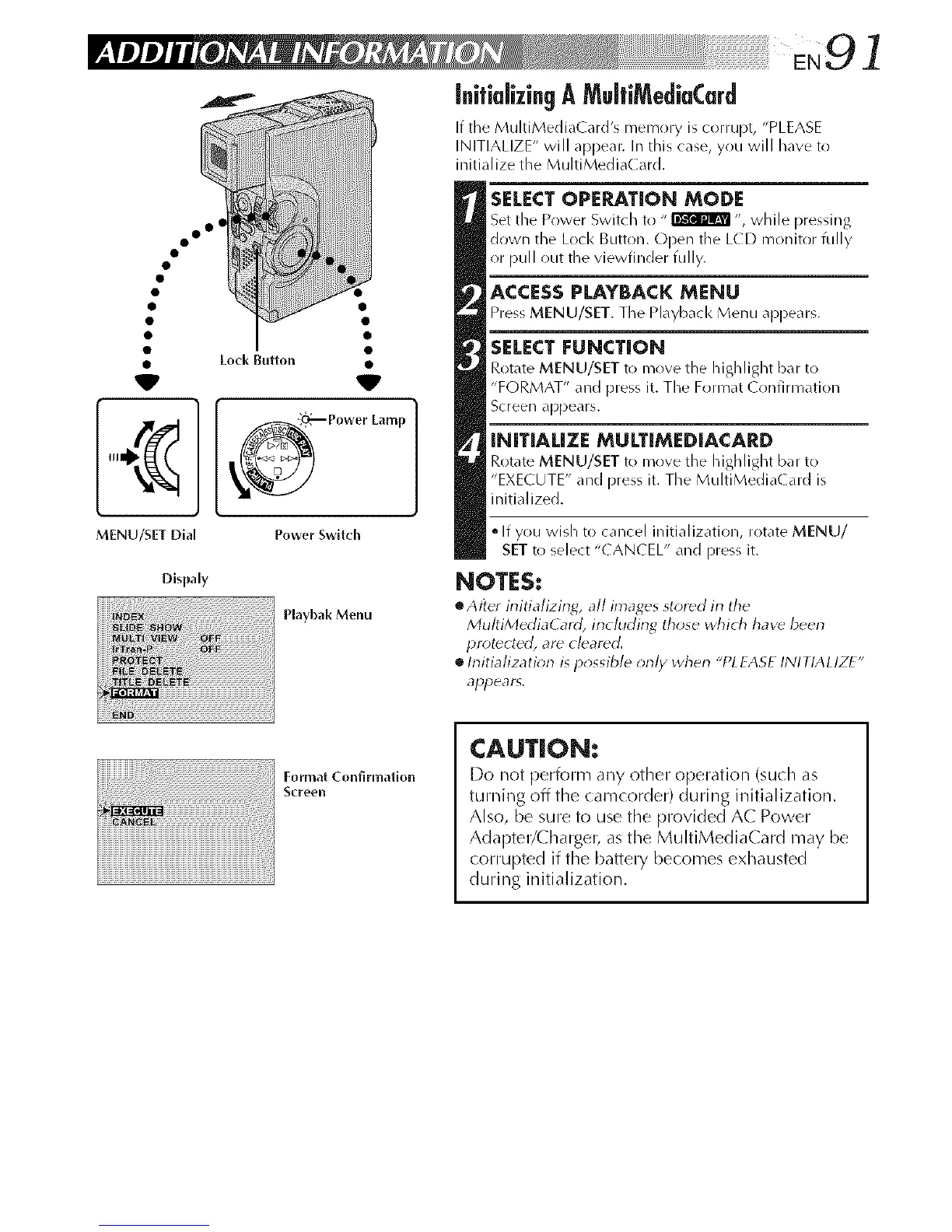
• Loci< Button •
Power Lamp
MENU/SET Dial Power Switch
Dispaly
Playbak Menu
SELECTOPERATION MODE
Set the Power Switch to " _ ", while pressing
down the Lock Button. Open the LCD monitor fully
or pull out the viewfinder fully.
ACCESSPLAYBACK MENU
PressMENU/SET. The Playback Menu appears.
SELECT FUNCT[ON
Rotate MENU/SET to move the highlight bar to
"FORMAT" and press it. The Format ( onfirmation
Screen appears.
INITIALIZE MULTIMEDIACARD
Rotate MENU/SET to move the highlight ban to
"EXECUTE" and press it. The MultiMedia( ard is
initialized.
• If you wish to cancel initialization, rotate MENU/
SETto select "CANCEL" and press it.
NOTES:
eAfter irfitializing, all images stored in the
MultiMediaCard, including those which have been
protected, are cleared.
h-fitiafization ispossible onh/ when "PLEASE INITIALIZE"
appears,
Format Conf_rmafion
Screen
CAUTION:
Do not l)erfonl-n any other open'ation (such as
turning off the camcorder) during initialization.
Also, be sure to use the provided AC Power
Adapter/Charger, as the MultiMediaCard may be
corrupted if the battery becomes exhausted
during initialization.



 To Next Page