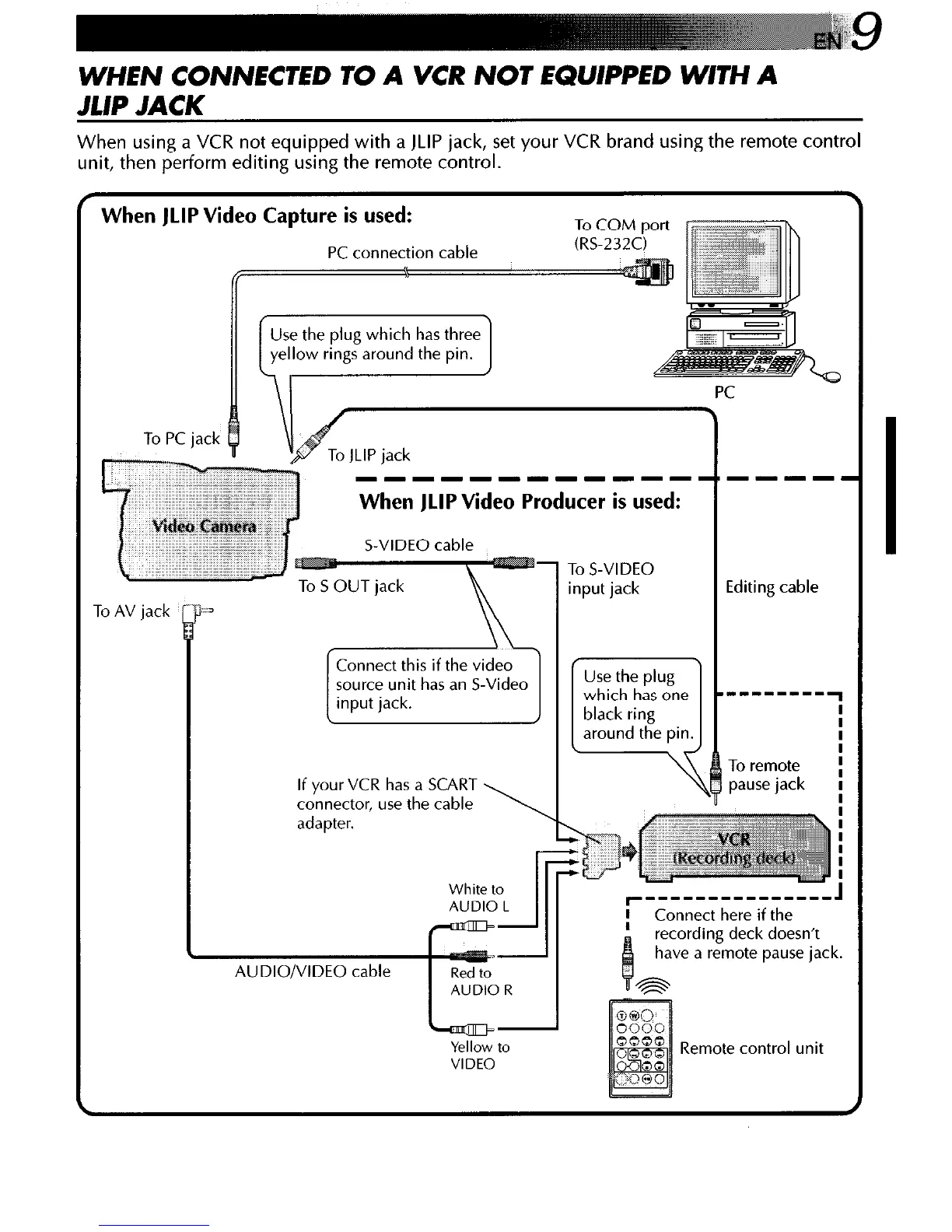
WHEN CONNECTED TO A VCR NOT EQUIPPED WITH A
A/P JACK
When using a VCR not equipped with a JLIP jack, set your VCR brand using the remote control
unit, then perform editing using the remote control.
When JLIP Video Capture is used:
To COM Dart sw
J
To PC jack
When JLIP Video Producer is used:
S-VIDEO cable
adapter.
le plug
I 1
I
ie ---------
To remote
pause jack
White to
AUDIO L
III -
I-“’
I r,.
i
Lunnect here if the
recording deck doesn’t
have a remote pause jack
Yellow to
VIDEO
Remote control unit



 To Next Page