42
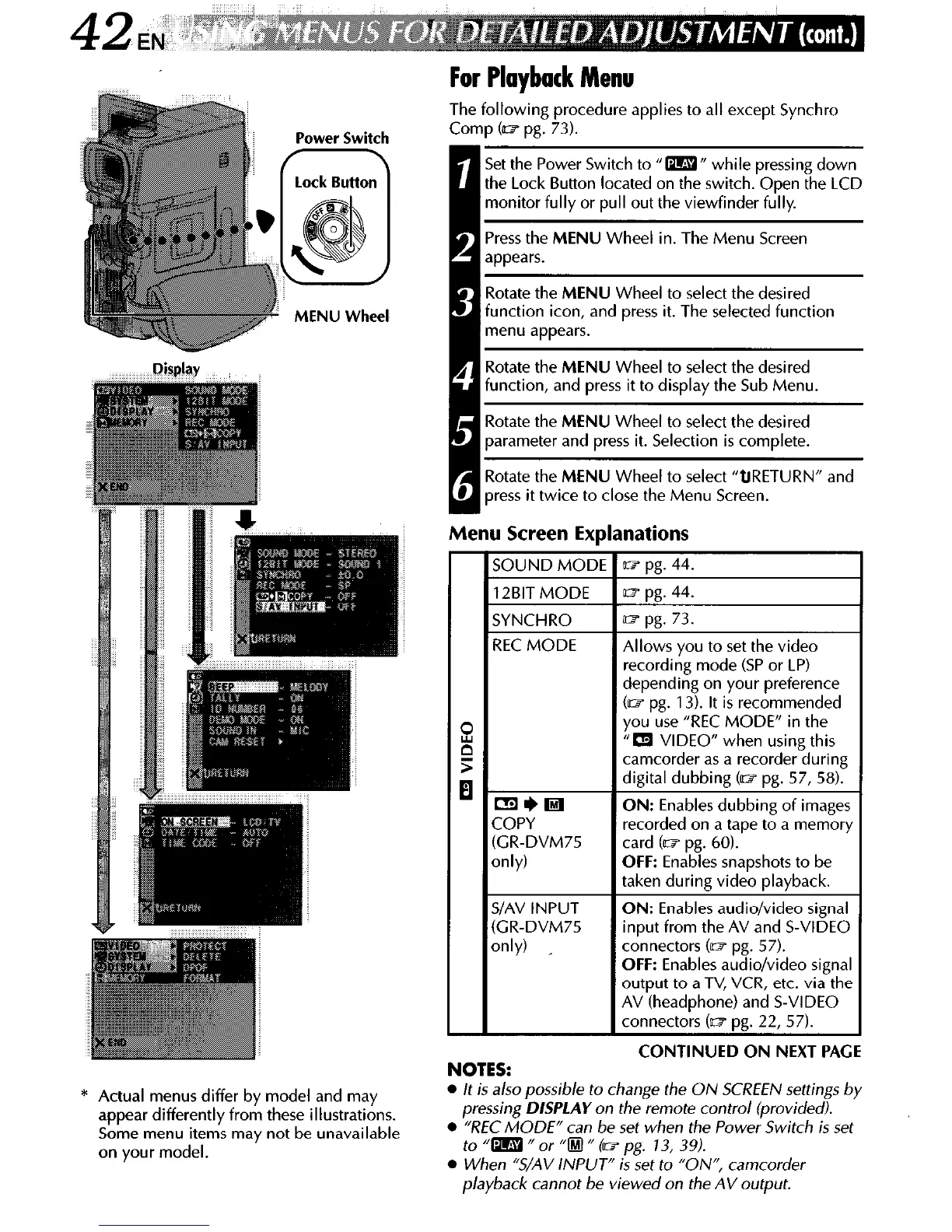
Power Switch
MENU Wheel
* Actual menus differ by model and may
appear differently from these illustrations.
Some menu items may not be unavailable
on your model.
For Playback Menu
Thf following procedure applies to all except Synchro
COI
rp (= pg. 73).
Set the Power Switch to “m” while pressing down
the Lock Button located on the switch. Open the LCD
monitor fully or pull out the viewfinder fully.
Press the MENU Wheel in. The Menu Screen
appears.
lotate the MENU Wheel to select the desired
function icon, and press it. The selected function
menu appears.
Rotate the MENU Wheel to select the desired
function, and press it to display the Sub Menu.
Rotate the MENU Wheel to select the desired
parameter and press it. Selection is complete.
Rotate the MENU Wheel to select ‘QRETURN” and
press it twice to close the Menu Screen.
Menu Screen Explanations
SOUND MODE
w pg. 44.
12BIT MODE
SYNCHRO
REC MODE
ml)0
COPY
(GR-DVM75
only)
SIAV INPUT
(GR-DVM75
only) _
w pg. 44.
w pg. 73.
Allows you to set the video
recording mode (SP or LP)
depending on your preference
(lt7 pg. 13). It is recommended
you use “REC MODE” in the
“a VIDEO” when using this
camcorder as a recorder during
digital dubbing (= pg. 57, 58).
ON: Enables dubbing of images
recorded on a tape to a memory
card (ID pg. 60).
OFF: Enables snapshots to be
taken during video playback.
ON: Enables audio/video signal
input from the AV and S-VIDEO
connectors (it3 pg. 57).
OFF: Enables audio/video signal
output to a TV, VCR, etc. via the
AV (headphone) and S-VIDEO
connectors (ID pg. 22, 57).
NOTES:
CUNTINUED UN NEXT PAtit
l
It is also possible to change the ON SCREEN settings by
pressing
DISPLAY
on the remote control (provided).
l
“REC MODE” can be set when the Power Switch is set
to “m fl or “0 n (w pg. 13, 39).
l
When “S/AV INPUT” is set to “ON”, camcorder
playback cannot be viewed on the AV output.



 To Next Page