EN
89
LCD Monitor/Viewfinder Indications During Both Video And D.S.C. Recording
I
40x WCH3T
!r
0
Mm1
1 0
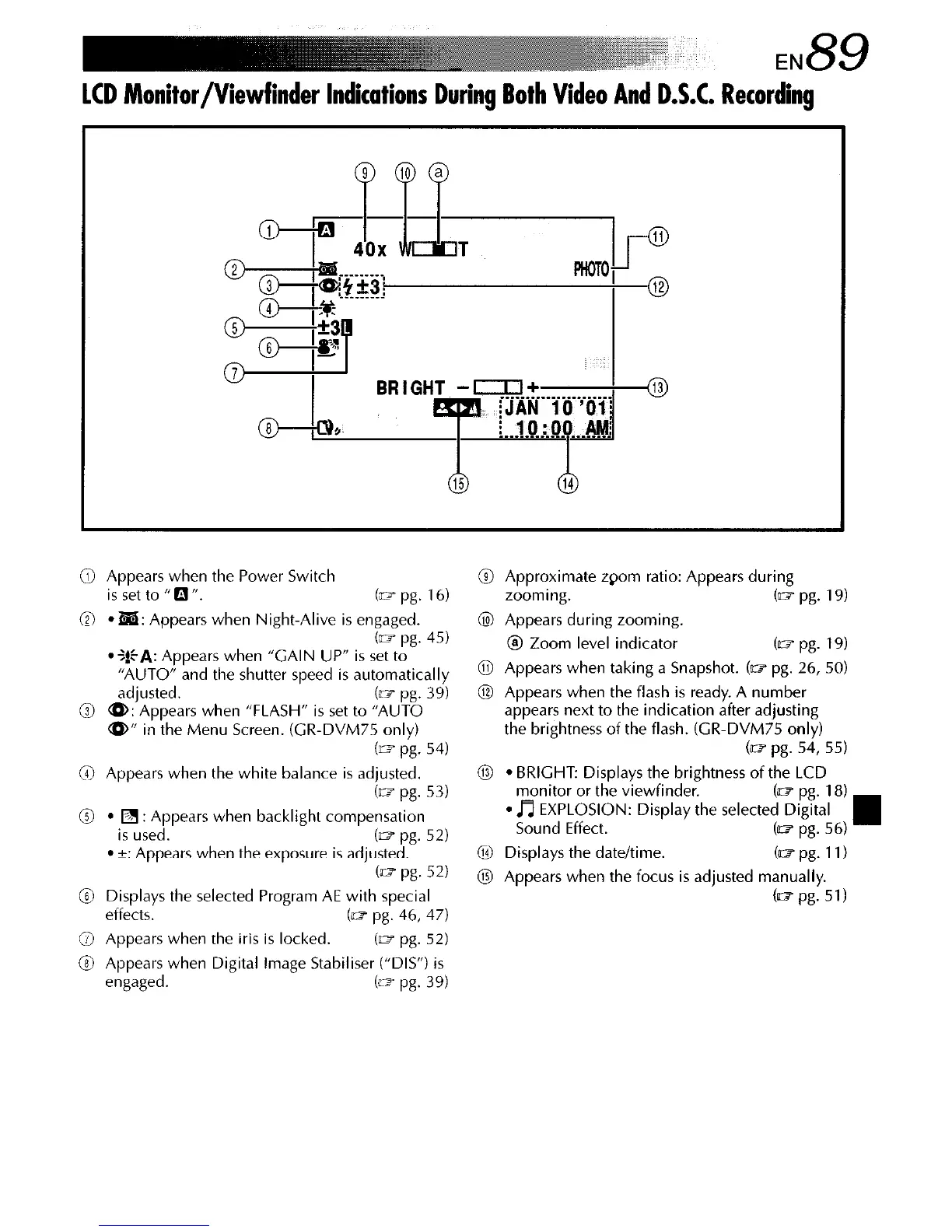
0 Appears when the Power Switch @ Approximate zpom ratio: Appears during
is set to “CJfl.
b pg. 16)
@
l
ha: Appears when Night-Alive is engaged.
cm pg. 45)
*$!$A: Appears when “GAIN UP” is set to
“AUTO” and the shutter speed is automatically
adjusted. (E- pg. 39)
@ a: Appears when “FLASH” is set to “AUTO
<(D” in the Menu Screen. (GR-DVM75 only)
b= pg. 54)
@ Appears when the white balance is adjusted.
(= pg. 53)
@
l
q
: Appears when backlight compensation
is used.
b- pg. 52)
l
c: Appears when the exposure is adjusted.
b= pg. 52)
@ Displays the selected Program AE with special
effects.
b- pg. 46, 47)
@ Appears when the iris is locked.
(= pg. 52)
@ Appears when Digital image Stabiliser (“DIS”) is
engaged.
(m pg. 39)
zooming.
(= pg. 19)
@ Appears during zooming.
0 Zoom level indicator
(= pg. 19)
@ Appears when taking a Snapshot. (~1 pg. 26,SO)
@ Appears when the flash is ready. A number
appears next to the indication after adjusting
the brightness of the flash. (GR-DVM75 only)
(= pg. 54, 55)
@
l
BRIGHT: Displays the brightness of the LCD
monitor or the viewfinder.
l
~u~dP~K&~N: Display the selecte{%~~~~



 To Next Page