MasterPage: Video_Heading0_Right
EN
23
VIDEO RECORDING & PLAYBACK
VIDEO PLAYBACK
The full-function remote control unit can operate
this camcorder from a distance as well as the
basic operations (playback, stop, pause, fast-
forward and rewind) of your VCR. It also makes
additional playback functions possible.
(墌 pg. 24)
Installing the Battery
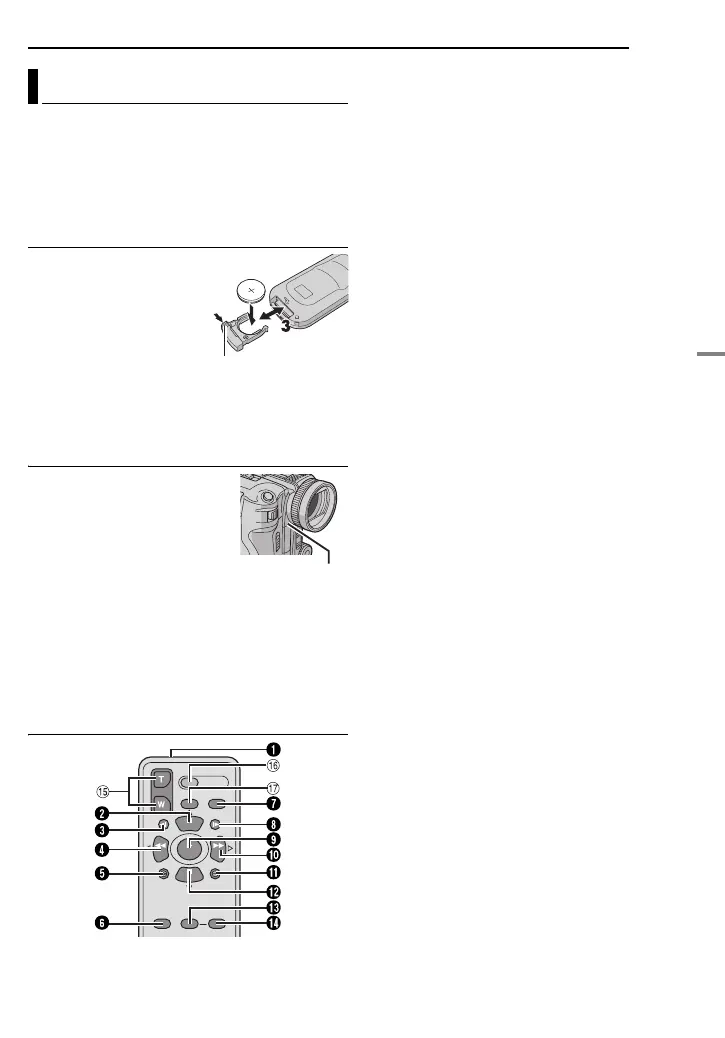
The remote control uses
one lithium battery
(CR2025).
1 Pull out the battery
holder by pushing the lock
tab.
2 Insert the battery in the
holder, and be sure to have the “+” mark visible.
3 Slide the holder back in until you hear a click.
Beam Effective Area (indoor use)
When using the remote
control, be sure to point it at
the remote sensor. The
transmitted beam’s
approximate effective
distance for indoor use is 5 m
(16 ft).
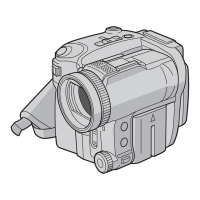
Use the remote control in front of the camcorder
facing toward the lens.
NOTE:
The transmitted beam may not be effective or may
cause incorrect operation when the remote sensor
is directly exposed to sunlight or powerful lighting.
Buttons And Functions
A Infrared beam transmitting window
● Transmits the beam signal.
The following buttons are available only when
the camcorder’s power switch is set to “PLAY”.
B PAUSE Button
● Pauses the tape (墌 pg. 24)
Up Button (墌 pg. 24)
C SLOW Rewind Button (墌 pg. 24)
D REW Button
● Rewind/Reverse shuttle search on a tape
(墌 pg. 21)
● Displays previous file in a memory card
(墌 pg. 26)
Left Button (墌 pg. 24)
E INSERT Button (墌 pg. 49)
F SHIFT Button (墌 pg. 24)
G DISPLAY Button (墌 pg. 22, 46)
H SLOW Forward Button (墌 pg. 24)
I PLAY Button
● Starts playback of a tape (墌 pg. 20)
● Starts auto playback of images in a memory
card (墌 pg. 26)
J FF Button
● Forward/Forward shuttle search on a tape
(墌 pg. 21)
● Displays next file in a memory card (墌 pg. 26)
Right Button (墌 pg. 24)
K A. DUB Button (墌 pg. 50)
L STOP Button
● Stops the tape (墌 pg. 20)
● Stops auto playback (墌 pg. 26)
Down Button (墌 pg. 24)
M EFFECT Button (墌 pg. 24)
N EFFECT ON/OFF Button (墌 pg. 24)
The following buttons are available when the
camcorder’s power switch is set to “A” or “M”.
o Zoom (T/W) Buttons
Zoom in/out (墌 pg. 19, 24)
(Also available with the power switch set to
“PLAY”)
p START/STOP Button
Functions the same as the recording start/
stop button on the camcorder.
q S.SHOT Button
Functions the same as SNAPSHOT on the
camcorder.
(Also available with the power switch set to
“PLAY”)
Playback Using the Remote Control
1
1
2
Lock tab
Remote sensor
GR-X5US.book Page 23 Thursday, April 7, 2005 8:13 AM


 To Next Page