EasyManua.ls Logo

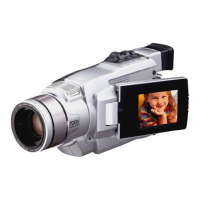
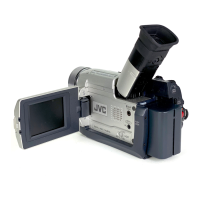
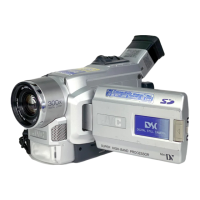
JVC GR-DVL149EG-X - User Manual

JVC GR-DVL149EG-X
65 pages
Print Icon
To Next Page IconTo Next Page
Loading...
Please visit our Homepage on the World Wide Web and
answer our Consumer Survey (in English only):
http://www.jvc-victor.co.jp/english/index-e.html
For Accessories:
http://www.jvc-victor.co.jp/english/accessory/
ENGLISH
CONTENTS
AUTOMATIC DEMONSTRATION
6
GETTING STARTED
7 – 13
RECORDING & PLAYBACK
14 – 22
RECORDING ................................ 15 – 18
PLAYBACK .................................. 19 – 22
ADVANCED FEATURES
23 – 45
FOR RECORDING .......................... 24 – 31
USING MENUS FOR
DETAILED ADJUSTMENT ............. 32 – 37
DUBBING .................................... 38 – 39
USING THE OPTIONAL REMOTE
CONTROL UNIT .......................... 40 – 44
SYSTEM CONNECTIONS ........................ 45
REFERENCES
46
– Back Cover
DETAILS ............................................ 47
TROUBLESHOOTING ..................... 48 – 52
USER MAINTENANCE ........................... 53
CAUTIONS ................................... 54 – 56
SPECIFICATIONS ................................. 57
INDEX ........................................ 58 – 62
TERMS ............................ 63
Back Cover
INSTRUCTIONS
EN
LYT1023-001A
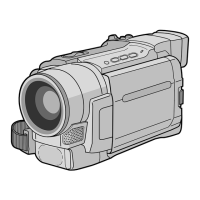
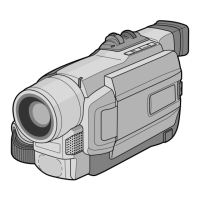
GR-DVL145
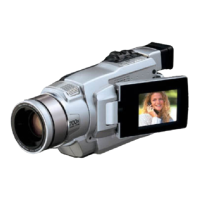
DIGITAL VIDEO CAMERA
Downloaded from: https://www.usersmanualguide.com/

Questions and Answers

  • A
    alec58Aug 10, 2025
    Why JVC Camcorder has no power?
    • M
      Matthew VargasAug 10, 2025
      If your JVC Camcorder has no power, it could be due to the power not being connected properly; ensure the AC Adapter is securely connected. Alternatively, the battery might be dead; replace the dead battery with a fully charged one.
  • K
    Kathryn LozanoAug 25, 2025
    What to do if SET DATE/TIME! appears on JVC GR-DVL149EG-X Camcorder?
    • K
      Karen RobertsAug 25, 2025
      If “SET DATE/TIME!” appears, it could be due to two reasons. First, the date/time might not be set; in this case, you should set the date/time. Alternatively, the built-in clock battery may have run out, erasing the previously set date/time. If this is the case, consult your nearest JVC dealer for a replacement.

JVC GR-DVL149EG-X Specifications

General IconGeneral
Recording MediaMiniDV
Optical Zoom16x
Digital Zoom700x
Image StabilizerElectronic
Still Image Resolution640 x 480
Battery TypeLithium-ion
TypeCamcorder
Image SensorCCD
LCD Screen Size2.5 in
Camcorder typeCamcorder
Viewfinder TypeColor
Optical Sensor Size1/6 inch
LCD ScreenColor LCD
ViewfinderColor
Video Recording FormatDV
InterfaceUSB, FireWire
Video Resolution720x576 (PAL)

Related product manuals