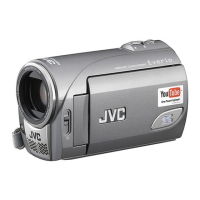
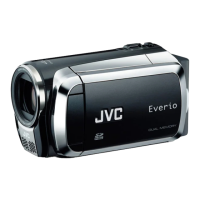
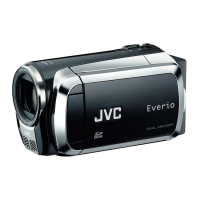
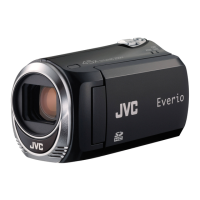
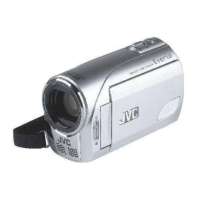
This document serves as a service manual for the JVC Memory Camcorder, covering models GZ-MS100AA, GZ-MS100AC, GZ-MS100AG, GZ-MS100AH, GZ-MS100AS, GZ-MS100EG, GZ-MS100EK, GZ-MS100ER, GZ-MS100EX, and GZ-MS100EZ. It provides detailed specifications, disassembly and assembly procedures, adjustment guidelines, troubleshooting information, schematic diagrams, and a comprehensive parts list. Lead-free solder (Sn-Ag-Cu, melting point: 219 Centigrade) is used in the board.
Function Description
The JVC Memory Camcorder is a portable video recording device designed for capturing video and still images onto memory cards. It features a compact design, making it suitable for various shooting environments. The camcorder supports multiple recording modes for both video and audio, offering flexibility in quality and file size. It also includes a built-in speaker and an LED light for enhanced usability. Connectivity options include AV output and USB for transferring data.
Important Technical Specifications
General Camcorder Specifications:
- Power Supply: DC 11 V (using AC Adapter) or DC 7.2 V (using battery pack).
- Power Consumption: Approximately 2.3 W (when LED light is off and monitor backlight is set to [STANDARD] mode).
- Dimensions (W×H×D): 54 mm × 68 mm × 111 mm.
- Weight: Approximately 225 g (including grip belt, cassette, and lens cap); approximately 270 g (including battery and grip belt).
- Operating Temperature: 0°C to 40°C.
- Operating Humidity: 35% to 80%.
- Storage Temperature: -20°C to 50°C.
- Pickup: 1/6" (800,000 pixels) CCD.
- Lens: F 1.8 to 4.0, f = 2.2 mm to 77.0 mm, 35:1 power zoom lens.
- Filter Diameter: Ø30.5 mm.
- LCD Monitor: 2.7" diagonally measured, LCD panel/TFT active matrix system.
- Speaker: Monaural.
- LED Light: Effective within 1.5 m (recommended shooting distance).
Video/Audio Format:
- Format: SD-VIDEO.
- Recording/Playback Video Format: MPEG-2.
- Recording/Playback Audio Format: Dolby Digital (2 ch).
- Signal Format: PAL standard.
- Video Recording Modes:
- ULTRA FINE: 720 x 576 pixels, 8.5 Mbps (VBR).
- FINE: 720 x 576 pixels, 5.5 Mbps (VBR).
- NORMAL: 720 x 576 pixels, 4.2 Mbps (VBR).
- ECONOMY: 352 x 288 pixels, 1.5 Mbps (VBR).
- Audio Recording Modes:
- ULTRA FINE: 48 kHz, 384 kbps.
- FINE: 48 kHz, 384 kbps.
- NORMAL: 48 kHz, 256 kbps.
- ECONOMY: 48 kHz, 128 kbps.
Still Image Specifications:
- Format: JPEG.
- Image Size: 640 × 480.
- Picture Quality: 2 modes (FINE/STANDARD).
Connectors:
- AV Output:
- Video output: 1.0 V (p-p), 75 Ω.
- Audio output: 300 mV (rms), 1 KΩ.
- USB: Mini USB type A and B, USB 2.0 compliant.
AC Adapter Specifications:
- Power Requirement: AC 110 V to 240 V, 50 Hz/60 Hz.
- Output: DC 11 V, 1 A.
Usage Features
The camcorder is designed for ease of use with its memory card recording capability, eliminating the need for physical tapes. The 35:1 power zoom lens allows for versatile shooting, from wide-angle to telephoto. The 2.7" LCD monitor provides a clear view for framing shots and reviewing footage, while the TFT active matrix system ensures good visibility. The built-in LED light assists in low-light conditions, and the monaural speaker allows for immediate audio playback. The various recording modes enable users to choose between higher quality (ULTRA FINE, FINE) for important footage or extended recording times (NORMAL, ECONOMY) when storage is a concern. Still image capture adds to the camcorder's versatility.
Maintenance Features
The manual emphasizes safety precautions during servicing, including the use of specified parts for critical components (marked with a triangle symbol and shading). It details proper handling of connectors, flat wires, and chip parts to prevent damage. Specific torque values for screws are provided to ensure correct reassembly.
Disassembly and Assembly:
- Detailed step-by-step procedures are outlined for disassembling and assembling main parts, cabinet parts, and electrical components.
- Special attention is given to delicate components like the CCD IMAGE SENSOR, OPTICAL LPF, and LENS, with instructions on how to protect them from stains, dust, or scratches.
- Instructions for handling the MONITOR ASSY are provided, including careful removal of screws, hooks, and FPCs, and proper reattachment of the SENSOR BOARD ASSY.
- Tools required for disassembly and assembly are listed, including a torque driver, bits, tweezers, a chip IC replacement jig, and a cleaning cloth.
Adjustment:
- The manual specifies that camera and deck system adjustments require a personal computer and specialized software (SERVICE SUPPORT SYSTEM).
- It lists required test equipment such as a personal computer (for Windows), color TV monitor, oscilloscope, digital voltmeter, DC power supply, and frequency counter.
- Tools for adjustment include an INF adjustment lens holder, mini stand, light box assembly, various charts (gray scale, color bar, focus), service support system software, communication cables, and a jig connector cable.
- Detailed instructions are provided for connecting the jig connector cable to the main board for electrical adjustments.
Troubleshooting:
- The manual includes a "Trouble Shooting" section, which, while brief in the provided excerpt, typically contains diagnostic steps and solutions for common issues.
- A "Service Note" section provides important information regarding screw tightening torque and the use of specified screws for replacement, highlighting that screw lock bond is applied to prevent loosening. It also advises on handling torque values, emphasizing that the specified torque is a recommended value for initial assembly and should be adhered to to prevent damage.
The document serves as a comprehensive guide for technicians, ensuring safe, accurate, and efficient servicing of the JVC Memory Camcorder.

 Need help?


 To Next Page
 General