EasyManua.ls Logo

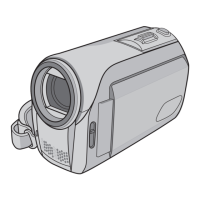
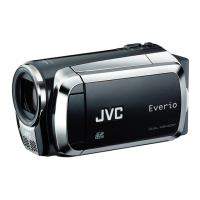
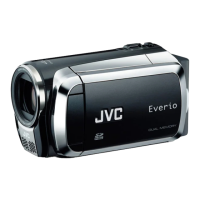
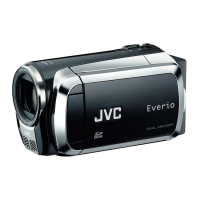
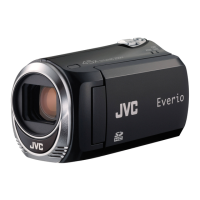
JVC GZ-MS100E Series - User Manual

JVC GZ-MS100E Series
40 pages
Print Icon
To Next Page IconTo Next Page
Loading...
ENGLISH
EN
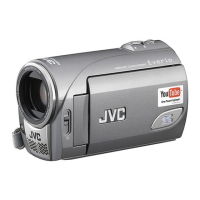
MEMORY CAMCORDER
Dear Customer
Thank you for purchasing this
memory camcorder. Before
use, please read the safety
information and precautions
contained in pages 4 and 5 to
ensure safe use of this product.
LYT1924-001D-M
INSTRUCTIONS
GZ-MS100EK/BEK/REK
GZ-MS100E/BE/RE

Questions and Answers

  • J
    Joshua DavisAug 13, 2025
    What to do if my JVC GZ-MS100E Camcorder has no power?
    • J
      John JohnsonAug 13, 2025
      If your JVC Camcorder isn't getting power, ensure the AC adapter is securely connected. Try detaching and reattaching the battery pack firmly. If the issue persists, replace the battery with a fully charged one.
  • O
    omayoAug 16, 2025
    Why does my JVC GZ-MS100E Camcorder battery die so fast?
    • J
      Jacqueline HendersonAug 17, 2025
      If your JVC Camcorder's battery life is very short, ensure you're using it within appropriate operating temperatures. The battery may also be worn out and require replacement with a new one.
  • N
    nathanieljonesAug 21, 2025
    Why is my JVC GZ-MS100E power/charge lamp not lighting during charging?
    • J
      Jerry HarperAug 21, 2025
      The power/charge lamp on your JVC Camcorder might not light during charging if the temperature is too high or low, as charging may stop to protect the battery. It is recommended to charge it in places with a temperature of 10°C to 35°C. Also, the lamp won't light if the battery is already fully charged, so check the remaining battery power.
  • K
    Kyle OsbornAug 25, 2025
    What to do if my JVC GZ-MS100E Camcorder won't record?
    • M
      Michael OconnorAug 25, 2025
      If your JVC Camcorder isn't recording, the SD card might be full. Try deleting unnecessary files or replacing the SD card.
  • H
    Hannah CarrollAug 28, 2025
    Why is my JVC GZ-MS100E Camcorder digital zoom not working?
    • J
      Joseph WhiteAug 28, 2025
      If the digital zoom on your JVC Camcorder isn't working, change the settings in [ZOOM]. Digital zoom is not available in the still image recording mode.
  • S
    Scott TorresAug 31, 2025
    What to do if JVC GZ-MS100E Camcorder files cannot be deleted?
    • T
      teresablackAug 31, 2025
      If you can't delete files on your JVC Camcorder, remove protection from the files and delete them.
  • M
    Manuel EdwardsSep 5, 2025
    What to do if JVC GZ-MS100E shows [CREATE DVD] screen?
    • J
      jason59Sep 5, 2025
      If the [CREATE DVD] screen is displayed on your JVC Camcorder's LCD monitor and no other operations can be performed, another operation is being attempted while a DVD burner that is turned on is connected. Turn off the camcorder connected to the DVD burner, or disconnect the USB cable.
  • A
    Adam MossSep 8, 2025
    Why is my JVC GZ-MS100E Camcorder touch sensor not working?
    • G
      Gregory AndersonSep 8, 2025
      If the touch sensor on your JVC Camcorder isn't working, touch the sensors with your finger. The sensors do not function if you touch them with your fingernail or with gloves on.

JVC GZ-MS100E Series Specifications

General IconGeneral
Sensor TypeCCD
Optical Sensor Size1/6 inch
Screen Size2.7 inch
Display TypeLCD
Sensor Size1/6 inch
Video Resolution (PAL)720 x 576
USBYes
HDMINo
Video Resolution720 x 576
Storage MediaSD Card
Image StabilizerElectronic
Recording MediaSD Card
FocusAuto, Manual
Exposure ControlAuto, Manual
White BalanceAuto
MicrophoneYes

Related product manuals