Need help?
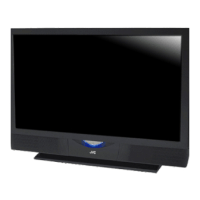
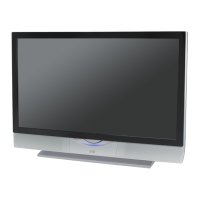
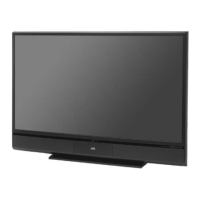
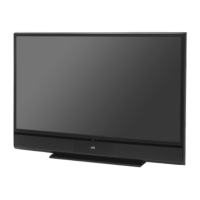
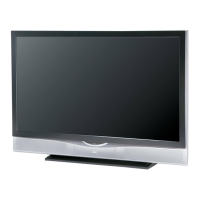
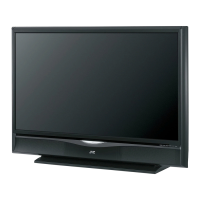
Do you have a question about the JVC HD-52G787 and is the answer not in the manual?
Warning against opening the unit and referring servicing to qualified personnel.
Warning to avoid exposing the TV to rain or moisture.
Rules for safe unit operation, including power source and ventilation.
Information regarding mercury and lead content in the product.
Guidelines for proper TV placement and ventilation to ensure safe operation.
Information regarding compliance with FCC rules for digital devices and potential radio interference.
Specific caution regarding model compatibility with a particular stand.
Instructions on how to clean the TV cabinet and screen safely and effectively.
Explains the TV's warming-up, cooling, and lamp operation.
Warnings regarding power usage, screen handling, airflow, lamp, and component safety.
Lists the items included in the TV box and recommends reading the user guide.
Illustrates and explains the various input/output terminals on the TV's rear panel.
Identifies and illustrates the controls and indicators on the TV's front and side panels.
Details the functions and buttons of the TV's remote control.
Guides through setting up the remote, basic operation, and initial TV settings.
Explains common cable types and provides initial connection guidance for devices.
Provides detailed diagrams and instructions for connecting VCR and DVD players.
Guides on connecting camcorders and similar devices using composite and audio cables.
Instructions for connecting the TV's audio outputs to external amplifiers via analog and optical cables.
Details connecting a DTV receiver via HDMI/DVI and audio cables for HD picture quality.
Explains connecting HDMI compatible devices for high-definition audio and video signals.
Guides on connecting an AV receiver to utilize the V1 Smart Input for automatic signal source detection.
Instructions for connecting a PC to use the TV as a computer monitor via VGA and audio cables.
Details supported computer resolutions and troubleshooting for display issues.
Guides through initial TV setup including language, clock, and auto tuner configuration.
Explains automatic and manual methods for setting the TV's clock, including Daylight Savings.
Describes the process of scanning for and memorizing available TV channels.
Provides codes and instructions for programming the remote to control cable boxes or satellite receivers.
Lists codes for programming the remote to operate various VCR brands.
Lists codes for programming the remote to operate various DVD player brands.
Explains how to use search functions to find compatible remote control codes.
Explains symbols and basic operations for navigating the TV's onscreen menu system.
Describes how to access and use the TV's onscreen menu system for adjustments.
Provides instructions on how to perform or re-run the automatic channel tuning process.
Explains how to customize channel lists, add/delete analog channels, and view digital channels.
Guides on labeling analog channels and activating channel lock features.
Introduces V-Chip technology for blocking inappropriate content based on ratings.
Explains how to block programming that does not have a rating signal.
Details US parental rating systems (TV Y, Y7, G, PG, 14, MA) and content type indicators.
Guides on setting US TV ratings (G, PG, 14, MA) and blocking content using the lock icon.
Explains MPAA movie ratings (NR, G, PG, PG-13, R, NC-17, X) and how to block them.
Details Canadian V-Chip ratings (E, C, C8+, G, PG, 14+, 18+) and how to block them.
Guides on changing the default four-digit lock code for parental controls.
Instructions for selecting the display language for onscreen menus (English, French, Spanish).
Explains how to activate and configure closed captioning for analog and digital channels.
Guides on manually adjusting digital closed caption appearance, font, colors, and opacities.
Explains how to set the automatic TV shut-off feature and enable XDS ID display.
Describes the noise muting feature and how to lock the front panel controls to prevent accidental changes.
Explains how to enable the V1 Smart Input for AV receiver integration and automatic source detection.
Guides on assigning custom labels to video input connections for easier identification on screen.
Details how to adjust picture position for specific aspect ratios and control the power indicator light brightness.
Explains settings for digital input signals (HDMI/DVI) and configuring audio input types.
Covers digital broadcast setup and checking the antenna signal strength.
Explains digital sound output options, checking software version, and performing updates.
Details adjustments for Tint, Color, Picture, Bright, Detail, and Color Temperature.
Explains Color Management, Dynamic Gamma, and Smart Picture for optimizing picture quality.
Covers Digital VNR, MPEG NR for noise reduction, and resetting picture adjustments.
Details Bass, Treble, Balance adjustments, Turn On Volume, Volume Limit, and sound reset.
Guides on setting the TV's clock automatically or manually, including Daylight Savings.
Explains how to program the TV to turn on and off automatically at set times.
Instructions on resetting the lamp timer after lamp replacement.
Explains the split-screen function for viewing two channels simultaneously.
Describes Index, Freeze, Swap functions and basic Menu/OK/Back button operations.
Explains the Power, Number buttons, Tune, Input, and TheaterPro functions.
Details the Return+/TV button functions and sound mode selections (A.H.S.+, A.T.C., SMART SOUND, MaxxBass).
Explains Video Status settings (Standard, Dynamic, Theater, Game) and the Natural Cinema feature.
Covers Sleep Timer, ML/MTS audio selection, and Muting volume control.
Explains the Display function, C.C. button, and Channel/Volume controls.
Guides on registering, deleting, and selecting favorite channels for quick access.
Details various aspect ratio modes (Panorama, Cinema, Regular, Full, Slim) for optimizing picture display.
Explains TV/CATV, VCR/DVD switches, VCR/DVD button functions, and remote illumination.
Covers switching between digital/analog channels and selecting sub channels.
Explains OSD messages like Weak Signal, No Program, and Invalid Signal.
Provides crucial safety warnings and precautions before and during lamp replacement.
Details the replacement lamp kit contents and the message indicating a need for replacement.
Step-by-step instructions for safely removing and replacing the TV's lamp unit.
Explains the meaning of various LED blinking patterns for troubleshooting.
Addresses problems with power, picture, sound, and remote control operation.
Covers channel selection, automatic power off, general operation, clock, and picture quality.
Discusses picture distortions, LED blinking patterns, and related troubleshooting steps.
Explains normal occurrences like static electricity, crackling sounds, and fan noise as not being malfunctions.
Lists technical specifications for the HD-52G887 and HD-52G787 models.
Lists technical specifications for the HD-56G887 and HD-56G787 models.
Lists technical specifications for the HD-61G887 and HD-61G787 models.
Lists technical specifications for the HD-70G887 model.
Details what the warranty covers, JVC's responsibilities, and customer actions for service.
Lists items and conditions not covered by the limited warranty.
Provides space for recording model, serial number, and purchase date for warranty reference.
 General
| Bulb power | - W |
|---|---|
| Compatibility | HD-52FA97 |
| Brand compatibility | JVC |

 To Next Page