EasyManua.ls Logo

JVC HD-56FC97 - User Manual

JVC HD-56FC97
96 pages
Print Icon
To Next Page IconTo Next Page
Loading...
Important Note:
In the spaces below, enter the model and serial number of your television (located
at the rear of the television cabinet). Staple your sales receipt or invoice to the
inside cover of this guide. Keep this user’s guide in a convenient place for future
reference. Keep the carton and original packaging for future use.
LCT2067-001A-A
0606TNH-II-IM
Model Number:
Serial Number:
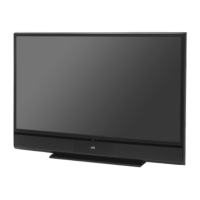
Illustration of HD-70FH97 and RM-C14G
For Models:
HD-56FH97
HD-61FH97
HD-70FH97
HD-56FN97
HD-61FN97
HD-70FN97
HD-56FC97
HD-61FC97
Projection Television Users Guide
LCT2067 Eng.indd 1LCT2067 Eng.indd 1 6/21/06 9:31:59 AM6/21/06 9:31:59 AM

Table of Contents

Questions and Answers

Summary

Important Safety Precautions

Warnings

Quick Setup

Remote Control

Details on the functions and buttons of the TV remote control.

Connecting Your Devices

Guides for connecting various external devices like VCRs, camcorders, and amplifiers.

Interactive Plug-In Menu Setup

Initial TV setup for language, clock, and channel tuning.

Clock and Tuner Setup

Setting the TV's clock and performing automatic channel tuning.

Auto Tuner Setup

Automatically scans and memorizes active TV channels.

Remote Programming Codes

Codes for programming the remote to control Cable Boxes, Satellite Receivers, VCRs, and DVDs.

Onscreen Menus

Onscreen Menu System Overview

How to access and navigate the TV's menu system.

Channel Management

Customizing the TV's channel lineup and managing channel access.

V-Chip Parental Control

Blocking content based on age and content ratings.

US V-Chip Ratings Explained

Explanation of US parental rating systems for TV content.

Setting US V-Chip Ratings

Procedure for setting parental controls for US TV broadcasts.

Movie Ratings and Control

Explanation of MPAA movie ratings and setting parental controls.

Canadian V-Chip Ratings

Explanation of Canadian parental rating systems for TV content.

Set Lock Code

Setting a four-digit code to protect TV settings and channels.

Picture Settings and Adjustments

Adjusting picture parameters like Tint, Color, Brightness, Detail, and Color Temperature.

Sound Settings and Adjustments

Adjusting Bass, Treble, Volume Limit, and Turn On Volume.

Button Functions

Sound Modes and Muting

Adjusting sound effects like A.H.S.+, Muting, and MaxxBass.

Favorite Channels Management

Registering, selecting, and deleting favorite TV channels.

Aspect Ratio Settings

Adjusting picture aspect ratios for optimal viewing.

Timer Functions

Setting timers for recording or viewing specific programs.

Lamp Replacement

How to Replace the Lamp

Detailed step-by-step instructions for safely replacing the TV lamp.

Troubleshooting

Summary

Important Safety Precautions

Warnings

Quick Setup

Remote Control

Details on the functions and buttons of the TV remote control.

Connecting Your Devices

Guides for connecting various external devices like VCRs, camcorders, and amplifiers.

Interactive Plug-In Menu Setup

Initial TV setup for language, clock, and channel tuning.

Clock and Tuner Setup

Setting the TV's clock and performing automatic channel tuning.

Auto Tuner Setup

Automatically scans and memorizes active TV channels.

Remote Programming Codes

Codes for programming the remote to control Cable Boxes, Satellite Receivers, VCRs, and DVDs.

Onscreen Menus

Onscreen Menu System Overview

How to access and navigate the TV's menu system.

Channel Management

Customizing the TV's channel lineup and managing channel access.

V-Chip Parental Control

Blocking content based on age and content ratings.

US V-Chip Ratings Explained

Explanation of US parental rating systems for TV content.

Setting US V-Chip Ratings

Procedure for setting parental controls for US TV broadcasts.

Movie Ratings and Control

Explanation of MPAA movie ratings and setting parental controls.

Canadian V-Chip Ratings

Explanation of Canadian parental rating systems for TV content.

Set Lock Code

Setting a four-digit code to protect TV settings and channels.

Picture Settings and Adjustments

Adjusting picture parameters like Tint, Color, Brightness, Detail, and Color Temperature.

Sound Settings and Adjustments

Adjusting Bass, Treble, Volume Limit, and Turn On Volume.

Button Functions

Sound Modes and Muting

Adjusting sound effects like A.H.S.+, Muting, and MaxxBass.

Favorite Channels Management

Registering, selecting, and deleting favorite TV channels.

Aspect Ratio Settings

Adjusting picture aspect ratios for optimal viewing.

Timer Functions

Setting timers for recording or viewing specific programs.

Lamp Replacement

How to Replace the Lamp

Detailed step-by-step instructions for safely replacing the TV lamp.

Troubleshooting

JVC HD-56FC97 Specifications

General IconGeneral
Screen Size56 inches
Contrast Ratio5000:1
Aspect Ratio16:9
HDMI Ports2
Component Video Inputs1
InputsHDMI, Component, Composite, S-Video
Resolution1280 x 720 pixels (720p)

Related product manuals