EasyManua.ls Logo

JVC HD-52Z575 - User Manual

JVC HD-52Z575
80 pages
Print Icon
To Next Page IconTo Next Page
Loading...
Important Note:
In the spaces below, enter the model and serial number of your television (located
at the rear of the television cabinet). Staple your sales receipt or invoice to the
inside cover of this guide. Keep this user’s guide in a convenient place for future
reference. Keep the carton and original packaging for future use.
LCT1611-001C-A
1004TNH-II-IM
Model Number:
Serial Number:
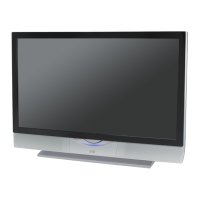
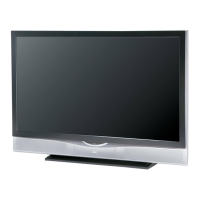
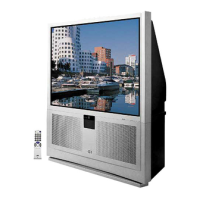
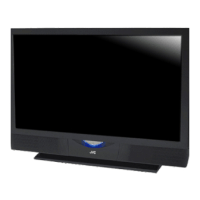
Illustration of HD-52Z575 and RM-C15G
For Models:
HD-61Z585
HD-52Z585
HD-61Z575
HD-52Z575
Projection Television Users Guide
HD-ILA Eng "C" 1 10/25/04, 12:11:34 PM

Table of Contents

Questions and Answers

Summary

Important Safety Precautions

General Safety Warnings

General safety warnings regarding electric shock, fire, and moisture.

Safe Usage Guidelines

Guidelines for safe operation, including power sources, ventilation, and handling.

Detailed Safety Instructions

Appliance Operation Safety

Comprehensive list of safety instructions for operating the appliance.

Energy Efficiency Information

Information about the product's compliance with ENERGY STAR guidelines.

Installation and Usage Precautions

Installation Distance Requirements

Guidelines for proper installation and maintaining safe distances for ventilation.

Placement and Cooling Cautions

Specific cautions regarding TV tilt and placement for cooling.

Product Care and Maintenance

Caring for the Cabinet

Instructions for cleaning the TV cabinet using appropriate methods and materials.

Caring for the Screen

Guidelines for cleaning the TV screen, noting its special coating.

Long-Term Usage and Warnings

Initial Power-On and Cooling

Explains initial power-on, warm-up, and the cooling process after shutdown.

Lamp as a Consumable Item

Information about the TV lamp as a consumable item and its replacement and recycling.

Operational Warnings and Precautions

Electrical Power and Handling Warnings

Warnings about electrical power, screen handling, moving the TV, and lamp safety.

ILA Element Characteristics and Condensation

Notes on ILA element behavior and condensation issues.

Cabinet Access and Usage Time Limits

Warnings about opening the rear cabinet and continuous TV usage time.

Quick Setup Guide

Unpacking Your Television

Steps and items included for unpacking the new JVC television.

Connecting External Devices Overview

Guidance on connecting various audio/video devices to the TV.

Television Model and Panel Layout

Rear Panel Connection Diagram

Illustration and labels for the TV's rear panel connections.

Front and Side Panel Diagrams

Illustrations and labels for front and side panel indicators and controls.

Remote Control Operation

JVC RM-C15 G Remote Overview

Identification of the remote control model and its associated TV models.

Initial TV Setup Steps

Installing Remote Control Batteries

Instructions for inserting batteries into the remote control for operation.

Key Feature Buttons on Remote

Explanation of the primary function buttons on the remote control.

Connecting Your Devices

Basic TV Operation and Power

How to turn the TV on/off and initial setup steps.

Device Connection Decision Flowchart

A flowchart to guide users in connecting various external devices to the TV.

Connecting Devices: Diagrams

Antenna;Cable Box and VCR Connections

Illustrates how to connect an antenna, cable box, and VCR using various cables.

Connecting Devices: Diagrams

DVD Player Connection Diagram

Details how to connect a DVD player, including cable color conventions.

Advanced Connectivity Options

JVC AV CompuLink System

Explains the AV CompuLink feature for automated home theater control.

Connecting External Devices

Connecting to Camcorders and Game Consoles

Instructions for connecting camcorders, game consoles, or other equipment.

Connecting Audio Systems

Surround Amplifier and Subwoofer Setup

How to connect a TV to a surround sound system for enhanced audio.

Connecting Digital Sources

Digital TV Receiver (HDMI;DVI) Connection

Steps to connect a DTV decoder using HDMI to DVI cable for HD picture.

Connecting Digital Sources

HDMI Compatible Device Connection

How to connect HDMI-compatible devices for digital audio/video transmission.

Advanced Connectivity Options

V1 Smart Input with AV Receiver

Connects AV receiver to V1 Smart Input for automatic source detection.

Initial Setup: Interactive Plug-In Menu

Plug-In Menu Overview

Introduces the interactive menu for setting language, clock, and auto tuner.

Setting Onscreen Language

How to select the onscreen menu language (English, French, Spanish).

Initial Setup: Clock Settings

Automatic Clock Setting

Setting the clock automatically using XDS time signal and DST options.

Manual Clock Setting Procedure

Manually setting the TV's clock for timer functions.

Initial Setup: Auto Tuner Setup

Completing Auto Tuner Setup

Guides the user through scanning for available channels and completing the setup.

Remote Control Programming

Cable;Satellite Box Code Setup

Lists codes to program the remote for various cable and satellite brands.

Remote Control Programming

VCR Code Setup

Lists codes to program the remote for various VCR brands.

Remote Control Programming

DVD Player Code Setup

Lists codes to program the remote for various DVD player brands.

Remote Control Programming

Search Codes for Compatibility

Procedure for searching for compatible codes if direct entry fails.

Onscreen Menu Navigation

Understanding Menu Symbols

Explains symbols used in the guide for menu navigation.

Accessing the Main Menu

How to bring up the main menu system using the remote control.

Onscreen Menu System Guide

Navigating Menu Options

How to navigate menus using directional buttons and select options.

Onscreen Menu Structure

Initial Setup Menu Screens

Displays various screens within the Initial Setup menu for configuration.

Picture, Sound, and Timer Menus

Displays various screens within Picture, Sound, and Clock/Timers menus.

Initial Setup: Channel Management

Re-running Auto Tuner Setup

Instructions to re-run the auto tuner setup process for channel scanning.

Channel Summary Customization

How to customize the channel lineup, add/delete channels, and label them.

Initial Setup: Channel Management

Setting Custom Channel Labels

Guide to setting custom labels for channels.

Channel Locking Feature

How to activate the channel lock feature to block access to specific channels.

Initial Setup: Parental Controls

Channel Guard Lock Code

Explains the lock code for accessing guarded channels and the message displayed.

V-Chip Technology Overview

Introduction to the V-Chip system for blocking content based on ratings.

Initial Setup: Parental Controls

Understanding Unrated Programming

Defines unrated programming and how it's handled by V-Chip.

Blocking Unrated Programs

Instructions on how to block programs that do not have rating signals.

Initial Setup: US V-Chip Ratings

U.S. Parental Rating System Explained

Details the US TV rating categories (Y, Y7, G, PG, 14, MA) and their meanings.

Content Type Indicators

Explains content descriptors like Violence, Sexual Content, Language, and Dialogue.

Initial Setup: US V-Chip Ratings

Setting US TV Ratings and Locks

Step-by-step guide to setting US V-Chip ratings and locking content categories.

Initial Setup: Movie Ratings

MPAA Movie Rating System Explained

Explains the MPAA movie rating categories (NR, G, PG, PG-13, R, NC-17, X).

Setting MPAA Movie Ratings Lock

Instructions on how to block specific MPAA movie ratings using the V-Chip.

Initial Setup: Canadian V-Chip Ratings

Canadian Rating System Explained

Details the Canadian V-Chip rating categories (E, C, C8+, G, PG, 14+, 18+).

Setting Canadian Rating Locks

Instructions on how to block specific Canadian ratings using the V-Chip.

Initial Setup: Lock Code Management

Setting the Four-Digit Lock Code

How to change the TV's lock code for parental controls.

Initial Setup: Customization Features

Auto Demo Feature Control

How to turn the Dynamic Gamma demo feature on or off.

Changing Onscreen Language

How to re-select the onscreen menu language.

Initial Setup: Display and Auto Features

Closed Captioning Options

How to activate and set closed captioning modes (Caption/Text).

Auto Shut Off Functionality

How the TV automatically shuts off when no signal is detected.

Initial Setup: Signal and Panel Features

XDS ID Display Information

Information about displaying channel call letters and program names.

Noise Muting and Front Panel Lock

How to use noise muting and lock front panel buttons.

Initial Setup: Input Management

V1 Smart Input with AV Receiver

Using V1 Smart Input to automatically detect AV Receiver sources.

Labeling Video Input Connections

How to assign custom labels to video input connections for easier identification.

Initial Setup: Picture Positioning and Indicators

Adjusting Picture Position

How to adjust the picture's vertical and horizontal position for specific aspect ratios.

Power Indicator Brightness Control

How to adjust the brightness of the TV's power indicator LED.

Initial Setup: Audio Output Options

TV Speaker Control

How to turn the TV speakers on or off when connected to a stereo system.

External Speaker Volume Control

Options for controlling external speaker volume via the TV remote (VARI/FIX).

Initial Setup: Digital and Surround Sound Inputs

Digital-In Signal Adjustment

Adjusting picture position for HDMI/DVI 480p signals on the Digital-In terminal.

Digital-In Audio Mode Selection

Selecting between Analog or Digital audio for Digital-In sources.

Center Channel Input Configuration

Enabling the TV speaker as a center channel input for surround sound systems.

Picture Adjustment Features

Basic Picture Settings (Tint, Color, Brightness, Detail)

Adjusting Tint, Color, Picture (contrast), Brightness, and Detail.

Color Temperature Adjustment

Setting the color temperature to LOW or HIGH for desired color intensity.

Picture Adjustment Features

Digital Noise Clear Function

Reducing static or noise from weak channels.

Natural Cinema Mode Operation

Correcting motion blur and conversion errors for film-like playback.

Color Management Functionality

Enhancing dull colors to produce natural hues.

Picture Adjustment Features

Dynamic Gamma Circuitry (DGC)

Optimizing picture settings, especially in dark areas, for dynamic images.

Resetting All Picture Settings

Restoring all picture adjustments to their default factory settings.

Sound Adjustment Features

Basic Sound Settings (Bass, Treble, Balance)

Adjusting Bass, Treble, and Balance for audio output.

MTS (Multi-Channel Sound) Modes

Selecting audio modes like Stereo, Mono, or SAP for broadcasts.

Resetting Sound Settings

Restoring all sound adjustments to their default factory settings.

Clock and Timer Functions

Setting the Clock Automatically

Setting the clock using the XDS signal and DST options.

Manual Clock Setting Procedure

Manually setting the TV's clock for timer functions.

Clock and Timer Functions

Programming the On;Off Timer

Setting the TV to turn on or off automatically at specified times.

Clock and Timer Functions

Resetting the Lamp Timer

Procedure to reset the lamp timer after replacing the lamp.

Remote Button Functions

Multi Screen Modes (Index;Twin)

Explains the Index (12 channels) and Twin (split-screen) modes.

Index and Twin Screen Operation

Using Index and Twin modes for channel viewing and split-screen.

Remote Button Functions

Freeze, Swap, and Select Screen Functions

Functions for manipulating split-screen displays.

Remote Button Functions

Power, Number Pad, and Tune Operations

Using Power, Number Pad, and Tune buttons for basic control.

Input Selection and Digital-In

Choosing input sources and directly accessing Digital-In.

Remote Button Functions

Return+;TV and Sound Mode Functions

Using Return+/TV and adjusting sound modes.

Muting Volume Control

Instantly turning the volume down or restoring it.

Remote Button Functions

Video Status and TheaterPro Settings

Selecting picture presets and using TheaterPro for color temperature.

Sleep Timer Operation

Setting the TV to turn off automatically after a specified time.

Remote Button Functions

Display Information and Closed Caption

Showing status information and selecting closed caption modes.

Remote Button Functions

Aspect Ratio Adjustments Explained

Explains aspect ratios like Panorama, Cinema, Full, Regular, Cinema Zoom, HD Panorama.

Remote Button Functions

Aspect Ratio and Size Controls

Adjusting picture aspect ratio and size for NTSC and HD signals.

Menu and Navigation Buttons

Functions of Menu, OK, Back, Channel +/-, and Volume +/- buttons.

Remote Button Functions

TV;CATV and VCR;DVD Switches

Using slide switches to select TV tuner or cable box/VCR/DVD operation.

VCR, DVD, and Light Button Functions

Controls for VCR, DVD, and remote illumination.

Troubleshooting Common Messages

No Program Screen Message

Explains what the 'No Program' message signifies and its conditions.

Troubleshooting Guide

Power, Display, and Audio Issues

Solutions for no power, blinking LEDs, no picture/sound, and audio problems.

Remote, Channel, and Auto Power Issues

Troubleshooting tips for remote control, channel selection, and auto power off.

Operational and Picture Quality Troubleshooting

Resolving issues like incorrect operation, wrong clock, poor color, and picture distortions.

Troubleshooting Guide

Audio, Static, and Non-Malfunction Behaviors

Solutions for audio issues and explanations of normal operational sounds/characteristics.

Appendix: Lamp Replacement

Critical Lamp Replacement Warnings

Crucial safety warnings about handling the hot lamp and touching its surface.

Replacing the High-Pressure Mercury Lamp

Instructions on how to replace the 110-Watt high-pressure mercury lamp.

Appendix: Lamp Replacement

Replacement Lamp Kit Information

Details about the replacement lamp kit part number and contents.

Lamp Replacement Notification Message

Explains the message indicating the lamp needs replacement and how to acknowledge it.

Appendix: Lamp Replacement Procedure

Lamp Unit Removal Steps

Step-by-step guide for safely removing the old lamp unit and covers.

Appendix: Lamp Replacement Procedure

Installing the New Lamp Unit

Instructions for installing the new lamp unit and re-securing covers.

Mercury Lamp Disposal Guidelines

Information on the mercury content in the lamp and proper disposal guidelines.

Appendix: Lamp Replacement Procedure

Re-installing TV Covers and Panels

Steps for reassembling the TV after lamp replacement.

Resetting Lamp Timer After Installation

Reminder to reset the lamp timer after the new lamp is installed.

Appendix: Troubleshooting LED Indicators

Warning LED Message Interpretation

Explains what blinking LEDs indicate and corrective actions for various warning states.

Product Specifications

Specifications for HD-61 Z585;HD-61 Z575 Models

Technical details for the HD-61Z585 and HD-61Z575 models.

Specifications for HD-52 Z585;HD-52 Z575 Models

Technical details for the HD-52Z585 and HD-52Z575 models.

Warranty Information

JVC Limited Warranty Terms and Conditions

Details the terms, conditions, and exclusions of the product warranty.

Obtaining Warranty Service

How to obtain warranty service and customer responsibilities.

Customer Support and Service

JVC Customer Assistance Contact

Contact information for help with setup, operation, service, and accessories.

Warning Against Self-Service

Warning against opening the cabinet due to electrical shock risk.

Summary

Important Safety Precautions

General Safety Warnings

General safety warnings regarding electric shock, fire, and moisture.

Safe Usage Guidelines

Guidelines for safe operation, including power sources, ventilation, and handling.

Detailed Safety Instructions

Appliance Operation Safety

Comprehensive list of safety instructions for operating the appliance.

Energy Efficiency Information

Information about the product's compliance with ENERGY STAR guidelines.

Installation and Usage Precautions

Installation Distance Requirements

Guidelines for proper installation and maintaining safe distances for ventilation.

Placement and Cooling Cautions

Specific cautions regarding TV tilt and placement for cooling.

Product Care and Maintenance

Caring for the Cabinet

Instructions for cleaning the TV cabinet using appropriate methods and materials.

Caring for the Screen

Guidelines for cleaning the TV screen, noting its special coating.

Long-Term Usage and Warnings

Initial Power-On and Cooling

Explains initial power-on, warm-up, and the cooling process after shutdown.

Lamp as a Consumable Item

Information about the TV lamp as a consumable item and its replacement and recycling.

Operational Warnings and Precautions

Electrical Power and Handling Warnings

Warnings about electrical power, screen handling, moving the TV, and lamp safety.

ILA Element Characteristics and Condensation

Notes on ILA element behavior and condensation issues.

Cabinet Access and Usage Time Limits

Warnings about opening the rear cabinet and continuous TV usage time.

Quick Setup Guide

Unpacking Your Television

Steps and items included for unpacking the new JVC television.

Connecting External Devices Overview

Guidance on connecting various audio/video devices to the TV.

Television Model and Panel Layout

Rear Panel Connection Diagram

Illustration and labels for the TV's rear panel connections.

Front and Side Panel Diagrams

Illustrations and labels for front and side panel indicators and controls.

Remote Control Operation

JVC RM-C15 G Remote Overview

Identification of the remote control model and its associated TV models.

Initial TV Setup Steps

Installing Remote Control Batteries

Instructions for inserting batteries into the remote control for operation.

Key Feature Buttons on Remote

Explanation of the primary function buttons on the remote control.

Connecting Your Devices

Basic TV Operation and Power

How to turn the TV on/off and initial setup steps.

Device Connection Decision Flowchart

A flowchart to guide users in connecting various external devices to the TV.

Connecting Devices: Diagrams

Antenna;Cable Box and VCR Connections

Illustrates how to connect an antenna, cable box, and VCR using various cables.

Connecting Devices: Diagrams

DVD Player Connection Diagram

Details how to connect a DVD player, including cable color conventions.

Advanced Connectivity Options

JVC AV CompuLink System

Explains the AV CompuLink feature for automated home theater control.

Connecting External Devices

Connecting to Camcorders and Game Consoles

Instructions for connecting camcorders, game consoles, or other equipment.

Connecting Audio Systems

Surround Amplifier and Subwoofer Setup

How to connect a TV to a surround sound system for enhanced audio.

Connecting Digital Sources

Digital TV Receiver (HDMI;DVI) Connection

Steps to connect a DTV decoder using HDMI to DVI cable for HD picture.

Connecting Digital Sources

HDMI Compatible Device Connection

How to connect HDMI-compatible devices for digital audio/video transmission.

Advanced Connectivity Options

V1 Smart Input with AV Receiver

Connects AV receiver to V1 Smart Input for automatic source detection.

Initial Setup: Interactive Plug-In Menu

Plug-In Menu Overview

Introduces the interactive menu for setting language, clock, and auto tuner.

Setting Onscreen Language

How to select the onscreen menu language (English, French, Spanish).

Initial Setup: Clock Settings

Automatic Clock Setting

Setting the clock automatically using XDS time signal and DST options.

Manual Clock Setting Procedure

Manually setting the TV's clock for timer functions.

Initial Setup: Auto Tuner Setup

Completing Auto Tuner Setup

Guides the user through scanning for available channels and completing the setup.

Remote Control Programming

Cable;Satellite Box Code Setup

Lists codes to program the remote for various cable and satellite brands.

Remote Control Programming

VCR Code Setup

Lists codes to program the remote for various VCR brands.

Remote Control Programming

DVD Player Code Setup

Lists codes to program the remote for various DVD player brands.

Remote Control Programming

Search Codes for Compatibility

Procedure for searching for compatible codes if direct entry fails.

Onscreen Menu Navigation

Understanding Menu Symbols

Explains symbols used in the guide for menu navigation.

Accessing the Main Menu

How to bring up the main menu system using the remote control.

Onscreen Menu System Guide

Navigating Menu Options

How to navigate menus using directional buttons and select options.

Onscreen Menu Structure

Initial Setup Menu Screens

Displays various screens within the Initial Setup menu for configuration.

Picture, Sound, and Timer Menus

Displays various screens within Picture, Sound, and Clock/Timers menus.

Initial Setup: Channel Management

Re-running Auto Tuner Setup

Instructions to re-run the auto tuner setup process for channel scanning.

Channel Summary Customization

How to customize the channel lineup, add/delete channels, and label them.

Initial Setup: Channel Management

Setting Custom Channel Labels

Guide to setting custom labels for channels.

Channel Locking Feature

How to activate the channel lock feature to block access to specific channels.

Initial Setup: Parental Controls

Channel Guard Lock Code

Explains the lock code for accessing guarded channels and the message displayed.

V-Chip Technology Overview

Introduction to the V-Chip system for blocking content based on ratings.

Initial Setup: Parental Controls

Understanding Unrated Programming

Defines unrated programming and how it's handled by V-Chip.

Blocking Unrated Programs

Instructions on how to block programs that do not have rating signals.

Initial Setup: US V-Chip Ratings

U.S. Parental Rating System Explained

Details the US TV rating categories (Y, Y7, G, PG, 14, MA) and their meanings.

Content Type Indicators

Explains content descriptors like Violence, Sexual Content, Language, and Dialogue.

Initial Setup: US V-Chip Ratings

Setting US TV Ratings and Locks

Step-by-step guide to setting US V-Chip ratings and locking content categories.

Initial Setup: Movie Ratings

MPAA Movie Rating System Explained

Explains the MPAA movie rating categories (NR, G, PG, PG-13, R, NC-17, X).

Setting MPAA Movie Ratings Lock

Instructions on how to block specific MPAA movie ratings using the V-Chip.

Initial Setup: Canadian V-Chip Ratings

Canadian Rating System Explained

Details the Canadian V-Chip rating categories (E, C, C8+, G, PG, 14+, 18+).

Setting Canadian Rating Locks

Instructions on how to block specific Canadian ratings using the V-Chip.

Initial Setup: Lock Code Management

Setting the Four-Digit Lock Code

How to change the TV's lock code for parental controls.

Initial Setup: Customization Features

Auto Demo Feature Control

How to turn the Dynamic Gamma demo feature on or off.

Changing Onscreen Language

How to re-select the onscreen menu language.

Initial Setup: Display and Auto Features

Closed Captioning Options

How to activate and set closed captioning modes (Caption/Text).

Auto Shut Off Functionality

How the TV automatically shuts off when no signal is detected.

Initial Setup: Signal and Panel Features

XDS ID Display Information

Information about displaying channel call letters and program names.

Noise Muting and Front Panel Lock

How to use noise muting and lock front panel buttons.

Initial Setup: Input Management

V1 Smart Input with AV Receiver

Using V1 Smart Input to automatically detect AV Receiver sources.

Labeling Video Input Connections

How to assign custom labels to video input connections for easier identification.

Initial Setup: Picture Positioning and Indicators

Adjusting Picture Position

How to adjust the picture's vertical and horizontal position for specific aspect ratios.

Power Indicator Brightness Control

How to adjust the brightness of the TV's power indicator LED.

Initial Setup: Audio Output Options

TV Speaker Control

How to turn the TV speakers on or off when connected to a stereo system.

External Speaker Volume Control

Options for controlling external speaker volume via the TV remote (VARI/FIX).

Initial Setup: Digital and Surround Sound Inputs

Digital-In Signal Adjustment

Adjusting picture position for HDMI/DVI 480p signals on the Digital-In terminal.

Digital-In Audio Mode Selection

Selecting between Analog or Digital audio for Digital-In sources.

Center Channel Input Configuration

Enabling the TV speaker as a center channel input for surround sound systems.

Picture Adjustment Features

Basic Picture Settings (Tint, Color, Brightness, Detail)

Adjusting Tint, Color, Picture (contrast), Brightness, and Detail.

Color Temperature Adjustment

Setting the color temperature to LOW or HIGH for desired color intensity.

Picture Adjustment Features

Digital Noise Clear Function

Reducing static or noise from weak channels.

Natural Cinema Mode Operation

Correcting motion blur and conversion errors for film-like playback.

Color Management Functionality

Enhancing dull colors to produce natural hues.

Picture Adjustment Features

Dynamic Gamma Circuitry (DGC)

Optimizing picture settings, especially in dark areas, for dynamic images.

Resetting All Picture Settings

Restoring all picture adjustments to their default factory settings.

Sound Adjustment Features

Basic Sound Settings (Bass, Treble, Balance)

Adjusting Bass, Treble, and Balance for audio output.

MTS (Multi-Channel Sound) Modes

Selecting audio modes like Stereo, Mono, or SAP for broadcasts.

Resetting Sound Settings

Restoring all sound adjustments to their default factory settings.

Clock and Timer Functions

Setting the Clock Automatically

Setting the clock using the XDS signal and DST options.

Manual Clock Setting Procedure

Manually setting the TV's clock for timer functions.

Clock and Timer Functions

Programming the On;Off Timer

Setting the TV to turn on or off automatically at specified times.

Clock and Timer Functions

Resetting the Lamp Timer

Procedure to reset the lamp timer after replacing the lamp.

Remote Button Functions

Multi Screen Modes (Index;Twin)

Explains the Index (12 channels) and Twin (split-screen) modes.

Index and Twin Screen Operation

Using Index and Twin modes for channel viewing and split-screen.

Remote Button Functions

Freeze, Swap, and Select Screen Functions

Functions for manipulating split-screen displays.

Remote Button Functions

Power, Number Pad, and Tune Operations

Using Power, Number Pad, and Tune buttons for basic control.

Input Selection and Digital-In

Choosing input sources and directly accessing Digital-In.

Remote Button Functions

Return+;TV and Sound Mode Functions

Using Return+/TV and adjusting sound modes.

Muting Volume Control

Instantly turning the volume down or restoring it.

Remote Button Functions

Video Status and TheaterPro Settings

Selecting picture presets and using TheaterPro for color temperature.

Sleep Timer Operation

Setting the TV to turn off automatically after a specified time.

Remote Button Functions

Display Information and Closed Caption

Showing status information and selecting closed caption modes.

Remote Button Functions

Aspect Ratio Adjustments Explained

Explains aspect ratios like Panorama, Cinema, Full, Regular, Cinema Zoom, HD Panorama.

Remote Button Functions

Aspect Ratio and Size Controls

Adjusting picture aspect ratio and size for NTSC and HD signals.

Menu and Navigation Buttons

Functions of Menu, OK, Back, Channel +/-, and Volume +/- buttons.

Remote Button Functions

TV;CATV and VCR;DVD Switches

Using slide switches to select TV tuner or cable box/VCR/DVD operation.

VCR, DVD, and Light Button Functions

Controls for VCR, DVD, and remote illumination.

Troubleshooting Common Messages

No Program Screen Message

Explains what the 'No Program' message signifies and its conditions.

Troubleshooting Guide

Power, Display, and Audio Issues

Solutions for no power, blinking LEDs, no picture/sound, and audio problems.

Remote, Channel, and Auto Power Issues

Troubleshooting tips for remote control, channel selection, and auto power off.

Operational and Picture Quality Troubleshooting

Resolving issues like incorrect operation, wrong clock, poor color, and picture distortions.

Troubleshooting Guide

Audio, Static, and Non-Malfunction Behaviors

Solutions for audio issues and explanations of normal operational sounds/characteristics.

Appendix: Lamp Replacement

Critical Lamp Replacement Warnings

Crucial safety warnings about handling the hot lamp and touching its surface.

Replacing the High-Pressure Mercury Lamp

Instructions on how to replace the 110-Watt high-pressure mercury lamp.

Appendix: Lamp Replacement

Replacement Lamp Kit Information

Details about the replacement lamp kit part number and contents.

Lamp Replacement Notification Message

Explains the message indicating the lamp needs replacement and how to acknowledge it.

Appendix: Lamp Replacement Procedure

Lamp Unit Removal Steps

Step-by-step guide for safely removing the old lamp unit and covers.

Appendix: Lamp Replacement Procedure

Installing the New Lamp Unit

Instructions for installing the new lamp unit and re-securing covers.

Mercury Lamp Disposal Guidelines

Information on the mercury content in the lamp and proper disposal guidelines.

Appendix: Lamp Replacement Procedure

Re-installing TV Covers and Panels

Steps for reassembling the TV after lamp replacement.

Resetting Lamp Timer After Installation

Reminder to reset the lamp timer after the new lamp is installed.

Appendix: Troubleshooting LED Indicators

Warning LED Message Interpretation

Explains what blinking LEDs indicate and corrective actions for various warning states.

Product Specifications

Specifications for HD-61 Z585;HD-61 Z575 Models

Technical details for the HD-61Z585 and HD-61Z575 models.

Specifications for HD-52 Z585;HD-52 Z575 Models

Technical details for the HD-52Z585 and HD-52Z575 models.

Warranty Information

JVC Limited Warranty Terms and Conditions

Details the terms, conditions, and exclusions of the product warranty.

Obtaining Warranty Service

How to obtain warranty service and customer responsibilities.

Customer Support and Service

JVC Customer Assistance Contact

Contact information for help with setup, operation, service, and accessories.

Warning Against Self-Service

Warning against opening the cabinet due to electrical shock risk.

JVC HD-52Z575 Specifications

General IconGeneral
Screen Size52 inches
Resolution1280 x 720
Contrast Ratio3000:1
Aspect Ratio16:9
Viewing Angle160 degrees
Speakers2 x 10W
InputsHDMI, Component, Composite, S-Video

Related product manuals