20
Quick Setup
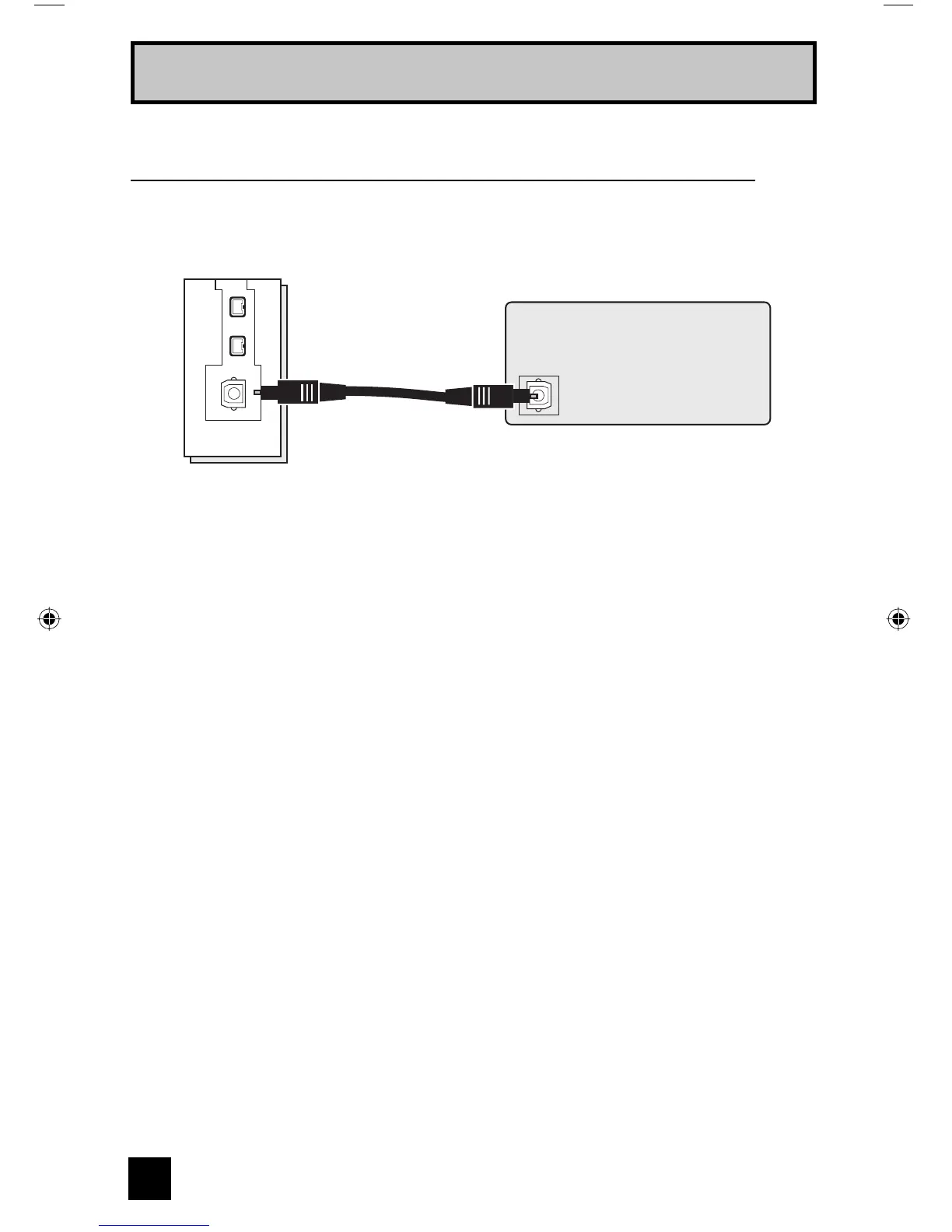
Connecting to an amplifier using your optical output
You can connect an amplifier that has an optical digital input terminal by using an optical digital
cable from the optical output. The signal that is output can be PCM or Dolby Digital.
TV Rear Panel
OPTICAL OUT
Digital Audio
Amplifier
1) Connect the optical cable from the back of the TV to the back of the amplifier.
Notes:
• This terminal can only output digital audio.
• In order to use the optical output connection, select PCM or Dolby Digital on Digital Sound in
the Digital Setup Menu. See page 57.
• Refer to your owners manual on using your amplifier.
LCT2067 Eng.indd 20LCT2067 Eng.indd 20 6/21/06 9:32:10 AM6/21/06 9:32:10 AM


 To Next Page