79
i.LINK Menu
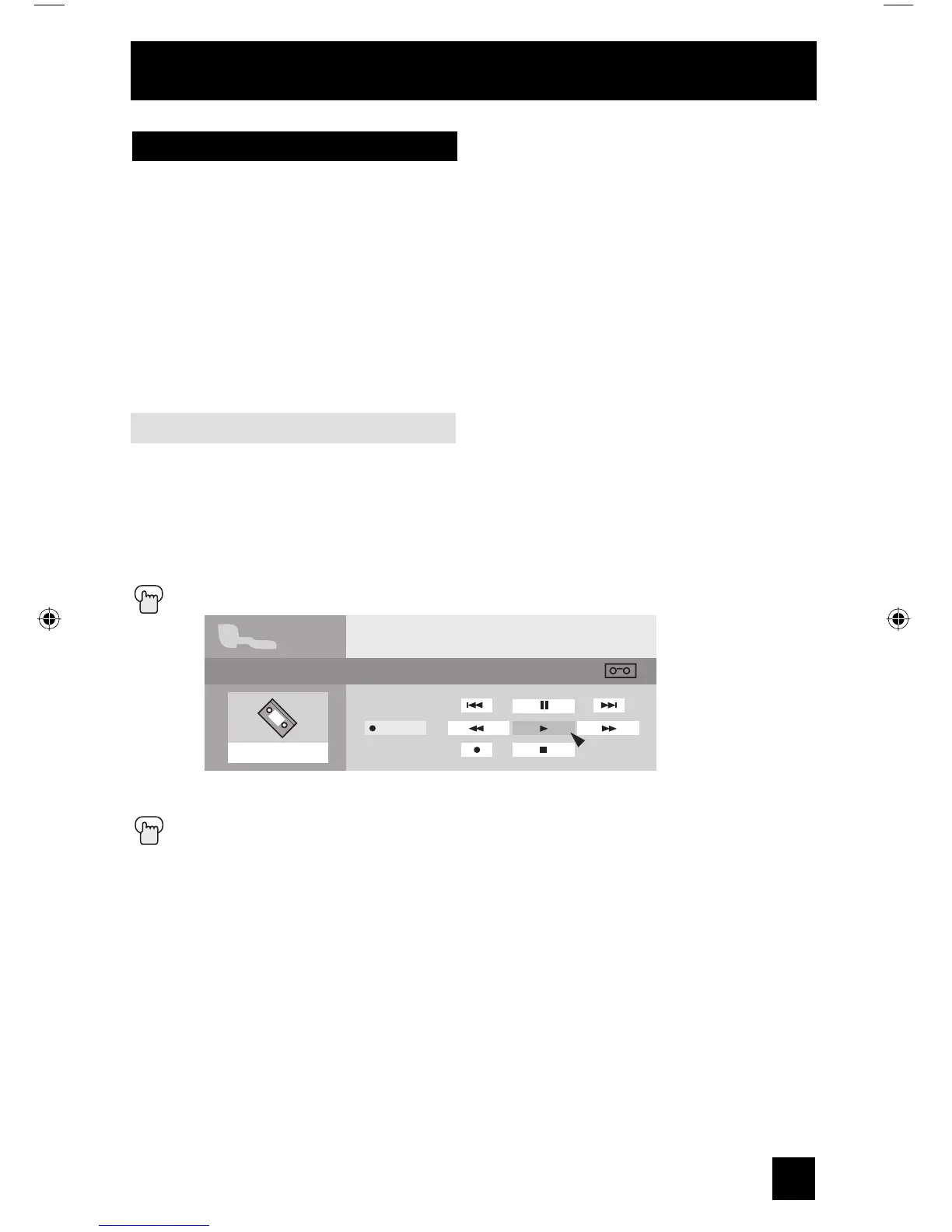
i.LINK has two menus - Controller and Device.
By connecting a D-VHS VCR with an i.LINK cable, you can set the timer easily.
Notes:
• The i.LINK/Timer function will only work when you are receiving digital programming only.
• As for the connection of a D-VHS VCR with the i.LINK cable, see page 24.
• When operating the i.LINK, don't insert or disconnect the i.LINK cable.
Controller
You can operate a D-VHS VCR connected with an i.LINK cable by using this controller.
Notes:
• If the i.LINK is not connected, the Controller OSD will not appear. The OSD of device on
page 80 will appear.
• Some controller operations may differ from your D-VHS VCR operations.
Press the i.
LINK MENU button
è
π†
To select the key you want to operate
Press the OK button
i.LINK
D-VHS1
Device
STOP 00:00:00
POWER
Controller
Button Functions
LCT2067 Eng.indd 79LCT2067 Eng.indd 79 6/21/06 9:32:31 AM6/21/06 9:32:31 AM


 To Next Page