65
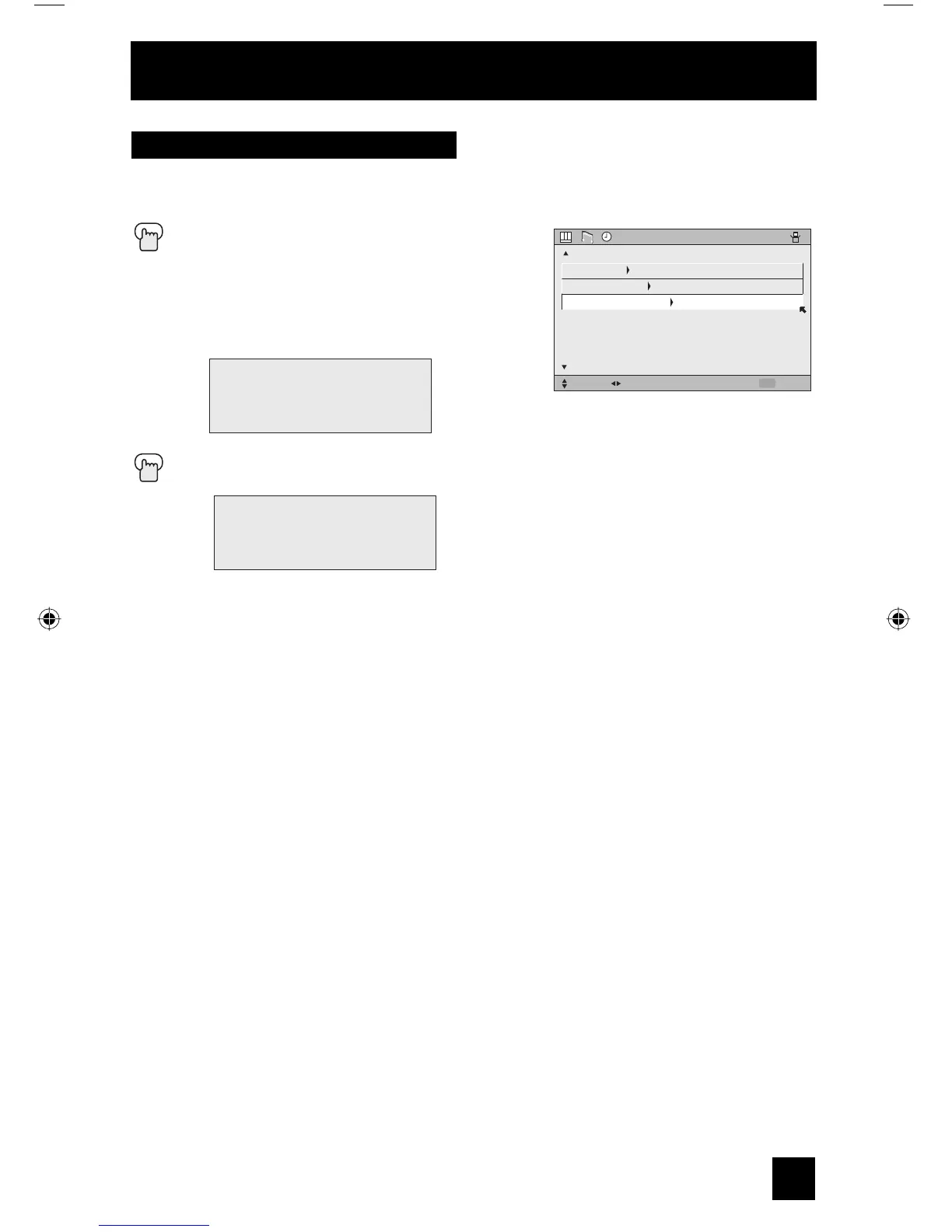
The lamp replacement message will appear when you need to change the lamp. After you
replace the lamp, you need to reset the timer which is built into your television.
Press the M
ENU button
π†
To LAMP TIMER RESET
è
To Enter
The following message will appear.
Press the OK button while the above message appears on the television screen.
The lamp timer has now been reset.
Notes:
• You can use the Lamp Timer Reset only after replacing the lamp.
• See Page 85 for instructions on lamp replacement.
PRESS OK TO RESET THE LAMP
TIMER.
THE LAMP TIMER IS RESET
SUCCESSFULLY.
Lamp Timer Reset
CLOCK
/
TIMERS
SELECT OPERATE EXIT
MENU
NEXT PAGE
PREVIOUS
SET CLOCK
ON
/
OFF TIMER
LAMP TIMER RESET
Onscreen Menus
LCT2067 Eng.indd 65LCT2067 Eng.indd 65 6/21/06 9:32:26 AM6/21/06 9:32:26 AM



 To Next Page