EasyManua.ls Logo

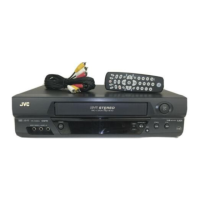
JVC HR-A62U - User Manual

JVC HR-A62U
44 pages
Print Icon
To Next Page IconTo Next Page
Loading...
HR-A62U
VIDEO CASSETTE RECORDER
INSTRUCTIONS
PU30425-1763-1
For Customer Use:
Enter below the Serial No. which is
located on the rear of cabinet. Retain
this information for future reference.
Model No. HR-A62U
Serial No.
TV
TV/VIDEO
TIMER
DISPLAY
ADD
ENTER
SP/EP
123
456
78
0
9
TV
VOL.
CH
MENU
OK
CANCEL
q REC 6
PAUSE
5 STOP
4PLAY
FF
zz32zzREW
SKIP SEARCH
T SEARCH Y
DAILY WEEKLY
C.RESET/
CH.SKIP
TV operation – Press and hold TV button,
then press POWER, CH
5
/, TV/VIDEO
AUX
OSD
POWER
CH
VIDEO (MONO) L–AUDIO–R
POWER
MENU
OK
REC
q
PLAY
REW
2
FF
3
PAUSE
6
STOP/EJECT
5
/
8
HMS
I TR TIMER
VIDEO
SP
EP
AM
PM
REC
SAP
PAUSE
ST
PLAY

Table of Contents

Question and Answer IconNeed help?

Do you have a question about the JVC HR-A62U and is the answer not in the manual?

JVC HR-A62U Specifications

General IconGeneral
BrandJVC
ModelHR-A62U
CategoryVCR
LanguageEnglish

Related product manuals