EasyManua.ls Logo

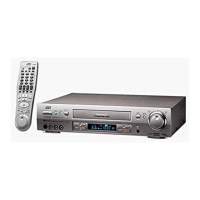
JVC HR-S9850EU - User Manual

JVC HR-S9850EU
88 pages
Print Icon
To Next Page IconTo Next Page
Loading...
PULL/OPEN
PR
PUSH/TURN
24H EXPRESS
EN
ENGLISH
CONTENTS
Filename [Cov1.fm]
VIDEO CASSETTE RECORDER
SAFETY FIRST 2
Safety Precautions ....................................... 2
INDEX 4
INSTALLING YOUR NEW RECORDER 10
Basic Connections .................................... 10
S-VIDEO Connection ................................ 11
INITIAL SETTINGS 12
Auto Set Up .............................................. 12
Preset Download ...................................... 14
Language .................................................. 16
SAT CONTROL SET 17
Satellite Receiver Control Setting .............. 17
T-V LINK 19
T-V Link Functions .................................... 19
PLAYBACK 20
Basic Playback .......................................... 20
Playback Features ..................................... 21
RECORDING 24
Basic Recording ........................................ 24
Recording Features ................................... 25
B.E.S.T. Picture System ............................. 29
TIMER RECORDING 30
S
HOW
V
IEW
®
Timer Programming .............. 30
Express Timer Programming ...................... 32
24 Hour Express Timer Programming ........ 34
Automatic Satellite Programme
Recording ................................................. 38
REMOTE CONTROL 39
Remote Control Functions ......................... 39
VIDEO NAVIGATION 42
Navigation ................................................ 42
Edit Title ................................................... 44
Find Title .................................................. 48
EDITING 51
Edit From A Camcorder ............................ 51
Output/Input Set ....................................... 52
Edit To Or From Another Video Recorder ... 54
Audio Dubbing ......................................... 56
Insert Editing ............................................. 58
Random Assemble Editing ........................ 60
Synchro Editing ......................................... 62
Information On J Terminal ........................ 63
SYSTEM CONNECTIONS 64
Connecting To A Satellite Receiver ........... 64
Connecting/Using A Decoder ................... 66
Connecting/Using A Stereo System ........... 67
SUBSIDIARY SETTINGS 68
Mode Set .................................................. 68
Tuner Set .................................................. 72
Video Channel Set .................................... 78
S
HOW
V
IEW
®
System Setup ........................ 79
Clock Set .................................................. 80
TROUBLESHOOTING 82
QUESTIONS AND ANSWERS 85
SPECIFICATIONS 86
LIST OF TERMS 87
LPT0488-001A
Cov1.fm Page 1 Friday, June 8, 2001 6:25 PM

Table of Contents

Other manuals for JVC HR-S9850EU

Questions and Answers

  • S
    Shawn FisherAug 14, 2025
    What to do if the remote control for my JVC VCR won’t function?
    • L
      lisasosaAug 14, 2025
      If the remote control isn’t working, the batteries may be discharged. Try replacing the old batteries with new ones.

  • N
    Nancy DrakeAug 17, 2025
    Why is there no power to my JVC HR-S9850EU?
    • E
      Elizabeth PearsonAug 17, 2025
      The VCR might not be getting power because the mains power cord is disconnected. Ensure the mains power cord is properly connected.
  • K
    Kim FieldsAug 20, 2025
    What to do if the playback picture does not appear while the tape is running on my JVC HR-S9850EU VCR?
    • O
      ohallAug 20, 2025
      If you're using an RF connection, check that the TV receiver is set to the correct video channel and that the recorder’s video channel has been correctly set. If you're using an AV or S-VIDEO connection, make sure the TV receiver is set to AV mode.
  • P
    Patricia FloresAug 25, 2025
    Why is the playback picture blurred on my JVC VCR?
    • J
      James NelsonAug 25, 2025
      The video heads may be dirty. Use a dry cleaning cassette TCL-2UX or consult your JVC dealer.
  • T
    timothy73Aug 27, 2025
    Why won't the tape rewind or fast-forward on my JVC VCR?
    • V
      Victoria RangelAug 27, 2025
      The tape might already be fully rewound or fast-forwarded. Check the cassette to confirm.
  • K
    Kenneth HudsonAug 31, 2025
    Why does noise appear during normal playback on my JVC VCR?
    • A
      Anthony SpencerAug 31, 2025
      The automatic tracking mode might be engaged. Try switching to manual tracking.
  • W
    William SnyderSep 3, 2025
    Why are there breaks noticeable in Hi-Fi soundtrack on my JVC VCR?
    • C
      Claire ThomasSep 3, 2025
      The automatic tracking mode might be engaged. Try switching to manual tracking.
  • M
    Mrs. Amber VelezSep 6, 2025
    What to do if the tape does not run during recording on my JVC HR-S9850EU VCR?
    • J
      James DunnSep 6, 2025
      The “i” indicator might be displayed on the front panel. Press the 4 button to turn the “i” indicator off.
  • K
    Kathy MuellerSep 10, 2025
    What to do if my JVC HR-S9850EU VCR cannot be powered on even though the clock is working?
    • M
      Martin BensonSep 10, 2025
      The “#” indicator might be displayed on the front display panel with “AUTO TIMER” set to “OFF”. Press the # button to turn the “#” indicator off.

Summary

SAFETY FIRST

Safety Precautions

Important warnings and precautions for safe operation and handling of the unit.

INSTALLATION AND CONNECTIONS

Basic Connections

Step-by-step guide for connecting the recorder to a TV using RF or AV cables.

INITIAL SETTINGS

Auto Set Up

Steps to automatically set tuner channels, clock, and program numbers.

Preset Download

Downloading channel and program data from TV via AV connection.

PLAYBACK OPERATIONS

Basic Playback

Steps for loading a cassette and starting playback.

RECORDING OPERATIONS

Basic Recording

Steps for loading a cassette and starting a basic recording.

B.E.S.T. Picture System

TIMER RECORDING

SHOWVIEW Timer Programming

Programming timer recordings using SHOWVIEW codes.

Express Timer Programming

Programming timer recordings without SHOWVIEW codes.

24 Hour Express Timer Programming

Programming timer recordings using the JOG dial for up to 24 hours.

Automatic Satellite Programme Recording

VIDEO NAVIGATION

Navigation Playback and Title Screen

Finding and playing recorded programmes by title and viewing the title screen.

EDITING PROCEDURES

Edit From A Camcorder

Connecting a camcorder to dub tapes.

Tape-to-Tape Dubbing

Dubbing tapes between two video recorders.

Audio Dubbing

Replacing the original audio track with a new soundtrack.

Insert Editing

Replacing parts of a recorded scene with new material.

Random Assemble Editing

Creating edited videos by pre-programming scenes.

SHOWVIEW SYSTEM SETUP

CLOCK AND TIME SETTINGS

TROUBLESHOOTING GUIDE

JVC HR-S9850EU Specifications

General IconGeneral
BrandJVC
ModelHR-S9850EU
CategoryVCR
LanguageEnglish

Related product manuals