EasyManua.ls Logo

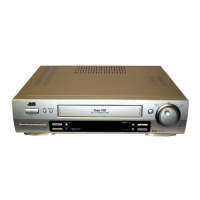
JVC HR-S7800U - User Manual

JVC HR-S7800U
68 pages
Print Icon
To Next Page IconTo Next Page
Loading...
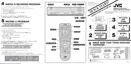
HR-S7800U
VIDEO CASSETTE RECORDER
INSTRUCTIONS
LPT0349-001A
For Customer Use:
Enter below the Model No. and
Serial No. which are located on the
rear of cabinet. Retain this
information for future reference.
Model No.
Serial No.
T
V
C
H
+
T
V
V
O
L
T
V
C
H
T
V
V
O
L
+
TV
CANCEL
TIMER
START STOP DATE
PLAY
R
E
W
R
E
C
STOP
SHUTTLE
PLUS
P
A
U
S
E
F
F
MENU
O
K
CH
POWER
TV/VCR
C.RESET
DBS
DAILY(M-F)
AUX
WEEKLY
PROG
CHECK
PROG SP/EP SKIP SEARCH
DISPLAY
A. MONITOR
CABLE/
DBS
123
456
7
89
0
2
4
1
3
EXPRESS PROGRAMMING
MULTI BRAND
REMOTE CONTROL UNIT
MBRSET
A/B
REC
PAU SE
PLAY
DIGITAL TBC/NR
MENU
OK
(MONO)L—AUDIO—RVIDEO
S-VIDEO
S-VHS ET
STOP/EJECT
POWER
FF
REW
CH
SP EP
VCR

Table of Contents

Other manuals for JVC HR-S7800U

Questions and Answers

  • Q
    qporterSep 9, 2025
    Why are breaks noticeable in Hi-Fi sound track on my JVC VCR?
    • Q
      qcarrilloSep 9, 2025
      If you're noticing breaks in the Hi-Fi sound track on your JVC VCR, it could be because automatic tracking is engaged. Disengage auto tracking and adjust the tracking manually.
  • R
    Robin NelsonAug 23, 2025
    Why does the JVC VCR remote not operate my TV, cable box or DBS receiver?
    • T
      Tonya SampsonAug 23, 2025
      If the JVC VCR remote isn't operating your TV, cable box, or DBS receiver, the brand codes might be set incorrectly. Reset the correct brand codes.
  • K
    kalexanderAug 25, 2025
    What to do if the tape is running but the picture will not appear on my JVC HR-S7800U?
    • L
      Lance LopezAug 25, 2025
      If you're not seeing a picture on your JVC VCR while the tape is running, check your TV connection. If you are using the RF connection, make sure your TV is set to channel 3 or 4. If you're using the AV connection, ensure your TV is in AV mode.
  • G
    Gregory MurphyAug 26, 2025
    Why is my JVC VCR recording not starting?
    • E
      erica56Aug 27, 2025
      If your JVC VCR isn't recording, make sure a cassette is loaded. Also, check if the loaded cassette has had its record safety tab removed. If it has, either cover the hole with adhesive tape or use a cassette with an intact safety tab.
  • S
    Stephanie FowlerAug 27, 2025
    Why is my JVC VCR power not coming on?
    • D
      Destiny MorenoAug 27, 2025
      If your JVC VCR isn't powering on, the AC power cord might be disconnected. Connect the AC power cord.
  • K
    Kevin FosterAug 29, 2025
    Why are cable channels not automatically switched during timer recording on my JVC HR-S7800U VCR?
    • C
      calvin48Aug 29, 2025
      If cable channels aren't automatically switching during timer recording on your JVC VCR, check that the Controller is correctly connected to the VCR. Also, confirm your cable box’s output channel number and re-access the Cable Box Set screen to select the correct number. Make sure the power to the cable box is on before timer recording starts.
  • T
    Teresa NealSep 17, 2025
    When scanning channels, why are some of them skipped over on my JVC HR-S7800U?
    • J
      Jason LongSep 18, 2025
      If some channels are skipped over when scanning on your JVC VCR, those channels have likely been preset to be skipped. If you need the skipped channels, restore them.
  • K
    Kenneth JohnsonSep 18, 2025
    Why is timer recording always incorrect on JVC HR-S7800U?
    • L
      Laura RosalesSep 19, 2025
      If timer recording begins as scheduled on your JVC VCR, but the channel is always incorrect, even though you do not use an external cable box or DBS receiver, “CABLE BOX SET” might be set to “ON” or “DBS RECEIVER SET” is set to “ON”. Set “CABLE BOX SET” to “OFF” or “DBS RECEIVER SET” to “OFF”.
  • L
    lindaschmidtSep 7, 2025
    Why is my JVC HR-S7800U timer programing not working?
    • R
      russellmeyerSep 8, 2025
      Timer programing cannot be performed on JVC VCR when timer recording is in progress. Wait until it finishes.
  • O
    openningtonSep 4, 2025
    What to do if the clock works, but the JVC HR-S7800U’s power will not come on?
    • L
      Leslie BrownSep 5, 2025
      If the clock is working but the JVC VCR's power won't turn on, the VCR may be in timer recording standby mode with “AUTO TIMER” set to “OFF”. Press TIMER to disengage. Alternatively, the child lock function might be activated. Press and hold POWER on the Remote for more than seven seconds to release the child lock function.

Summary

Safety and Setup

Cautions and Warnings

General safety guidelines and precautions for operating the VCR.

Initial Installation Steps

Connecting the VCR and antenna, and basic setup procedures.

Initial Settings Configuration

Setting up clock, language, tuner channels, and external device controls.

External Device Setup

Configuring the VCR to control cable boxes and DBS receivers.

Playback and Recording

Basic Playback Operations

Loading, playing, stopping, rewinding, and ejecting tapes.

Playback Features and Adjustments

Controlling display, checking tape position, and adjusting tracking.

Basic Recording Procedures

Selecting channels, setting tape speed, and starting recordings.

Special Effect Playback

Locating scenes, viewing still frames, and slow motion playback.

Timer Recording

VCR Plus+ Timer Programming

Using PlusCode numbers for automatic broadcast recording.

Express Timer Programming

Manually setting timer recordings without using PlusCode.

Managing Timer Programs

Checking, changing, and resolving overlapping timer recordings.

Advanced Functions and Remote Control

Useful Function Settings

Accessing and configuring various advanced VCR features.

Editing Capabilities

Performing audio dubbing, insert editing, and AV dubbing.

Remote Control Operations

Programming the remote for TVs, cable boxes, and DBS receivers.

Troubleshooting and Support

Troubleshooting Common Issues

Diagnosing and resolving problems with power, playback, recording, and timer functions.

Front;Rear Panel and Remote Guide

Identifying controls, ports, and display indicators.

Specifications and Warranty

Technical details of the VCR and its limited warranty information.

Service Center Information

How to locate authorized service centers and obtain support.

JVC HR-S7800U Specifications

General IconGeneral
BrandJVC
ModelHR-S7800U
CategoryVCR
LanguageEnglish

Related product manuals