EasyManua.ls Logo

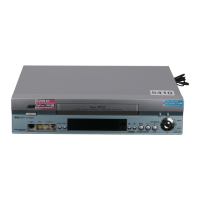
JVC HR-S7860EK - User Manual

JVC HR-S7860EK
81 pages
Print Icon
To Next Page IconTo Next Page
Loading...
INSERT A.DUB
EN
ENGLISH
CONTENTS
VIDEO CASSETTE RECORDER
SAFETY FIRST 2
Safety Precautions ....................................2
INDEX 4
INSTALLING YOUR NEW RECORDER 10
Basic Connections ..................................10
S-VIDEO Connection ..............................11
INITIAL SETTINGS 12
Auto Set Up ............................................12
Preset Download ....................................14
Language ................................................16
SAT CONTROL SET 17
Satellite Receiver Control Setting ............17
T-V LINK 19
T-V Link Functions .................................19
PLAYBACK 20
Basic Playback .......................................20
Playback Features ...................................21
RECORDING 24
Basic Recording ......................................24
Recording Features .................................25
B.E.S.T. Picture System ...........................29
TIMER RECORDING 30
S
HOW
V
IEW
®
Timer Programming ............30
Express Timer Programming ...................32
24 Hour Express Timer Programming .....34
Automatic Satellite Programme
Recording ...............................................37
PROGRAMME NAVIGATION 38
Navigation ..............................................38
REMOTE CONTROL 42
Remote Control Functions .......................42
EDITING 45
Edit From A Camcorder ..........................45
Output/Input Set .....................................46
Edit To Or From Another Video
Recorder .................................................48
Audio Dubbing .......................................50
Insert Editing ...........................................52
SYSTEM CONNECTIONS 54
Connecting To A Satellite Receiver .........54
Connecting/Using A Decoder .................56
Connecting/Using A Stereo System .........57
SUBSIDIARY SETTINGS 58
Mode Set ................................................58
S
HOW
V
IEW
®
System Setup ......................63
Tuner Set ................................................64
Clock Set ................................................70
Video Channel Set ..................................72
TROUBLESHOOTING 73
QUESTIONS AND ANSWERS 76
SPECIFICATIONS 77
LIST OF TERMS 78
LPT0487-001A

Questions and Answers

  • X
    xfletcherAug 13, 2025
    Why the remote control won’t operate the TV or satellite receiver of my JVC VCR?
    • R
      Ryan MurphyAug 13, 2025
      If your JVC VCR remote control isn’t operating the TV or satellite receiver, the remote control brand setting may be incorrect. Please refer to pages 43 and 44 to re-set the remote control to the correct brand.
  • J
    Jeffrey McconnellAug 17, 2025
    Why the channel cannot be changed on my JVC HR-S7860EK?
    • L
      Leslie MendozaAug 17, 2025
      If the channel on your JVC VCR cannot be changed, it may be because recording is currently in progress. To resolve this, press the '9' button to pause the recording, then change the channel. After that, press the '4' button to resume recording.
  • N
    nharrellAug 20, 2025
    What to do if tape-to-tape editing is not possible on JVC HR-S7860EK VCR?
    • M
      Michael PowellAug 20, 2025
      If you're experiencing issues with tape-to-tape editing on your JVC VCR, there could be a few reasons. First, ensure that the source device (another video recorder or camcorder) is properly connected. Secondly, verify that all necessary power switches for both devices are turned on. Finally, check that the input mode is correctly set to “L-1”, “L-2”, “F-1” or “S-1.”
  • A
    Angela NewmanAug 25, 2025
    Why TV broadcasts cannot be recorded on my JVC HR-S7860EK?
    • D
      dmorrisAug 25, 2025
      If you are unable to record TV broadcasts on your JVC VCR, it might be because the input mode is set to “L-1”, “L-2”, “F-1”, “S-1” or “SAT”. To fix this, simply set the input mode to the desired channel.
  • M
    Mr. Darren DonaldsonAug 28, 2025
    How to fix camcorder recording if it is not possible on JVC HR-S7860EK?
    • R
      Robert MillerAug 28, 2025
      If you are unable to record from your camcorder using your JVC VCR, start by confirming that the camcorder is properly connected. Also, ensure that the input mode on the VCR is correctly set to “L-1”, “L-2”, “F-1” or “S-1.”
  • R
    Ruth CabreraSep 1, 2025
    What to do if '#' and '[' on the front display panel won't stop blinking on JVC HR-S7860EK?
    • W
      William BarrSep 1, 2025
      If the “#” and “[” symbols are blinking on the front display panel of your JVC VCR, it usually indicates an issue with the timer and cassette. This can happen if the timer is engaged but there's no cassette loaded, or if the loaded cassette has had its record safety tab removed, or the end of the tape was reached during timer recording. What to do: * Load a cassette with the record safety tab intact, or cover the hole using adhesive tape. * Remove the cassette and cover the hole with adhesive tape, or insert a cassette with the record safety tab intact. * If the end of the tape was reached during timer recording, the programme may not have been recorded in its entirety. Next time make sure you have enough time on the tape to record the entire programme.
  • T
    Todd MorrisSep 4, 2025
    Why is whistling or howling heard from the TV during camcorder recording on my JVC HR-S7860EK VCR?
    • K
      Kayla GarciaSep 4, 2025
      If you're experiencing whistling or howling sounds from the TV during camcorder recording with your JVC VCR, it could be due to the camcorder's microphone being too close to the TV or the TV's volume being too high. Try positioning the camcorder so its microphone is farther away from the TV and turning the TV's volume down.
  • S
    Steven JarvisSep 8, 2025
    What to do if recording cannot be started on JVC HR-S7860EK VCR?
    • C
      Christopher HernandezSep 8, 2025
      If the JVC VCR does not start recording, it may be due to one of the following reasons: * There is no cassette loaded. * The loaded cassette has had its record safety tab removed. Solution: Insert a cassette, or using adhesive tape, cover the hole where the tab was removed.

Summary

Safety Precautions

General Safety Warnings

Critical warnings on electrical hazards, fire prevention, and moisture exposure.

Handling and Environmental Precautions

Precautions on recorder placement, ventilation, liquids, and environmental factors.

Recorder Views and Displays

Front and Rear Views

Identification of external connectors and components on the recorder's front and rear.

Display Panel Information

Explanation of indicators on the front display and on-screen messages.

Remote Control Operations

Remote Control Functions and Modes

Details button functions, mode switching (VCR, TV, SAT), and LCD display usage.

Multi-Brand Control (TV;Satellite)

Using the remote to operate other brands of TVs and satellite receivers.

Installation and Connections

Basic and S-VIDEO Connections

Steps for connecting the recorder to a TV via RF, AV, or S-VIDEO.

System Connections (Satellite;Decoder;Stereo)

Guides connecting satellite receivers, decoders, and stereo systems.

Initial Settings

Auto Set Up and Country;Language

Automatic channel tuning, clock setting, and language selection.

Preset Download Function

Downloading TV data via SCART for automatic setup.

Satellite Control Setup

Satellite Receiver Control and T-V Link

Setting up the satellite controller and T-V Link functions.

Playback Operations

Basic Playback and Features

Loading tapes, starting/stopping playback, and using playback modes like still, slow, search.

Recording Functions

Basic Recording and Features

Steps for recording, pausing, stopping, and using timer recording features.

Retake Function

How to cut out parts of a recording while it's in progress.

Special Recording Modes

S-VHS ET and Stereo Recording

Recording in S-VHS quality and handling stereo/bilingual audio.

B.E.S.T. Picture System

System for optimizing picture quality during playback and recording.

Timer Recording

SHOWVIEW, Express, and 24 Hour Programming

Guides for setting various types of timer recordings.

Managing Timer Programs and Overlaps

Checking, changing, cancelling programs, and resolving overlaps.

Automatic Satellite Programme Recording

Recording Satellite Programs Automatically

Automatically recording satellite programs based on receiver timers.

Programme Navigation

Navigation and Playback Features

Storing program info, playing back recorded programs, editing titles.

Editing Functions

Camcorder and Recorder Editing

Editing from camcorders or between video recorders.

Audio Dubbing and Insert Editing

Replacing audio tracks or inserting new segments into recordings.

Output;Input Settings for Editing

Configuring signal types for editing connections.

Subsidiary Settings

Mode Settings

Configuring various operational modes like TBC, B.E.S.T., Timer, O.S.D.

Colour System and S-VHS Settings

Setting colour system (PAL/NTSC/MESECAM) and S-VHS modes.

Setup and Channel Management

SHOWVIEW System Setup

Setting Guide Program numbers for SHOWVIEW.

Tuner, Auto, and Manual Channel Set

Procedures for automatic and manual channel tuning.

Station Naming and Fine-Tuning

Setting station names and fine-tuning channels.

Clock and Video Channel Settings

Clock Set and Just Clock

Setting the recorder's clock and configuring the Just Clock function.

Video Channel Set

Adjusting video channel for RF connection or disabling for AV.

Troubleshooting Guide

Troubleshooting Categories

Categorized solutions for common power, tape, playback, and recording issues.

Timer Recording Issues

Specific troubleshooting for timer recording problems.

Questions and Answers

Q&A by Function

Common user questions and answers regarding playback, recording, and timer operations.

Specifications

Technical Details and Accessories

Detailed technical specifications and included accessories for the recorder.

List of Terms

Glossary of Terms

An alphabetical index of terms used in the manual with page references.

JVC HR-S7860EK Specifications

General IconGeneral
BrandJVC
ModelHR-S7860EK
CategoryVCR
LanguageEnglish

Related product manuals