EasyManua.ls Logo

JVC HR-XV3EK - User Manual

JVC HR-XV3EK
86 pages
Print Icon
To Next Page IconTo Next Page
Loading...
SERVICE MANUAL
COPYRIGHT © 2003 VICTOR COMPANY OF JAPAN, LIMITED
No.YD002
2003/11
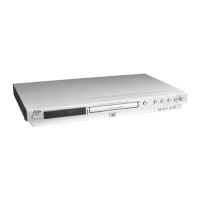
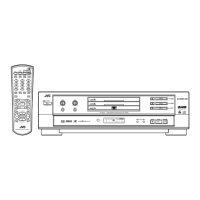
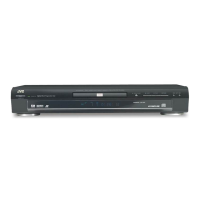
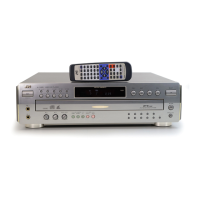
DVD PLAYER & VIDEO CASSETTE RECORDER
YD002200311
HR-XV3EK, HR-XV31EK,
HR-XV32EK, HR-XV3EX,
HR-XV31EX, HR-XVS30EK,
HR-XVS30EX
TABLE OF CONTENTS
1 PRECAUTION. . . . . . . . . . . . . . . . . . . . . . . . . . . . . . . . . . . . . . . . . . . . . . . . . . . . . . . . . . . . . . . . . . . . . . . . . 1-3
2 SPECIFIC SERVICE INSTRUCTIONS. . . . . . . . . . . . . . . . . . . . . . . . . . . . . . . . . . . . . . . . . . . . . . . . . . . . . . 1-8
3 DISASSEMBLY . . . . . . . . . . . . . . . . . . . . . . . . . . . . . . . . . . . . . . . . . . . . . . . . . . . . . . . . . . . . . . . . . . . . . . 1-11
4 ADJUSTMENT . . . . . . . . . . . . . . . . . . . . . . . . . . . . . . . . . . . . . . . . . . . . . . . . . . . . . . . . . . . . . . . . . . . . . . . 1-17
5 TROUBLESHOOTING . . . . . . . . . . . . . . . . . . . . . . . . . . . . . . . . . . . . . . . . . . . . . . . . . . . . . . . . . . . . . . . . . 1-26
HR-XV3EK, HR-XV31EK, HR-XV32EK, HR-XV3EX, HR-XV31EX, HR-XVS30EK, HR-XVS30EX [D3PV1,D3PS1]
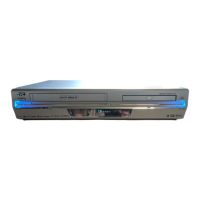
(EX models)
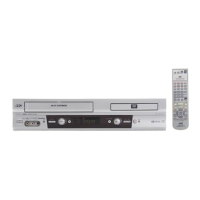
(S-VHS models)
(S-VHS models)
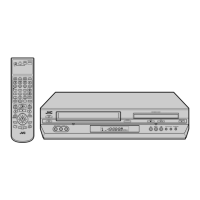
(EK models)
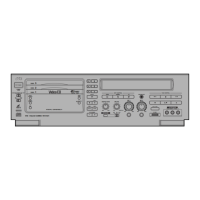
(VHS models)
www.freeservicemanuals.info
3/7/2017
Digitized in Heiloo Netherland

Table of Contents

Questions and Answers

  • W
    wcruzSep 19, 2025
    What to do if TV aerial cable was not connected during Auto Set Up on JVC HR-XV3EK?
    • L
      Leslie HillSep 22, 2025
      If the TV aerial cable was not connected to the unit when Auto Set Up was performed on your JVC DVD Player, turn off the unit once and connect the TV aerial cable to the unit properly, then turn on the unit again. Then perform Auto Set Up again.
  • B
    Brooke CollinsAug 25, 2025
    What to do if JVC DVD Player playback picture does not appear?
    • A
      Aaron BarnesAug 25, 2025
      If the playback picture does not appear while the tape is running on your JVC DVD Player, make sure the DVD deck is selected. Press the VCR/DVD button repeatedly until the DVD indicator lights up. Alternatively, press the DVD button on the remote control until the DVD indicator illuminates.
  • M
    mgreenAug 26, 2025
    How to fix JVC HR-XV3EK region code error?
    • S
      Shawn AriasAug 26, 2025
      If your JVC DVD Player displays “REGION CODE ERROR!” on the TV screen, it means the disc's region number doesn't match the unit's. Use discs with region numbers that include “ALL” or “2”.
  • M
    Matthew MaldonadoAug 27, 2025
    Why JVC DVD Player disc cannot be played?
    • J
      John SharpAug 27, 2025
      If your JVC DVD Player disc cannot be played back, and you're using an RF connection, ensure the TV receiver's channel selector is set to the correct video channel. If you are using the AV or Component Video connection, set the TV to its AV mode.
  • B
    Brandon RoseSep 23, 2025
    What to do if SCART cable was not connected during Preset Download on JVC HR-XV3EK DVD Player?
    • J
      James BrownSep 23, 2025
      If the fully-wired 21-pin SCART cable was not connected between the TV and the unit when Preset Download was performed on your JVC DVD Player, turn off the unit once and connect the fully-wired 21-pin SCART cable to the unit properly, then turn on the unit again. Then perform Preset Download again.
  • K
    Karina RobbinsSep 23, 2025
    How to fix JVC HR-XV3EK JPEG files with incorrect file extension?
    • K
      Kevin ThomasSep 23, 2025
      If JPEG files do not have the correct file extension in their file names on your JVC DVD Player, add the correct file extension (.jpg, .jpeg, .JPG, .JPEG or any uppercase and lowercase combination such as “.Jpg”) to their file names.
  • D
    David WatkinsSep 10, 2025
    How to start recording with JVC HR-XV3EK?
    • M
      Monica JonesSep 10, 2025
      To start recording on your JVC DVD Player, ensure that a cassette is loaded and that its record safety tab has not been removed. If the tab is removed, cover the hole with adhesive tape.
  • C
    catherine84Sep 12, 2025
    Why JVC HR-XV3EK DVD Player channel cannot be changed?
    • T
      tracigillespieSep 12, 2025
      If the channel cannot be changed on your JVC DVD Player, it is because recording is in progress. Press 9 to pause the recording, change channels, then press 4 to resume recording.
  • B
    Brandon ColeSep 3, 2025
    How to fix JVC DVD Player noise during normal playback?
    • S
      samanthahaydenSep 4, 2025
      If your JVC DVD Player has noise during normal playback, it might be due to the automatic tracking mode being engaged. Try switching to manual tracking.
  • K
    kevinhughesSep 1, 2025
    How to fix JVC HR-XV3EK timer recording not working?
    • T
      Tony BarnesSep 1, 2025
      If your JVC DVD Player timer recording won’t work, re-perform the clock and/or timer settings. Also, press # and confirm that “#” is displayed on the front display panel to engage the timer.

JVC HR-XV3EK Specifications

General IconGeneral
BrandJVC
ModelHR-XV3EK
CategoryDVD Player
LanguageEnglish

Related product manuals