EasyManua.ls Logo

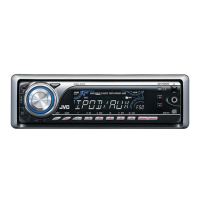
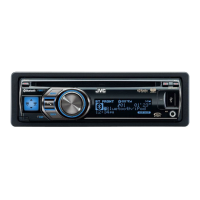
JVC KD-APD38 - User Manual

JVC KD-APD38
68 pages
Print Icon
To Next Page IconTo Next Page
Loading...
ENGLISHESPAÑOL
FRANÇAIS
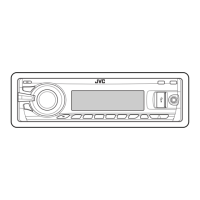
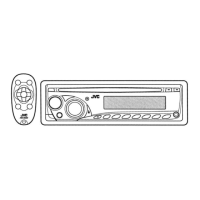
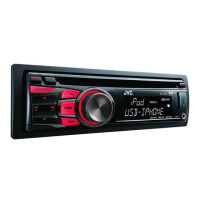
CD RECEIVER KD-APD38/KD-PDR30
RECEPTOR CON CD KD-APD38/KD-PDR30
RÉCEPTEUR CD KD-APD38/KD-PDR30
For canceling the display demonstration, see page 6.
Para cancelar la demostración en pantalla, consulte la página 6.
Pour annuler la démonstration des affichages, référez-vous à la page 6.
For installation and connections, refer to the separate manual.
Para la instalación y las conexiones, refiérase al manual separado.
Pour l’installation et les raccordements, se référer au manuel séparé.
INSTRUCTIONS
MANUAL DE INSTRUCCIONES
MANUEL D’INSTRUCTIONS
GET0467-001A
[J]
For customer Use:
Enter below the Model
No. and Serial No. which
are located on the top or
bottom of the cabinet. Retain
this information for future
reference.
Model No.
Serial No.
Cover_KD-APD38[J]1.indd 1Cover_KD-APD38[J]1.indd 1 11/17/06 10:48:08 AM11/17/06 10:48:08 AM

Questions and Answers

  • B
    Bryan JonesAug 13, 2025
    What to do if “NO IPOD” appears on JVC Car Receiver display?
    • C
      Christopher MartinezAug 13, 2025
      If the display shows “NO IPOD” on your JVC Car Receiver, first, check the connecting cable and its connection. If that doesn't resolve the issue, try charging the iPod's battery.
  • L
    lisa72Aug 17, 2025
    Why is the sound distorted on my JVC KD-APD38 Car Receiver?
    • S
      sotostephenAug 17, 2025
      If the sound from your JVC Car Receiver is distorted, try deactivating the equalizer either on the unit or the iPod.
  • M
    Mrs. April Yates MDAug 20, 2025
    Why my iPod does not turn on or work with JVC KD-APD38?
    • J
      Jennifer FreyAug 20, 2025
      If your iPod does not turn on or work with the JVC Car Receiver, check the connecting cable and its connection. If the problem persists, update the firmware version or charge the battery.
  • J
    James TrujilloAug 25, 2025
    What to do if playback stops on JVC Car Receiver?
    • P
      Phillip PrattAug 25, 2025
      If playback stops on your JVC Car Receiver, turn the unit’s power off and then on again.
  • T
    Tom SmithAug 28, 2025
    How to fix “NO FILES” on JVC Car Receiver display?
    • M
      Melissa JohnsonAug 28, 2025
      If “NO FILES” appears on the display of your JVC Car Receiver, import tracks to the iPod.
  • K
    kvincentAug 31, 2025
    Why iPod’s controls do not work after disconnecting from JVC Car Receiver?
    • C
      Cameron MarshallAug 31, 2025
      If the iPod’s controls do not work after disconnecting from your JVC Car Receiver, reset the iPod.
  • M
    Marcus SanchezSep 4, 2025
    How to stop noise generated by JVC KD-APD38 Car Receiver?
    • M
      Michelle JenningsSep 4, 2025
      If you are experiencing noise generation with your JVC Car Receiver, skip to another track or change the disc.
  • A
    Alex JacksonSep 8, 2025
    Why disc cannot be played back on JVC KD-APD38 Car Receiver?
    • R
      Rebecca KennedySep 8, 2025
      To play a disc on your JVC Car Receiver, use a disc with MP3/WMA tracks recorded in the format compliant with ISO 9660 Level 1, Level 2, Romeo, or Joliet. Additionally, add the extension code or to the file names.

JVC KD-APD38 Specifications

General IconGeneral
BrandJVC
ModelKD-APD38
CategoryCar Receiver
LanguageEnglish

Related product manuals