EasyManua.ls Logo

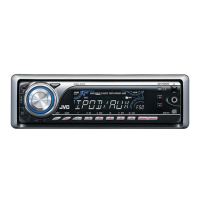
JVC KD-APD58 - User Manual

JVC KD-APD58
198 pages
Print Icon
To Next Page IconTo Next Page
Loading...
ENGLISHESPAÑOL
FRANÇAIS
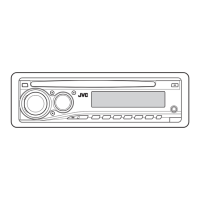
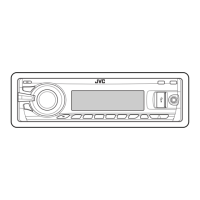
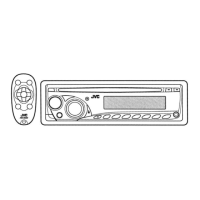
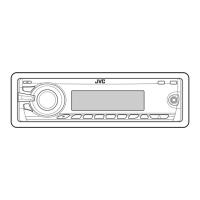
CD RECEIVER KD-APD58/KD-PDR50
RECEPTOR CON CD KD-APD58/KD-PDR50
RÉCEPTEUR CD KD-APD58/KD-PDR50
For canceling the display demonstration, see page 6.
Para cancelar la demostración en pantalla, consulte la página 6.
Pour annuler la démonstration des affichages, référez-vous à la page 6.
For installation and connections, refer to the separate manual.
Para la instalación y las conexiones, refiérase al manual separado.
Pour l’installation et les raccordements, se référer au manuel séparé.
INSTRUCTIONS
MANUAL DE INSTRUCCIONES
MANUEL D’INSTRUCTIONS
GET0425-001A
[J]
For customer Use:
Enter below the Model
No. and Serial No. which
are located on the top or
bottom of the cabinet. Retain
this information for future
reference.
Model No.
Serial No.
Cover_KD-APD58_50[J]3.indd 1Cover_KD-APD58_50[J]3.indd 1 10/17/06 8:31:09 AM10/17/06 8:31:09 AM

All manuals and user guides at all-guides.com
all-guides.com

Table of Contents

Other manuals for JVC KD-APD58

Questions and Answers

  • J
    Jacob WardAug 15, 2025
    Why does my JVC KD-APD58 Car Receiver make distorted sound?
    • K
      Kim BaileyAug 15, 2025
      Sound distortion in your JVC Car Receiver might be resolved by deactivating the equalizer settings, either on the receiver itself or on the connected iPod.
  • S
    Scott RiveraAug 18, 2025
    What to do if “PLEASE” and “EJECT” appear alternately on my JVC KD-APD58 Car Receiver?
    • S
      Selena JohnstonAug 18, 2025
      If “PLEASE” and “EJECT” are alternately displayed on your JVC Car Receiver, the solution is to insert a disc that contains MP3 or WMA tracks.
  • D
    Danielle BrownAug 21, 2025
    What to do if my JVC Car Receiver displays “RESET 8”?
    • C
      Craig TrevinoAug 21, 2025
      If “RESET 8” appears on the display of your JVC Car Receiver, check the connecting cable and its connection.
  • R
    Ryan BrownAug 25, 2025
    How to fix no sound when connecting an iPod nano to my JVC KD-APD58 Car Receiver?
    • M
      Megan CummingsAug 26, 2025
      If you hear no sound when connecting an iPod nano to your JVC Car Receiver, first disconnect the headphones from the iPod nano. If the problem persists, update the firmware version of the iPod nano.
  • G
    Gabriella SmithAug 28, 2025
    What to do if my JVC Car Receiver displays “NO FILES”?
    • V
      Victoria RamirezAug 28, 2025
      If “NO FILES” appears on the display of your JVC Car Receiver, you should import tracks to the iPod.
  • J
    Jessica DaviesAug 31, 2025
    What to do if my JVC Car Receiver displays “RESET 1” – “RESET 7”?
    • J
      Jill FrankSep 1, 2025
      If “RESET 1” through “RESET 7” appears on the display of your JVC Car Receiver, try reconnecting the iPod.
  • J
    Jamie WoodSep 4, 2025
    Why does my JVC Car Receiver not play tracks in the intended order?
    • C
      Cathy LopezSep 4, 2025
      Tracks on your JVC Car Receiver might not play in the order you intended because the playback order is determined when the files are recorded.
  • C
    Colin GutierrezSep 7, 2025
    What to do if my JVC KD-APD58 cannot play the disc?
    • S
      Sara CarterSep 7, 2025
      If your JVC Car Receiver cannot play a disc, use a disc with MP3/WMA tracks recorded in the format compliant with ISO 9660 Level 1, Level 2, Romeo, or Joliet. Also, add the extension code or to the file names.
  • B
    bautistarickeySep 12, 2025
    Why are the characters displayed incorrectly on my JVC KD-APD58 (e.g. album name)?
    • Z
      zhernandezSep 12, 2025
      The JVC Car Receiver unit can only display letters (upper case), numbers, and a limited number of symbols.

JVC KD-APD58 Specifications

General IconGeneral
BrandJVC
ModelKD-APD58
CategoryCar Receiver
TypeCD Receiver
Maximum Power Output50W x 4
RMS Power Output22W x 4
CD PlayerYes
MP3 PlaybackYes
WMA PlaybackYes
USB PortYes
Auxiliary InputYes
BluetoothNo
AM/FM TunerYes
Subwoofer OutputYes
Display TypeLCD
Detachable FaceplateYes
Remote ControlYes
Preamp Outputs2

Related product manuals