ENGLISH
24 EXTERNAL DEVICES
After pressing , press the following buttons to...
ONE RPT: Functions the same as “Repeat One” or “Repeat Mode
= One.”
ALL RPT: Functions the same as “Repeat All” or “Repeat Mode = All.”
ALBM RND*: Functions the same as “Shuffle Albums” of the iPod.
SONG RND/RND ON: Functions the same as “Shuffle Songs” or “Random Play
= On.”
• To cancel repeat play or random play, select “RPT OFF” or “RND OFF.”
* iPod: Functions only if you select “ALL” in “ALBUMS” of the main “MENU.”
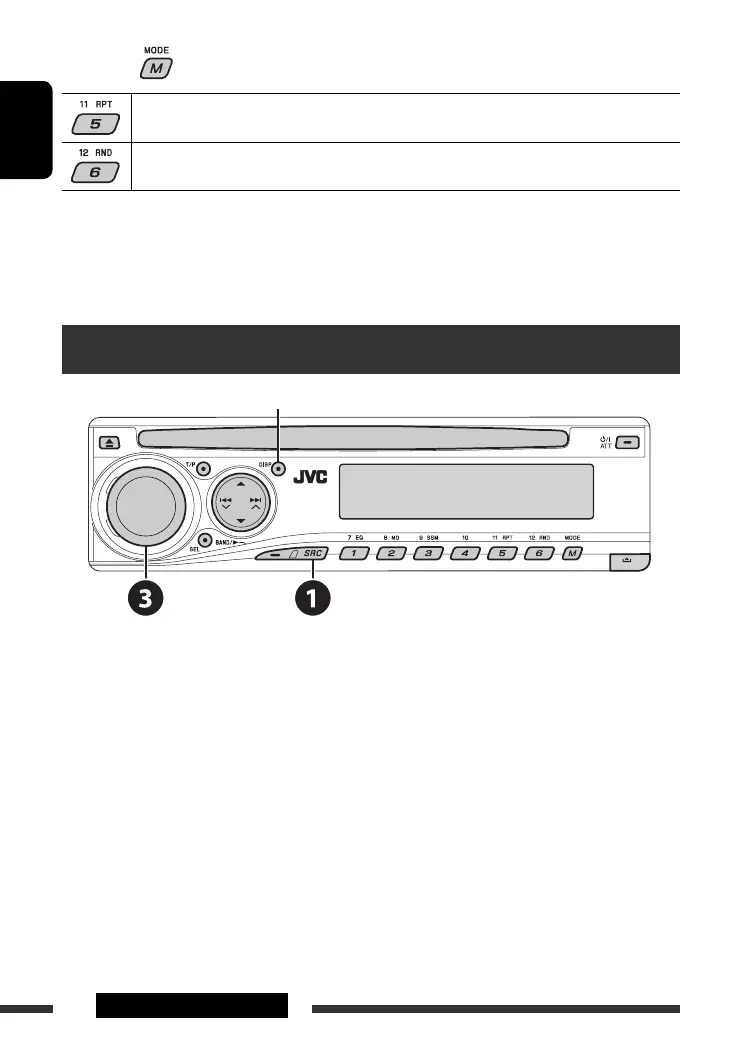
Listening to the other external components
Change the display information
You can connect an external component to:
• CD changer jack on the rear using the Line Input Adapter—KS-U57 (not supplied) or AUX Input Adapter—
KS-U58 (not supplied). Make sure “EXT IN” is selected for the external input setting, see page 28.
• LINE IN plugs on the rear.
~ Select “EXT IN” or “LINE IN.”
Ÿ Turn on the connected component and start playing the source.
! Adjust the volume.
⁄ Adjust the sound as you want (see pages 25 and 26).
EN22-29_DV5302_003A_2.indd 24EN22-29_DV5302_003A_2.indd 24 11/13/06 7:13:24 PM11/13/06 7:13:24 PM



 To Next Page