ENGLISH
42
Indication Item
( : Initial)
Setting, [reference page]
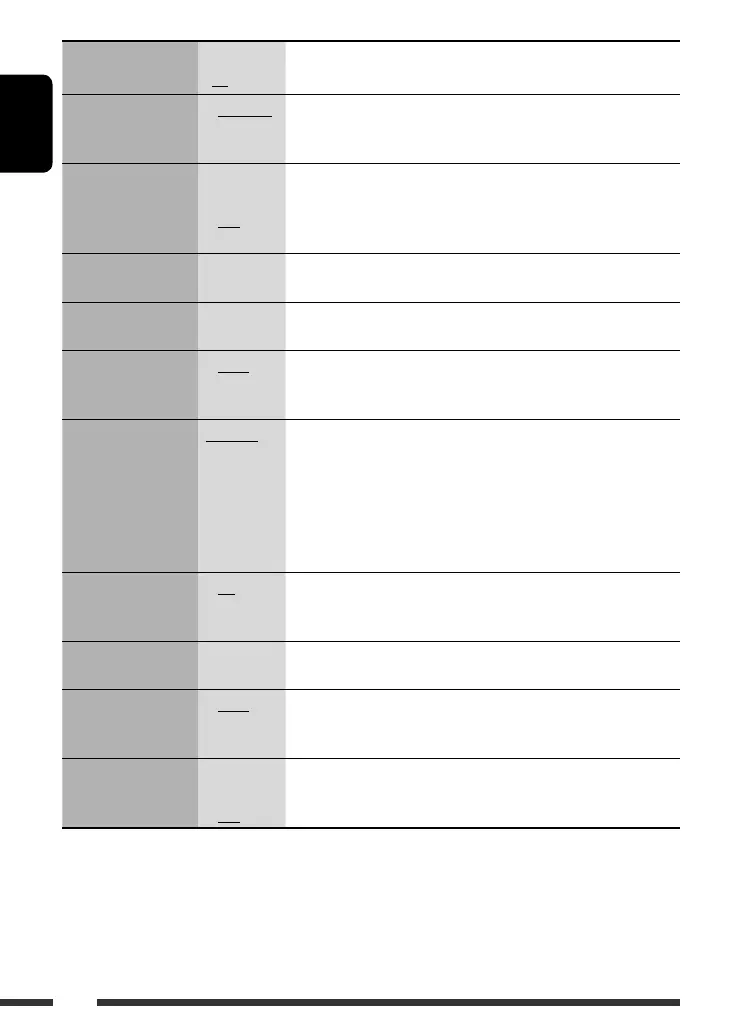
DEMO
Display demonstration
• DEMO ON
• DEMO OFF
: Display demonstration will be activated automatically if no operation
is done for about 20 seconds, [7].
: Cancels.
CLK DISP *
1
Clock display
• ON
• OFF
: Clock time is shown on the display at all times when the power is
turned off.
: Cancels; pressing D DISP will show the clock time for about 5 seconds
when the power is turned off, [7].
CLOCK H
Hour adjustment
1 – 12 : Initial: 1 (1:00), [7].
CLOCK M
Minute adjustment
00 – 59 : Initial: 00 (1:00), [7].
CLK ADJ *
2
Clock adjustment
• AUTO
• OFF
: The built-in clock is automatically adjusted using the clock data
provided via the satellite radio channel.
: Cancels.
T-ZONE *
2,
*
3
Time zone
EASTERN,
ATLANTIC,
NEWFOUND,
ALASKA,
PACIFIC,
MOUNTAIN,
CENTRAL
: Select your residential area from one of the time zones for clock
adjustment.
DST *
2,
*
3
Daylight savings time
• ON
• OFF
: Activates daylight savings time if your residential area is subject to
DST.
: Cancels.
SID *
4
SIRIUS ID
– : Your SIRIUS identification number scrolls on the display 5 seconds
after “SID” is selected, [35].
DIMMER
Dimmer
• AUTO
• ON
• OFF
: Dims the display when you turn on the headlights.
: Dims the display illumination.
: Cancels.
TEL *
5
Telephone muting
• MUTING 1/
MUTING 2
• OFF
: Select either one which mutes the sounds while using a cellular
phone.
: Cancels.
*
1
If the power supply is not interrupted by turning off the ignition key of your car, it is recommended to select “OFF” to
save the car’s battery.
*
2
Displayed only when SIRIUS Satellite radio or XM Satellite radio is connected.
*
3
Displayed only when “CLK ADJ” is set to “AUTO.”
*
4
Displayed only when SIRIUS Satellite radio is connected.
*
5
Only for KD-ADV7380.
EN42-49_KD-ADV7380[J]3.indd 42EN42-49_KD-ADV7380[J]3.indd 42 1/16/07 4:20:29 PM1/16/07 4:20:29 PM


 To Next Page
 Loading...