ROMÂN$
7
INTRODUCERE
Preg"tire
Anula#i derularea mesajelor pe a$%aj %i seta#i ora
• Consulta#i "i pagina 43.
~ Turn on the power.
Ÿ Enter the PSM settings.
! ] ⁄ Cancel the display demonstrations
Select “DEMO,” then “DEMO OFF.”
Set the clock
Select “CLOCK H” (hour), then adjust the hour.
Select “CLOCK M” (minute), then adjust the minute.
Select “24H/12H,” then “24H” (hour) or “12H” (hour).
@ Finish the procedure.
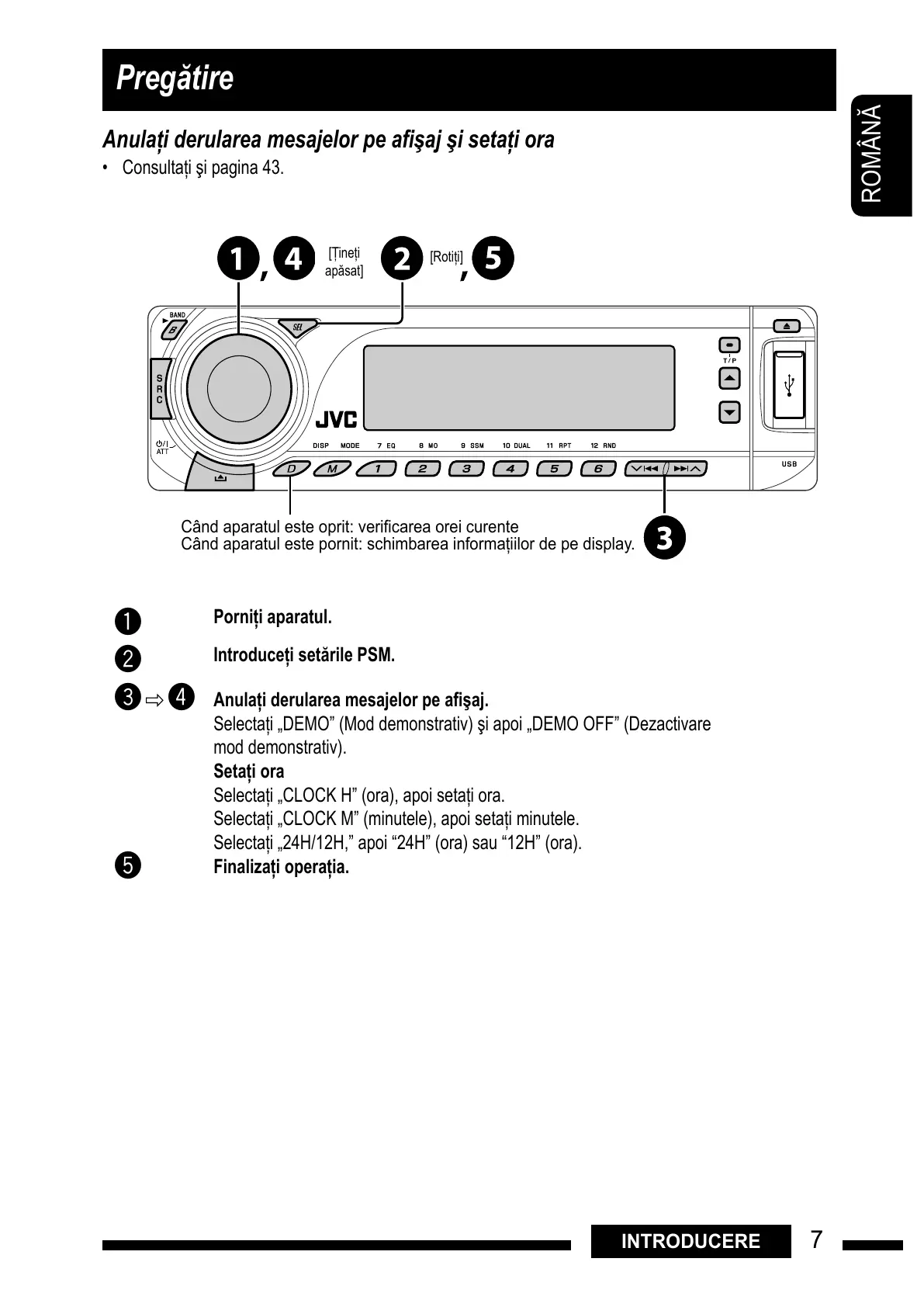
When the power is turned off: Check the current clock time
When the power is turned on: Change the display information
[&ine#i
ap%sat]
[Roti#i]
Când!aparatul!este!oprit:!veri#carea!orei!curente
Când!aparatul!este!pornit:!schimbarea!informa$iilor!de!pe!display.
Porni"i aparatul.
Introduce"i set$rile PSM.
Anula"i derularea mesajelor pe a%#aj.
Selecta#i „DEMO” (Mod demonstrativ) "i apoi „DEMO OFF” (Dezactivare
mod demonstrativ).
Seta"i ora
Selecta#i „CLOCK H” (ora), apoi seta#i ora.
Selecta#i „CLOCK M” (minutele), apoi seta#i minutele.
Selecta#i „24H/12H,” apoi “24H” (ora) sau “12H” (ora).
Finaliza"i opera"ia.
All manuals and user guides at all-guides.com


 To Next Page