16
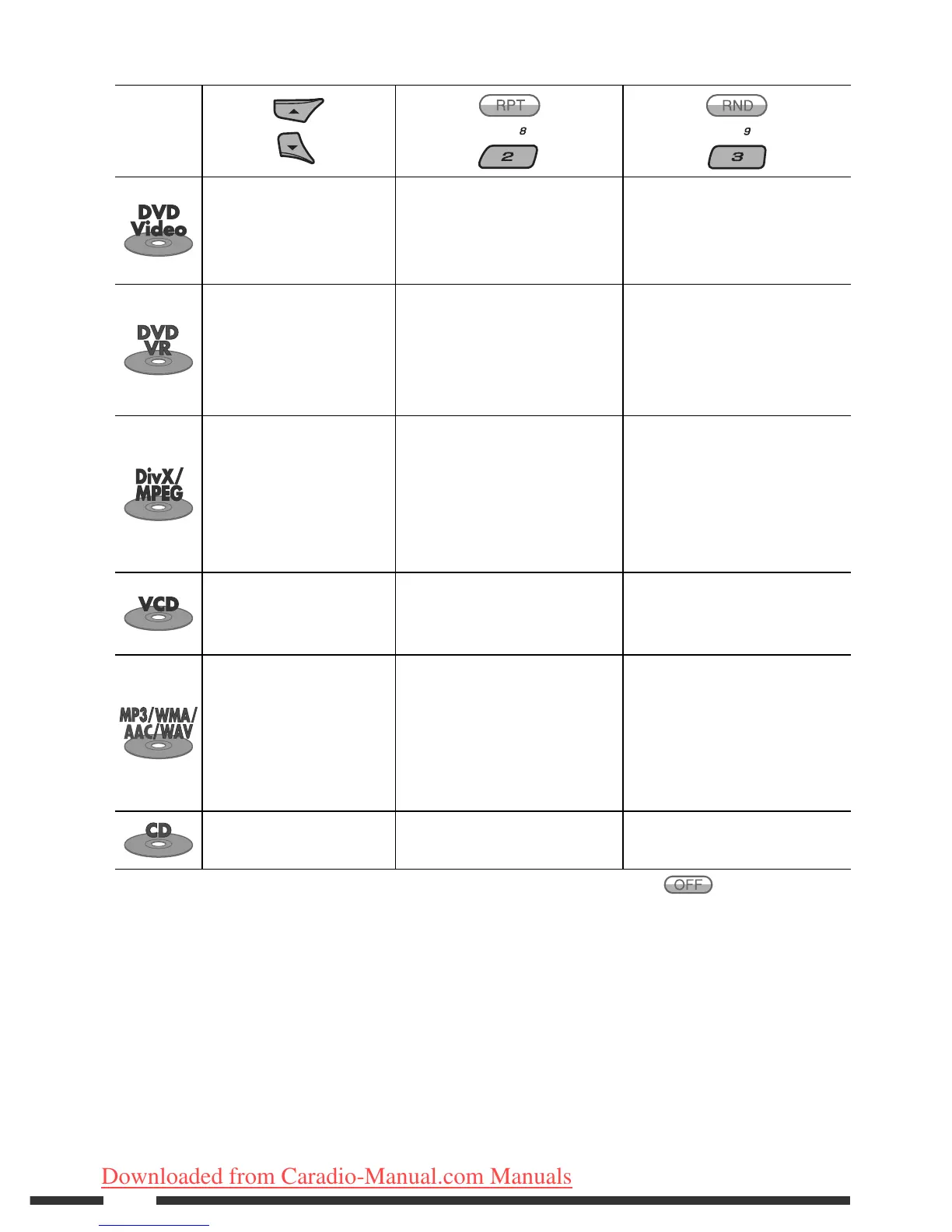
After pressing M MODE, press the following buttons to...
Disc type
Skip 10 chapters (during
play or pause)
Repeat Chapter:
Repeat current chapter
Repeat Title:
Repeat current title
—
Skip 10 chapters (during
play or pause)
Repeat Chapter:
Repeat current chapter
Repeat Program:
Repeat current program (not
available for Playlist Playback)
—
Skip 10 tracks (within the
same folder)
Repeat Track:
Repeat current track
Repeat Folder:
Repeat current folder
Random Folder:
Randomly play all tracks of
current folder, then tracks of
next folders
Random All:
Randomly play all tracks
Skip 10 tracks (PBC not in
use)
Repeat Track:
Repeat current track (PBC not in
use)
Random Disc:
Randomly play all tracks (PBC
not in use)
Skip 10 tracks (within the
same folder)
Repeat Track:
Repeat current track
Repeat Folder:
Repeat current folder
Random Folder:
Randomly play all tracks of
current folder, then tracks of
next folders
Random All:
Randomly play all tracks
Skip 10 tracks Repeat Track:
Repeat current track
Random All:
Randomly play all tracks
• You can also cancel the playback mode by selecting “Off” or press number button 4 (
).
EN10-17_KD-DV9406_005A_1.indd 16EN10-17_KD-DV9406_005A_1.indd 16 22/4/08 4:10:34 PM22/4/08 4:10:34 PM
Downloaded from Caradio-Manual.com Manuals


 To Next Page