33
EXTERNAL DEVICES
Listening to the iPod
Before operating, connect the Interface adapter for iPod, KS-PD100 (separately purchased) to the CD changer
jack on the rear of the unit.
• For connection, see Installation/Connection Manual (separate volume).
• For details, refer also to the manual supplied with the interface adapter.
Caution:
• Avoid using the iPod if it might hinder your safety while driving.
• Make sure all important data has been backed up to avoid losing the data.
Preparations:
Make sure “Changer” is selected for the external input setting, see page 41.
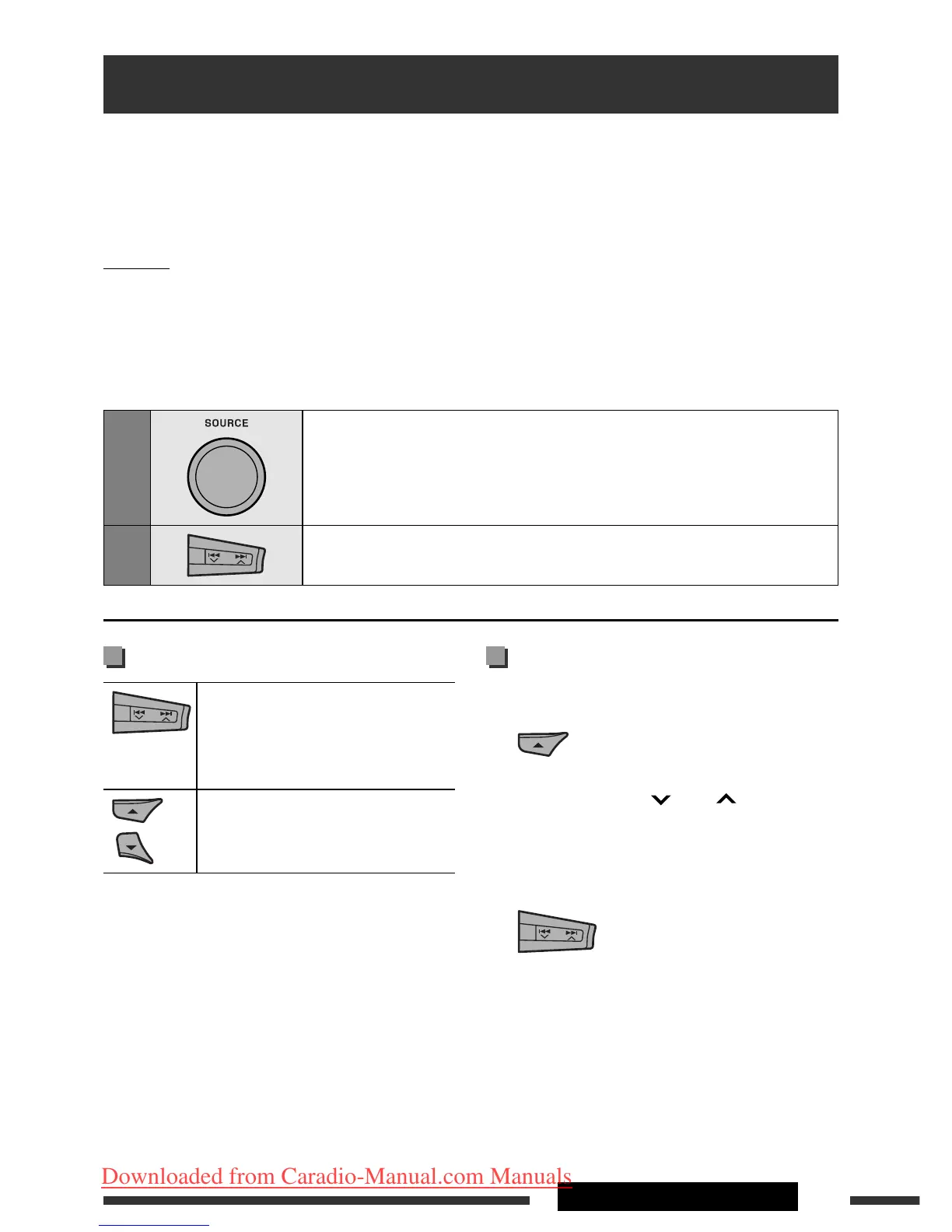
1
Select “iPod.”
2
Select a song to start playing.
Playback control from the unit
[Press] Go to the next or previous
track
[Hold] Fast-forward or reverse the
track during playback
[Press] Enter main menu when you
press 5. Pause/resume
playback when ∞ is pressed.
Selecting a track from the menu
1 Enter the main menu.
Now the 5/∞/4 /¢ buttons work
as the menu selecting buttons.
2 Select the desired menu.
Playlists Ô Artists Ô Albums Ô Songs
Ô Genres Ô Composers Ô (back to the
beginning)
Continued on the next page
EN26-33_KD-DV9406_005A_1.indd 33EN26-33_KD-DV9406_005A_1.indd 33 22/4/08 4:11:40 PM22/4/08 4:11:40 PM
Downloaded from Caradio-Manual.com Manuals


 To Next Page