36
Selecting a preset sound mode
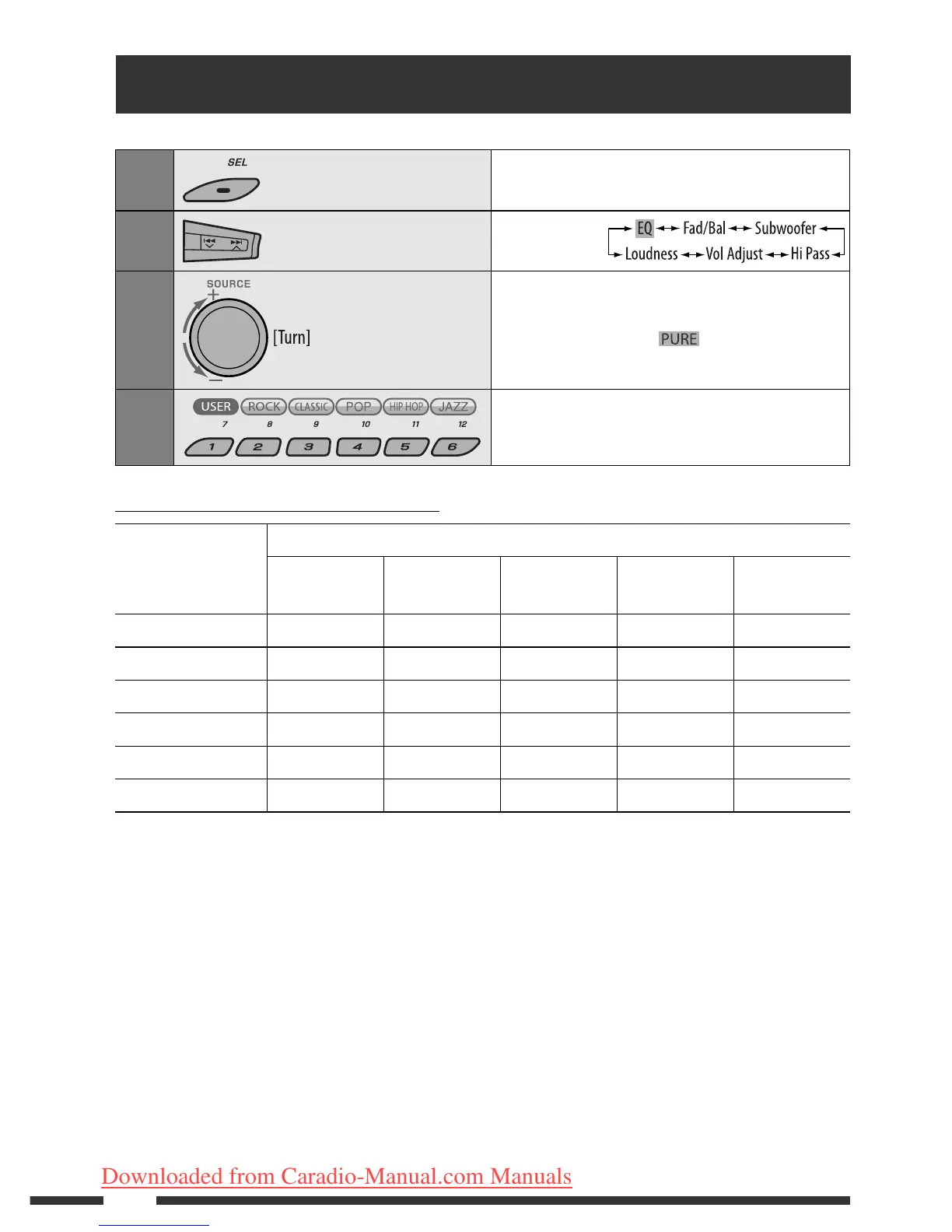
You can select a preset sound mode suitable to the music genre (iEQ: intelligent equalizer).
1
Enter sound mode setting.
2
Select “EQ.”
3
Select “On.”
• If “Bypass” is selected, you can listen to the original
sound mode recorded. lights up on the
display.
4
Select a preset sound mode.
Preset value setting for each sound mode
Sound mode
Preset value
Band 1
(100 Hz)
Band 2
(320 Hz)
Band 3
(1 kHz)
Band 4
(3.2 kHz)
Band 5
(10 kHz)
USER 00000
ROCK +3 +2 0 +1 +1
CLASSIC +2 +2 0 +1 0
POP 0 +1 0 +1 +2
HIP HOP +4 +1 –2 0 +1
JAZZ +3 +2 +1 +2 +2
EN34-39_KD-DV9406_005A_1.indd 36EN34-39_KD-DV9406_005A_1.indd 36 22/4/08 4:12:23 PM22/4/08 4:12:23 PM
Downloaded from Caradio-Manual.com Manuals


 To Next Page